💡Keyword research:
click hereWe can add a keyword in the Amazon search box and initially evaluate the market based on the products on the first few pages of the search results. Now the market analysis function of Seller Sprite makes this data easily analyze, saving a lot of time and also making eligible to analyze big data statistically though it is almost impossible to analyze manually.
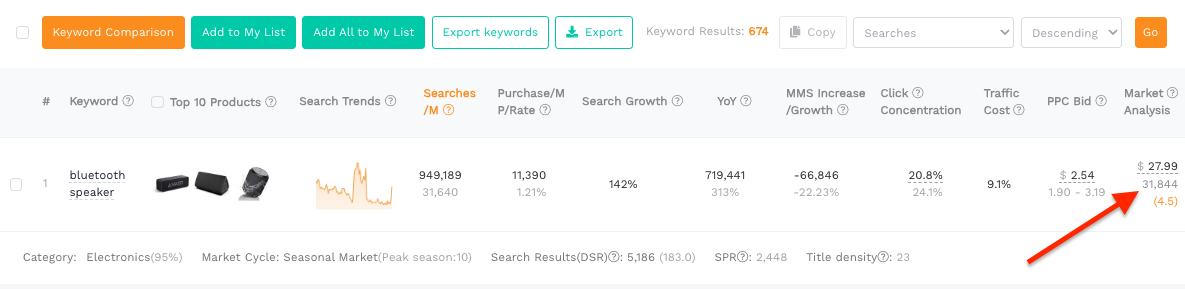
This function has a three indicators, and the data is taken from the "median" of the top 3 clicked ASINs for this keyword.
1. Median price: The median price of the top 3 clicked ASINs on this keyword
2. Median ratings average: The median of the top 3 clicked listings ratings average
3. Median Number of ratings : The median of total number of ratings from top 3 ASINs
Take the keyword bluetooth speaker as an example,
The prices of the top three products are $25.99, $27.99, and $69.95 respectively.
Then the median price is $27.99,
The number of ratings 485, 468 and 580 then median for this number of ratings is 468
Likewise median rating average is calculated in the same way.
Why choose the top 3 ASINs that are clicked the most?
The top 3 ASINs for keyword clicks are taken from the Amazon ABA report, and the data is accurate and reliable; and the higher the product clicks are, the higher the buyer’s purchasing intention is, which can help us initially understand this market overview.
Why calculate the median?
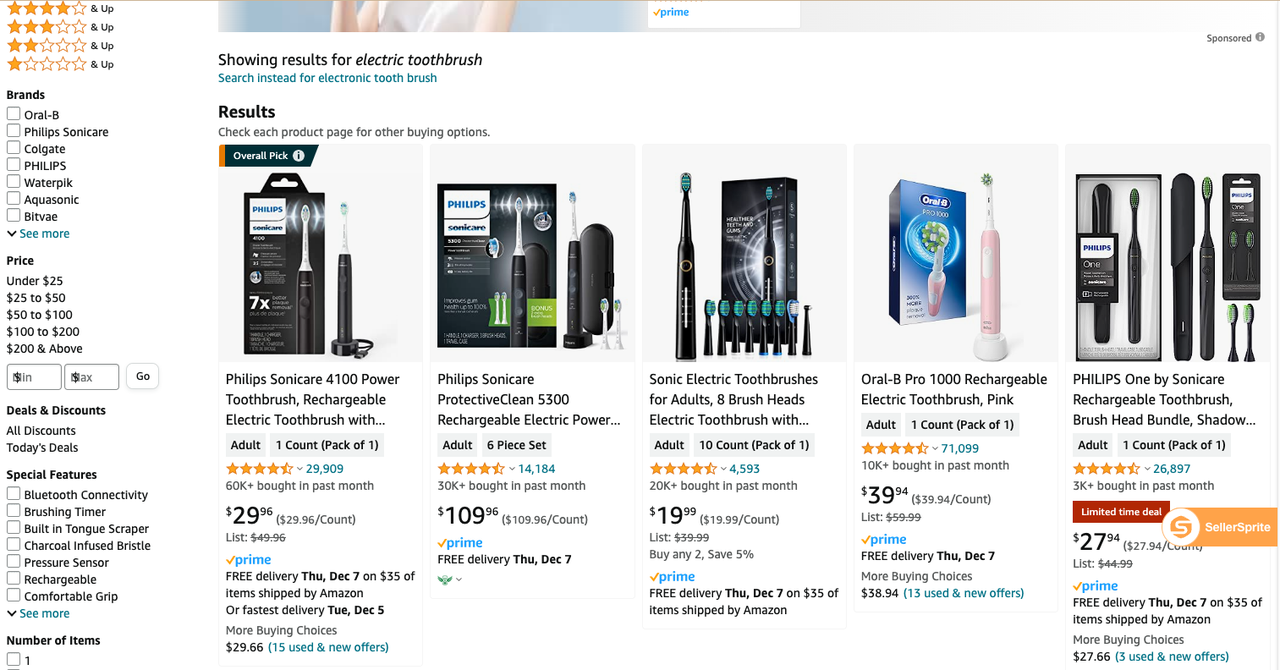
For example, if you search the keyword: electric toothbrush, the products with the top search results or top click rankings include not only electric toothbrushes, but also some electric toothbrush parts sets, and there is a big difference in their prices (number of ratings and rating values) same reason.
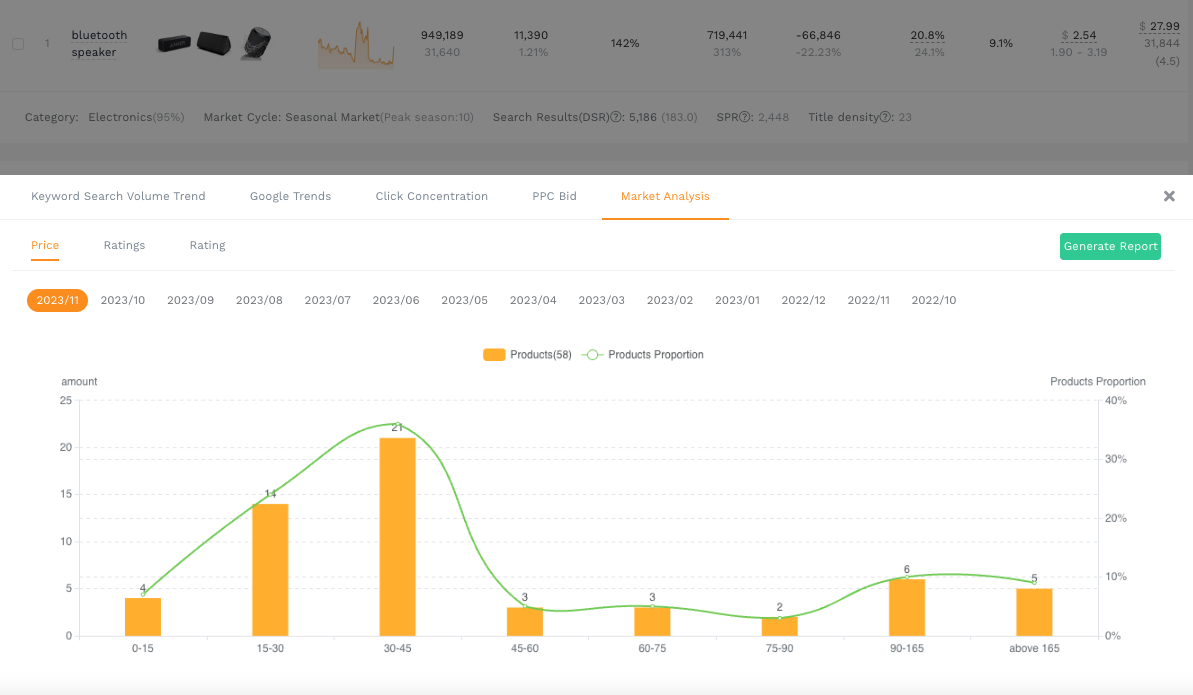
Click on and then see prices, ratings, rating average distribution and trends of the products on the first 3 pages of amazon:
1.Price distribution: Determine which price range may still have opportunities (price differentiation), and which price range has the most severe competition.
2. Number of rating distribution: It shows the difficulty of creating new products in this market. If there is not many listings with 200-300 reviews, it means that the barriers to entry of new products are not high.
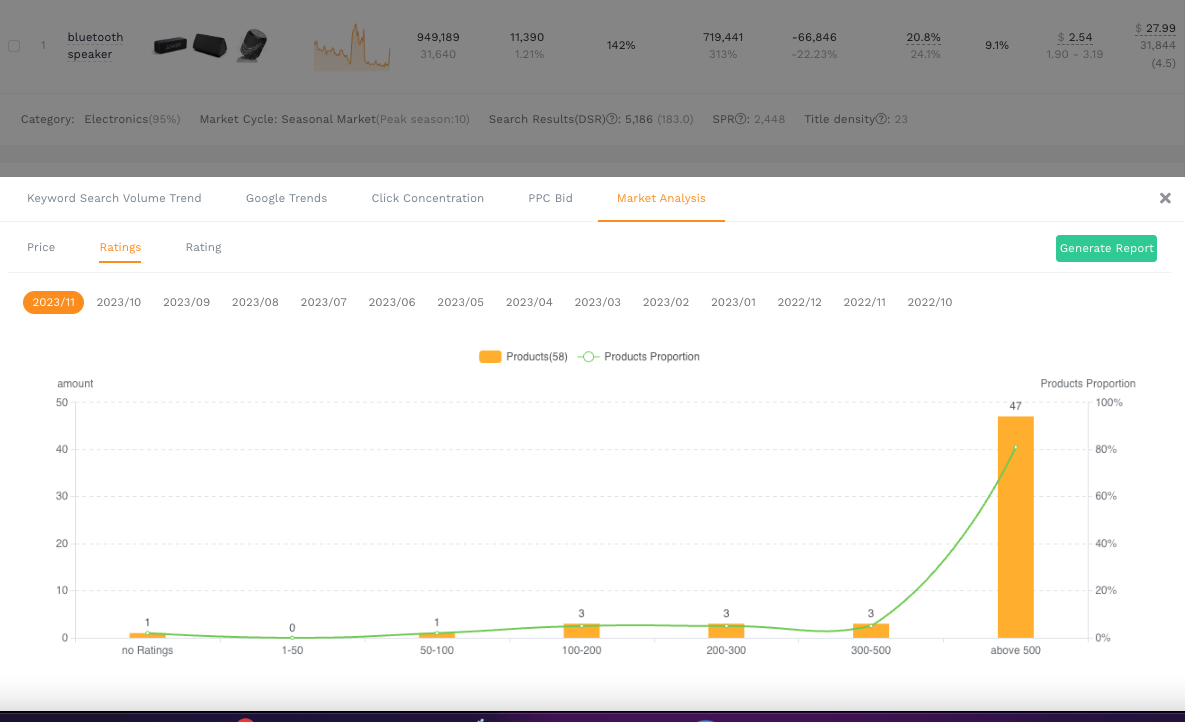
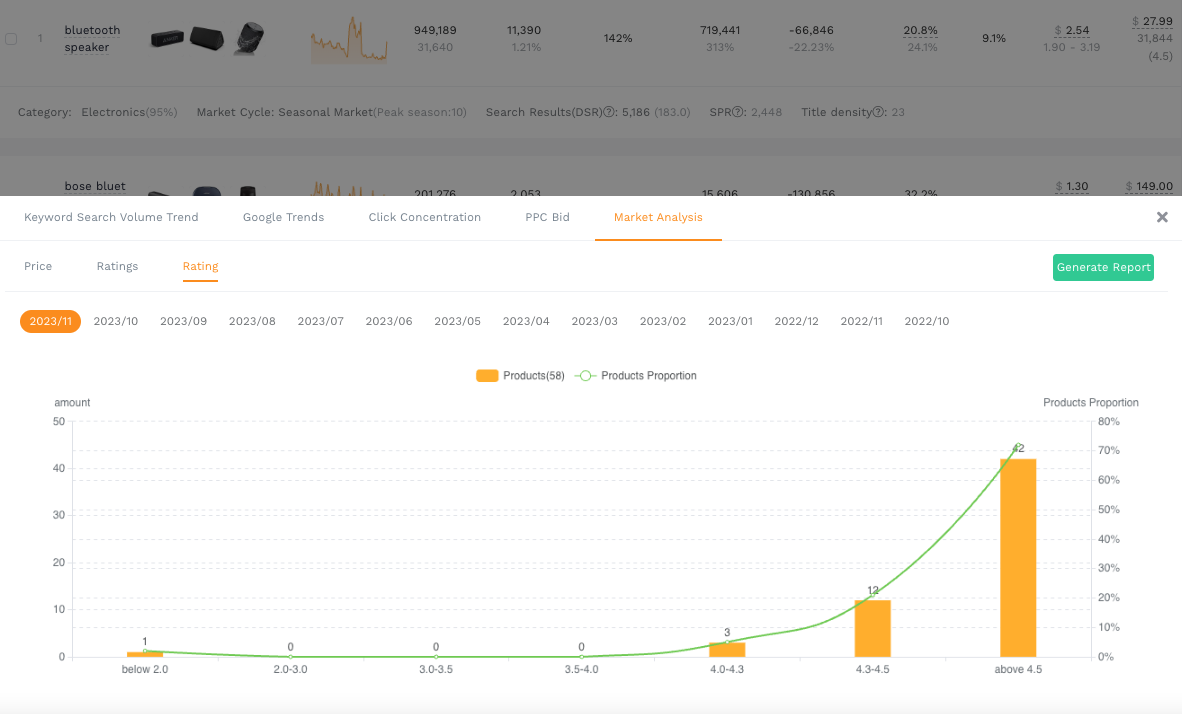
3. Rating average distribution: indicates the maturity of the market. If there are many products with average of 4.5 or above, it means that the market is very mature and it is difficult to launch new product here. If there are many products with average rating of 3.5, it means that there may be room for improvement. Able to make contributions to product differentiation.