Latest Version: 5.0.7
Release Date: November 17, 2026
🔧 What's New:
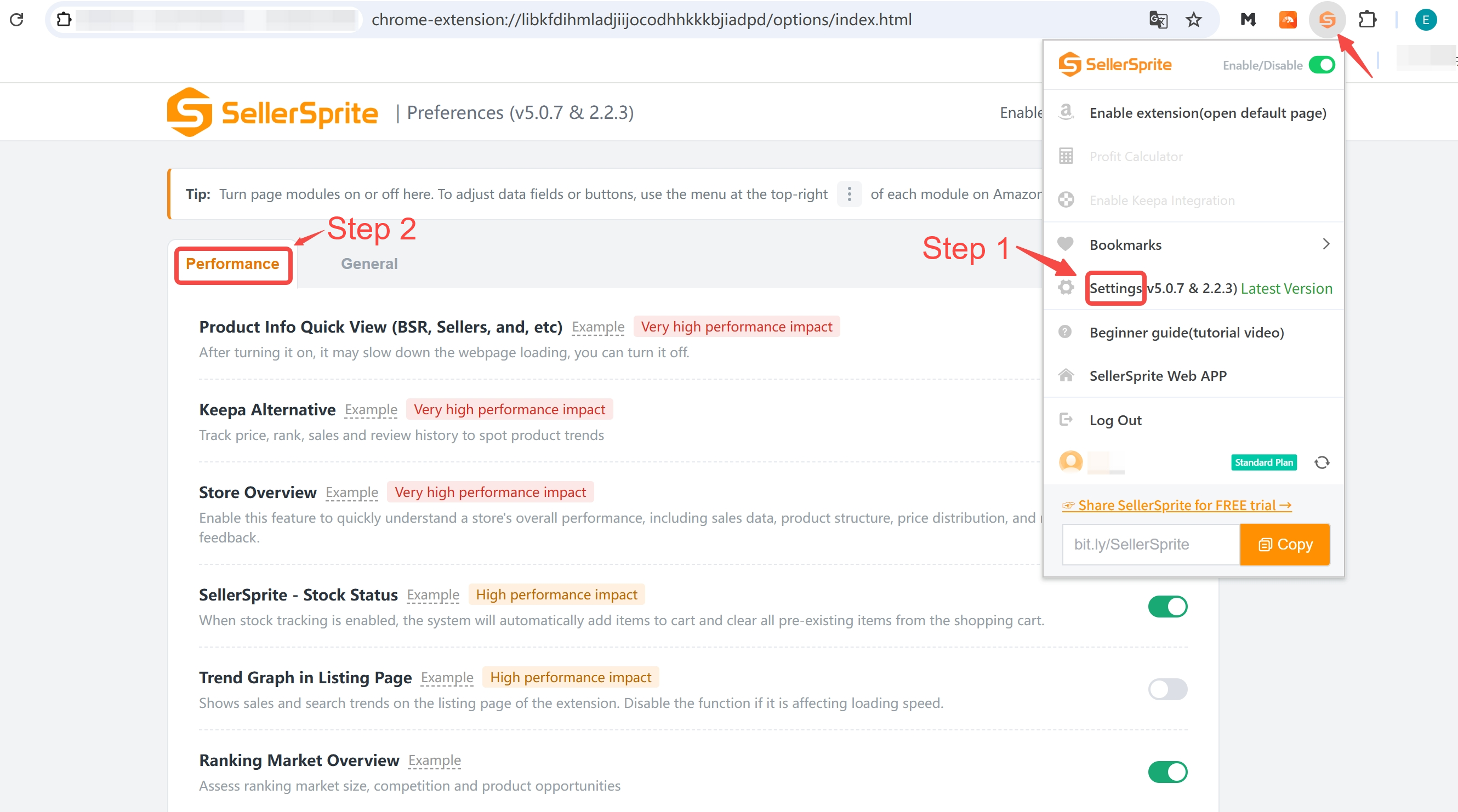
🌟 Performance Settings Added
A new Performance Settings section is now available, allowing you to enable or disable feature modules as needed for smoother extension performance.
Store Overview and Stock Status are disabled by default. You can enable them in Settings whenever needed.
Top Keywords, Ranking Market Overview, and Keyword Data Overview are collapsed by default.
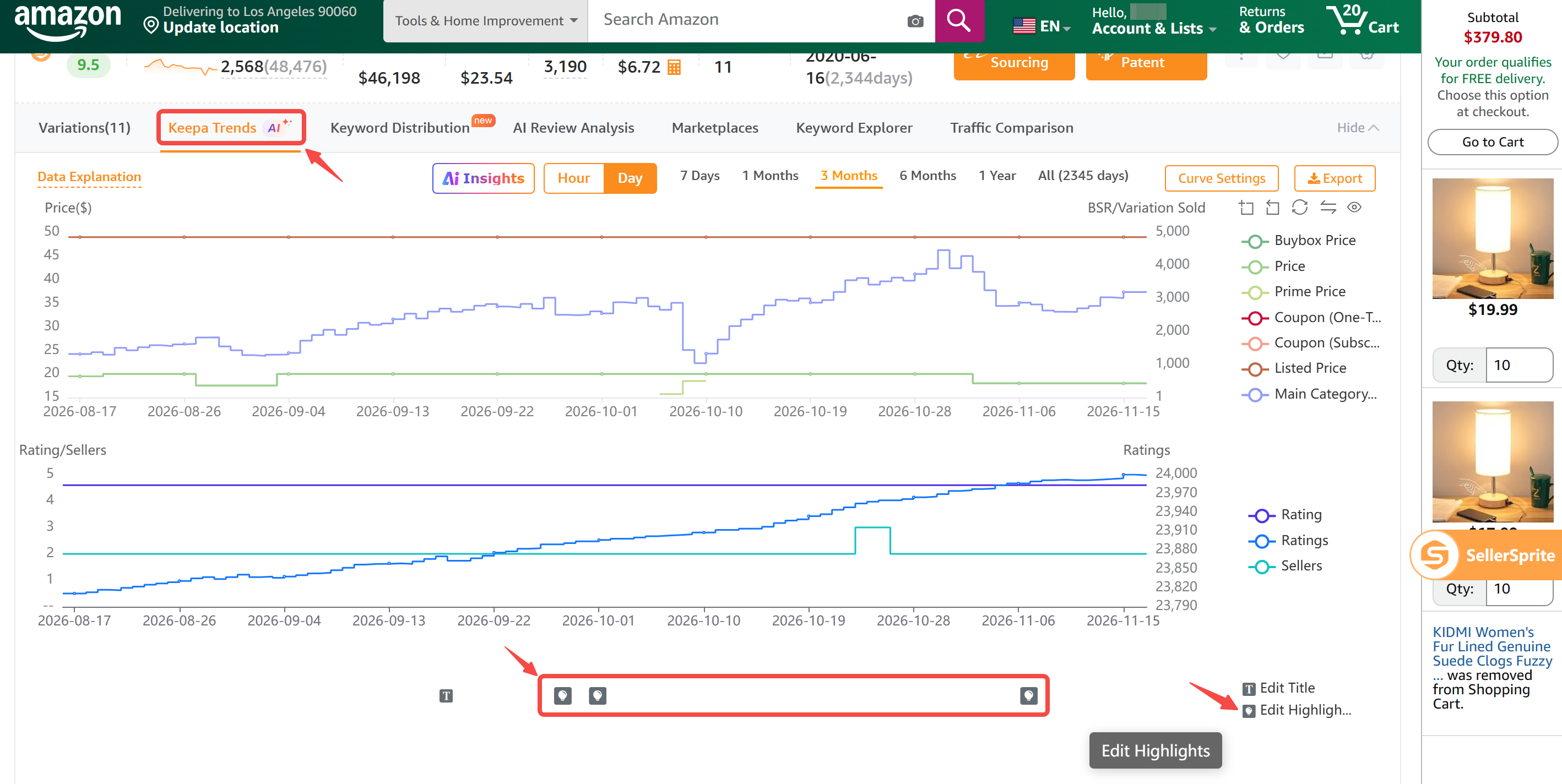
🌟 Track Product Highlight Changes
The Keepa Trends now includes Edit Highlights, allowing you to compare previous and updated product highlights and view detailed change trends.
🌟 Best-Selling Variations Only
Product Research now displays only the best-selling variations, automatically filtering out other variations. To view all variations, go to Competitor Research.
🌟 Improved AI Review Analysis
A back button has been added to the report page, allowing you to switch between the three analysis modes at any time.
🌟 Performance and Stability Improvements
Fixed several issues to improve the accuracy and reliability of data display and downloads.
🔽 Download SellerSprite Extension
For Chrome
Click here to visit the Chrome Web Store and click “Add to Chrome” to install.
For Microsoft Edge
Click here to visit the Edge Add-ons Store and click “Get” to install.
For Safari (Mac)
Click here to go to the Mac App Store and click “Add” to install.
For iPad
Click here to install the extension via the iOS App Store for iPad.
📘 Get Started
Read the SellerSprite Extension Guide to explore features and learn how to use the extension effectively.
❓ FAQ
Q: Why does the extension sometimes load slowly?
To provide the best experience for premium users, the extension loads all features by default. This can lead to slower performance.
Tip: You can speed things up by turning off unused features in the extension settings after installation.



perfect
Reply
Like 0