TL;DR: Feedback and review automation tools are safe when they connect through official platform APIs, ask every customer in neutral language, and never tie a review request to a star rating. They become dangerous the moment a vendor gates reviews, offers incentives, scrapes data, or promises to remove negative reviews.
Key Takeaways
- Automation itself is not the risk. The tactics a tool enables are. Official API integrations plus neutral, incentive-free requests are the safe baseline.
- US businesses answer to three policy layers at once: marketplace rules (Amazon, Google, Yelp), federal and state law (the FTC consumer review rule, FTC Act, CAN-SPAM, TCPA, CCPA/CPRA), and data-security obligations.
- Review gating, where unhappy buyers are filtered out before the request is sent, is the most common compliance failure and is directly targeted by the FTC consumer review rule that took effect in October 2024.
- No legitimate tool can delete a genuine negative review from Amazon or Google. Any vendor that promises removal is a red flag, not a feature.
- Use the 7-point safety checklist and the 12 vendor questions in this guide, then run a monthly governance review with a named owner and a tested kill switch.
Table of Contents
- What Feedback & Review Automation Tools Actually Do
- The Three Policy Layers That Decide 'Safe'
- What Can Go Wrong: A Practical Risk Map
- The 7-Point Safety & Compliance Checklist
- Safe vs. Risky Tactics, Side by Side
- How to Vet a Vendor: 12 Questions to Ask
- A Compliant Automation Workflow That Still Gets Results
- The Bottom Line
- FAQ
- References
Note on marketplaces: This guide is specifically optimized for the US market.
Feedback and review automation tools have moved from nice-to-have to standard equipment for US ecommerce teams. They trigger the post-purchase ask, route replies, and turn a trickle of reviews into the steady signal that both shoppers and marketplace ranking systems read. The uncomfortable question is not whether automation works. It is what happens when the automation asks in the wrong way, to the wrong people, with the wrong incentive, over the wrong channel. That is the moment safety stops being an IT question and becomes a legal, financial, and account-health question. This guide breaks down how these tools actually operate, where the real risk sits under US law and platform policy, and how to run a review program that lifts ratings without putting your Amazon account on the line.
1. What Feedback & Review Automation Tools Actually Do
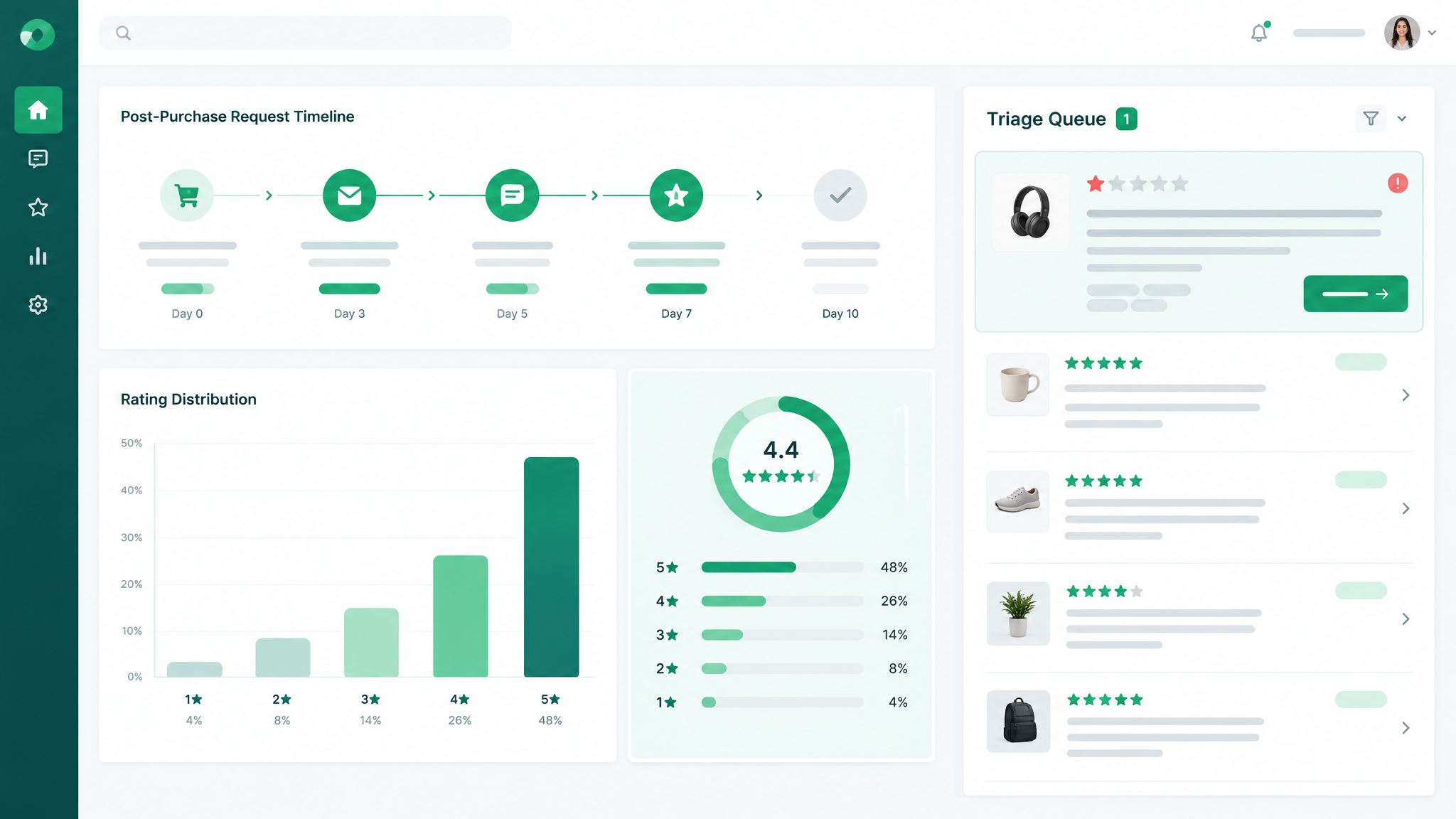
A feedback and review automation tool is software that removes manual work from four jobs: asking for feedback, routing what comes back, publishing reviews where shoppers can see them, and watching the stream for problems. Instead of a support rep remembering to email a buyer eleven days after delivery, the tool fires the request on a rule, personalizes it with order data, and logs the result.
Most platforms on the market cover the same four functions, even if they market themselves differently:
- Trigger and collect: scheduled requests by email, SMS, in-app message, or a marketplace API call, usually timed to delivery rather than to purchase.
- Triage and route: sorting incoming feedback by rating, topic, or sentiment so negative experiences reach a human before they escalate.
- Display and syndicate: widgets, landing pages, and feeds that push reviews to your storefront, Google Business Profile, or marketplace listing.
- Measure and alert: dashboards for review velocity, average rating, response rate, and keyword or topic trends, plus alerts when a one-star review lands.
Feedback is not the same thing as a review
On Amazon, seller feedback and product reviews are two different systems with two different rulebooks. Feedback is a private rating of the seller and the fulfillment experience. A product review is the public, product-level content that shoppers read before buying. Requesting the wrong one, or blending the two in a single message, is one of the most common quiet policy violations we see in seller accounts. On Google, the split runs the other way: reviews sit on a Business Profile, and private feedback usually belongs in a survey tool. A safe platform keeps these streams separate by design.
The five tool categories you will encounter
- Marketplace request tools that wrap Amazon's Request a Review function through the Selling Partner API, and follow Amazon's messaging rules.
- Online reputation management platforms built for multi-location businesses, aggregating Google, Yelp, and Facebook reviews into one inbox.
- Feedback and survey platforms running NPS, CSAT, and post-purchase surveys that never touch a public review site.
- Lifecycle email and SMS platforms with a review-request step bolted onto the post-purchase flow.
- Reputation repair and removal services, the category to treat with the most caution. Genuine reviews cannot be deleted on demand.
2. The Three Policy Layers That Decide 'Safe'
When a seller asks whether a tool is safe, they usually mean one thing: will Amazon punish me? That is only one third of the answer. A tool can pass marketplace rules and still expose a US business to federal penalties or a class action. Safety is the overlap of three layers, and a vendor has to clear all three.
| Layer | Who enforces it | What 'safe' looks like |
|---|---|---|
| 1. Marketplace policy | Amazon, Google, Yelp, Trustpilot | Neutral request to every buyer, no incentives, official API access only, one request per order on Amazon |
| 2. Federal and state law | FTC, FCC, state attorneys general | No gating, no fake or generated reviews, consent on file for every text, working unsubscribe on every email |
| 3. Data and account security | Amazon Developer Services, state privacy regulators, your own contracts | OAuth access instead of shared passwords, SOC 2 evidence, signed data processing agreement, retention limits |
Layer 1: Marketplace rules
Amazon's customer review policies prohibit paid reviews, reviews from friends, family, or employees, and any attempt to influence a review's content or rating. Its buyer-seller messaging rules restrict order-related messages to order-related content, which rules out promotional copy and most external links. Google's review policies for Business Profiles prohibit incentivized reviews, selectively soliciting positive reviews, and soliciting from employees. Trustpilot permits invitations to customers but bans gating and incentives. Yelp takes the strictest line of the group and discourages businesses from soliciting reviews at all, which is why review-request tools rarely integrate with Yelp in the same way they do with Google. A compliant tool must encode these differences per platform, not apply one global template everywhere.
Layer 2: Federal and state law
The most important development for US sellers is the FTC's Rule on the Use of Consumer Reviews and Testimonials, finalized in 2024 and effective October 2024. It targets fake or AI-generated reviews, buying positive or negative reviews, insider reviews without disclosure, company-controlled review sites, and review suppression. Civil penalties attach per violation and are adjusted annually for inflation, so confirm the current figure with counsel before quoting it in your own materials. Separately, Section 5 of the FTC Act covers deceptive practices generally, and the Endorsement Guides require disclosure of material connections.
Two channel-specific laws catch sellers who assume platform compliance is enough. CAN-SPAM governs email: no deceptive headers, a working unsubscribe honored within ten business days, and a physical postal address in the message. The TCPA governs text messages and generally requires prior express written consent for marketing texts, with statutory damages available per message. A review request sent by SMS is often marketing in practice, even when the wording feels transactional. State privacy law adds the final layer: under the CCPA as amended by the CPRA, California consumers have rights to notice, deletion, and opt-out, and your review vendor is a service provider that needs a contract in place.
Layer 3: Data security and account integrity
Amazon's data protection requirements and the Selling Partner API developer agreement control how a third party may access your account data. Tools must authenticate through OAuth and request only the scopes they need. Handing your Seller Central password to a tool, or using a vendor that scrapes listing pages and order data, puts the account itself at risk regardless of how the messages read. Ask for a SOC 2 Type II report, a data processing agreement, a subprocessor list, and a defined retention period for customer personal data. If a vendor cannot produce them, that is your answer.
3. What Can Go Wrong: A Practical Risk Map
Abstract warnings do not change behavior. Concrete failure patterns do. The table below maps the ways review automation goes wrong in the real world, what each one looks like inside a tool, and where the damage lands.
| Risk pattern | What it looks like in practice | Where it breaks | Severity |
|---|---|---|---|
| Review gating | A rating question routes 4 and 5 stars to a public review site and 1 to 3 stars to a private survey, so only happy buyers are ever asked publicly | FTC consumer review rule; Amazon and Google policies | High |
| Incentivized requests | Gift cards, discount codes, sweepstakes entries, or free product offered in exchange for a review | Amazon review policy; FTC Act; Endorsement Guides | High |
| Fake or auto-generated reviews | A vendor offers to 'seed' a listing with bulk-written or AI-generated reviews under your brand | FTC rule explicitly covering AI-generated fake reviews; platform bans | Severe |
| Review suppression | Threatening a buyer to remove a review, paying for deletion, or claiming reviews were suppressed when they were not | FTC rule; platform terms | High |
| Unauthorized data access | Scraping listing pages, sharing a Seller Central password with a tool, or relying on unofficial endpoints | Amazon developer agreement and data protection policy; possible account termination | Severe |
| Consent gaps on SMS | Order phone numbers imported straight into a texting tool with no opt-in record | TCPA statutory damages; state consumer protection law | High |
| PII exposure | Names, addresses, and emails stored indefinitely in a review tool with no processing agreement or retention limit | CCPA/CPRA and other state privacy statutes; breach liability | Medium to high |
| Over-automation | Four emails and two texts in ten days across overlapping flows | Amazon messaging rules; deliverability; brand damage | Medium |
| Vendor lock-in | Reviews live only inside a proprietary widget, with no export path if the vendor shuts down | Business continuity; SEO risk if content disappears | Medium |
Illustrative scenario: the gating trap
Picture a US home goods brand doing eight figures on Amazon and its own store. Its review tool is configured with a pre-screen: buyers rate their experience first, and only those who choose four or five stars proceed to the public review page. Everyone else lands on a private form. The team sees the average rating climb from 4.1 to 4.6 in two quarters and treats it as a win. What actually happened is that the pool of public reviews became systematically unrepresentative, which is exactly the conduct the FTC rule targets and exactly what Google's and Amazon's policies prohibit. The fix is not to delete the private form. It is to decouple it: every buyer gets the same neutral request, and the support link sits inside every message rather than behind a rating filter. This scenario is illustrative rather than drawn from a named company, but the configuration pattern is common in default tool setups.
4. The 7-Point Safety & Compliance Checklist
Run this checklist against any tool you are evaluating, and re-run it annually against the tool you already use. Each item pairs a requirement with a way to verify it, so the answer comes from evidence rather than from a sales call.
- Confirm an official, documented integration. Amazon access should run through the Selling Partner API with narrowly scoped permissions. Shopify, Google Business Profile, and marketplace connections should each be listed in the vendor's documentation. Verify: ask for the integration page and the exact permission scopes requested, then check them against your Seller Central app authorizations.
- Audit the send logic for gating. There should be one neutral request path for every buyer, with no rating-based branch that changes whether someone is invited to review publicly. Verify: run a test order and submit a two-star rating. If the public review invitation disappears, that is gating.
- Read every template for incentives or conditionality. Words like 'in exchange for', 'five stars', 'positive review', and 'we will refund if' are disqualifying. Verify: export all active templates and read them as if you were an unhappy buyer.
- Prove consent before the first text message. SMS requires a documented opt-in with a timestamp and the source of consent, plus a working STOP path. Verify: ask the vendor to show the consent record format and the opt-out audit log.
- Get data-handling evidence in writing. Request a SOC 2 Type II report, a signed data processing agreement, the subprocessor list, and the retention policy for order and contact data. Verify: confirm the report date is current and the controls cover the systems that touch your customer data.
- Test the removal claim. Ask what happens when a genuine one-star review appears. The only legitimate answer is a policy-based report to the platform plus a public response. Verify: a vendor that quotes a deletion success rate is telling you what you want to hear.
- Put governance and a kill switch in place. Assign a named owner, schedule a monthly policy review, keep a log of requests sent, and confirm you can pause every outbound flow within minutes. Verify: actually pause and restart a flow during onboarding, not during an incident.
If a vendor fails any single item, treat it as a stop sign rather than a negotiation point. There are enough compliant platforms on the market that no seller needs to absorb this risk. For a wider view of how review tooling fits alongside listing, keyword, and analytics software, see the best Amazon seller tools hub, which maps the full stack by job to be done.
5. Safe vs. Risky Tactics, Side by Side
Most of the safety decision happens before you pick a vendor, in how you configure the program. The comparison below shows the same decision points in both directions.
| Decision point | Safe approach | Risky approach |
|---|---|---|
| Who gets asked | Every buyer who received the product | Only repeat buyers, or only those who passed a rating pre-screen |
| Message wording | 'Share your honest experience, whatever it is' | 'If you love it, leave us five stars' |
| Incentives | None, and the policy is stated in your SOP | Gift cards, discounts, or giveaway entries |
| Timing and frequency | One request per order, tied to confirmed delivery | Multiple nudges across email and SMS with no frequency cap |
| Negative feedback path | A support link present in every message, available to every buyer | Support offered only to buyers who rate below four stars |
| Integration method | Official API with OAuth and least-privilege scopes | Shared login credentials or page scraping |
| Handling of a bad review | Public response plus a policy report if content actually violates rules | Pressure, payment, or threats to remove it |
| Data retention | Defined schedule with deletion on request | Everything kept forever because nobody asked |
| Reporting | Velocity, rating distribution, sentiment, response time | Average star rating only |
6. How to Vet a Vendor: 12 Questions to Ask
Send these questions in writing before the demo. Written answers create a record you can revisit, and the speed and specificity of the response tells you something about the vendor's compliance maturity.
- Which platform integrations are official and documented, and which permissions do you request?
- Does your default flow ask every customer, or does a rating question change who receives the public invitation?
- Can I see every message template in full before signing, including SMS variants?
- How do you capture and store consent for text messages, and how long do you keep the record?
- Where is customer data stored, and which subprocessors touch it?
- Can you provide a current SOC 2 Type II report under NDA?
- What is the retention period for order and contact data, and can I delete records on request?
- What happens when a customer requests deletion under CCPA/CPRA?
- Do you offer a signed data processing agreement, and does it cover the sale or sharing definitions in state privacy law?
- How do you handle a genuine one-star review? Show me the exact workflow.
- What are the export options if we leave, and are reviews portable in a usable format?
- What is the contract term, the notice period for cancellation, and the auto-renewal policy?
Pricing deserves its own line of questioning. Per-request, per-location, and per-seat models produce very different costs at scale, and a low headline rate can hide overage fees on SMS. Contracts should guarantee data export, cap annual increases, and avoid multi-year auto-renewal. The safest vendor is usually the one that is comfortable telling you what their tool will not do.
7. A Compliant Automation Workflow That Still Gets Results
Compliance is not the same as passivity. A well-built program that follows every rule above will usually out-collect a risky one over twelve months, because it produces a steady, believable review profile instead of a suspicious spike. Here is the operating sequence.
Step 1: Map touchpoints and start with one channel
List every place a customer can leave feedback: marketplace product reviews, seller feedback, your own storefront, Google Business Profile, and any third-party review site that matters for your category. Pick the single channel with the highest business impact and build there first. Layering three channels in week one is how overlap and over-messaging begin.
Step 2: Write copy a one-star buyer could read without feeling tricked
The test is simple: would a buyer who hates the product read your message and feel it was fair? Neutral wording such as 'tell us how it went, good or bad' passes. Any sentence that implies a preferred rating fails. Keep marketplace messages strictly order-related, and keep promotional content out of Amazon buyer-seller messages entirely.
Step 3: Ask everyone on a fixed schedule
Trigger the request on confirmed delivery, respect the platform's one-request-per-order limit on Amazon, and cap the total number of touches per customer across all flows. Suppress the request automatically if a return or refund is open, not because the buyer is unhappy, but because the experience is unresolved.
Step 4: Separate service recovery from the review request
Put a support link in every message, for every recipient, and staff it. This is the compliant version of what gating tries to achieve. You still catch problems early, but you are no longer deciding who is allowed to speak publicly. Route inbound complaints by topic, set a first-response target, and log outcomes so patterns reach product and operations teams.
Step 5: Respond to reviews on policy, not on emotion
Reply publicly to negative reviews with a specific, non-defensive answer. Report a review only when it actually violates platform rules, such as containing personal data or unrelated content. Never contact a reviewer outside the platform to negotiate removal. If you need to understand what buyers are complaining about at scale, a structured review analysis beats manual reading; our guide to analyzing Amazon reviews efficiently shows how to turn review text into product and listing decisions.
Step 6: Measure the right numbers
Average star rating is a lagging, easily distorted metric. Track review velocity per week, the full rating distribution rather than the mean, public response rate and time to first response, sentiment shifts by product, and the ratio of support contacts to published reviews. A rising average with falling velocity usually means the request flow has narrowed, which is a signal to audit for gating.
Illustrative scenario: what a compliant 90-day build looks like
A US kitchenware seller with two SKUs relaunches its program with a single neutral email at delivery plus seven days, sent to every buyer, with an unconditional support link and no incentive language. Weeks one to four produce a small volume of reviews and a wave of support tickets, mostly about a lid seal. Weeks five to eight, after a packaging fix, review velocity rises while the support contact rate drops. By week twelve the rating has moved less than the team hoped, but the distribution has shifted and the one-star count has fallen because the underlying defect is gone. That is the honest shape of a compliant program: slower headline movement, far more durable results, and no exposure to a platform action or a regulatory penalty. For teams that want to connect review text to broader customer research, see the AI-powered consumer analysis method.
8. The Bottom Line
Feedback and review automation tools are safe for US businesses when four conditions hold: access runs through official APIs, every customer receives the same neutral request, no incentive or rating condition ever touches the message, and customer data is collected, stored, and deleted under a written agreement. Under those conditions, automation is simply a reliability layer that stops a good process from depending on someone's calendar.
The tools become unsafe when they encode gating, incentives, scraping, credential sharing, or removal promises, because those tactics collide with the FTC consumer review rule, marketplace policy, and state privacy law at the same time. The practical response is not to avoid automation. It is to buy it from vendors who can show you the evidence, and to run the program with a named owner, a monthly review, and a kill switch that actually works.
FAQ
Are feedback and review automation tools safe for US businesses to use?
Yes, with conditions. They are safe when the vendor connects through official platform APIs such as Amazon's Selling Partner API, sends the same neutral request to every customer, avoids incentives and rating-based routing, and handles personal data under a signed processing agreement. They become unsafe when the tool gates reviews, offers rewards, scrapes marketplace data, relies on shared passwords, or promises to remove negative reviews. Safety is a function of configuration and vendor behavior, not of the category itself.
Do review automation tools violate Google or platform review policies?
The tool does not violate policy by existing. Specific tactics do. Google's Business Profile policies prohibit incentivized reviews, selectively soliciting positive reviews, and soliciting from employees. Amazon prohibits paid or incentivized reviews, reviews from friends and family, attempts to influence rating or content, and promotional content in buyer-seller messages. If a platform's automation respects those boundaries, including the one-request-per-order limit on Amazon, it is compliant. If any part of the flow filters who gets invited based on expected sentiment, it is not.
How can I choose a safe and compliant review automation tool for my small business?
Start with the 7-point checklist: official documented integrations, no rating-based branching in the send logic, incentive-free templates, provable SMS consent, data-handling evidence such as a SOC 2 Type II report and a processing agreement, no removal promises, and a working kill switch with a named owner. Then send the 12 vendor questions in writing before the demo and compare the answers. Favor vendors who can explain clearly what their product will not do, offer data export, and keep contract terms short and cancellable.
Is review gating illegal in the United States?
Review gating, where a business screens customers and only invites happy ones to leave a public review, is prohibited by major platform policies and has been a priority target of the FTC's consumer review framework finalized in 2024. The rule addresses deceptive review practices and suppression of negative feedback, and civil penalties can apply per violation. Because enforcement positions and penalty amounts are adjusted over time, confirm the current legal standard with qualified US counsel before relying on any specific figure or interpretation.
Can a review tool remove negative reviews from Amazon or Google?
No legitimate tool can delete a genuine negative review. Reviews are removed only when they violate platform policy, for example when they contain personal information, unrelated content, or clear evidence of fraud, and the decision sits with the platform rather than with your vendor. A compliant tool can alert you, help you draft a public response, and support a properly filed policy report. Any vendor advertising guaranteed removal or a deletion success rate should be treated as a serious red flag.
Does Amazon allow automated review requests?
Amazon permits a single review request per order, and the Request a Review function inside Seller Central is designed for exactly that. Tools that call this function through the official Selling Partner API are operating within Amazon's framework. What is not allowed is offering compensation, asking only for positive reviews, sending multiple requests for the same order, or including promotional content and most external links in buyer-seller messages. Keep the request order-related and neutral, and keep it to one per order.
Are SMS review requests safe?
They are safe only with documented prior express written consent that satisfies the TCPA, plus a working opt-out path and an audit log showing when and how consent was captured. Importing order phone numbers into a texting platform without that record exposes a US business to statutory damages per message and to state consumer protection claims. Because a review request sent by text is often treated as marketing in practice, treat SMS as the highest-risk channel in your program and require a consent record before the first send.
Next Steps
- Audit your current setup this week: run a test order, submit a two-star rating, and confirm the public review invitation still arrives. If it does not, you have found gating.
- Re-read every active message template against the safe-versus-risky table in section 5, then rewrite any line that implies a preferred rating or offers a reward.
- Send the 12 vendor questions in writing, and replace any tool that cannot produce a current security report, a processing agreement, and a data export path.
- Build the evidence side of the program next: pair your review data with keyword and market intelligence so product fixes are driven by what buyers actually complain about. Start with the Amazon seller tools hub to see where review management fits in the wider stack.
- Ready to put the data layer in place? Create your SellerSprite account and start turning review and keyword data into listing decisions you can defend.
References
Primary sources below. Policy pages change without notice, so confirm the current version before relying on any requirement in your own operations.
- Federal Trade Commission, Rule on the Use of Consumer Reviews and Testimonials (16 CFR Part 465) View
- Federal Trade Commission, Endorsement Guides: What People Are Asking View
- Amazon Seller Central Help, Customer product reviews policies View
- Amazon Selling Partner API documentation View
- Google, Prohibited and restricted content for Business Profile contributions View
- Federal Communications Commission, consumer guidance on unwanted calls and texts (TCPA consent) View
- California Attorney General, California Consumer Privacy Act (CCPA/CPRA) View
By SellerSprite Content Expert
Amazon seller tools and marketplace SEO specialist.
Editorial process: AI-assisted draft prepared for human fact-checking, source verification, and brand review before publication.