TL;DR: Comparing Amazon inventory management software really comes down to three numbers — out-of-stock days, aged inventory, and landed-cost accuracy. This guide breaks down the feature requirements that matter, compares 10 tools US sellers actually use, and explains how flat, tiered, and percent-of-revenue pricing behave as you scale.
Key Takeaways
- Buy for outcomes, not feature lists. A tool earns its subscription only if it reduces out-of-stock days, shrinks excess or aged inventory, or makes per-SKU landed cost accurate. Everything else is decoration.
- Match the tool to your stage. New sellers need true profit plus restock alerts; growing sellers need demand forecasting and multi-channel sync; operations managers need purchase-order and 3PL workflows; brands need ERP-grade accounting and API access.
- US pricing clusters into four bands: roughly $0–$30/month for analytics add-ons, $30–$99 for growing FBA sellers, $99–$500 for multi-channel and high-SKU operations, and $500+ (or a percent of revenue) for enterprise and ERP platforms.
- Integration claims need proof. Connect a single test SKU to QuickBooks, Shopify, Walmart, or your 3PL during the trial — before you migrate a catalog.
- Run a 30-day parallel test against your current spreadsheet, then keep the tool that survives contact with your real data rather than the one with the best sales demo.
Table of Contents
- Why Inventory Software Decides Your Amazon Margin
- Feature Requirements: What an Inventory Tool Must Actually Do
- How to Compare Tools: 6 Decision Criteria and a Buyer Scorecard
- Amazon Inventory Management Software Comparison: 10 Tools Side by Side
- Pricing Comparison: What US Sellers Actually Pay
- Which Tool Fits Your Stage? New, Growing, Ops, Brand
- Five Comparison Mistakes That Cost Sellers Money
- Your 30-Day Rollout Checklist
- FAQ
- References
Note on marketplaces: This guide is specifically optimized for the US market.
Why Inventory Software Decides Your Amazon Margin
Inventory is the largest line item on almost every Amazon seller's balance sheet, and it is also the easiest thing to mismanage. Order 20% too little and you lose Buy Box momentum, keyword ranking, and launch velocity that took months to build. Order 20% too much and your cash sits in a fulfillment center while storage fees, aged-inventory surcharges, and markdowns quietly eat the margin you thought you had.
That is why this comparison is not about which platform has the longest feature page. It is about which platform moves three specific numbers in your business: out-of-stock days, excess and aged inventory, and landed-cost accuracy. If a tool does not measurably improve one of those three, it is a reporting tool, not an inventory system — and reporting tools do not deserve a permanent line in your P&L.
The FBA-specific risks your software must absorb
Selling in the US through Fulfillment by Amazon adds rules that general-purpose inventory software often ignores. FBA storage limits are tied to your Inventory Performance Index, aged inventory triggers long-term storage surcharges, and Amazon has repeatedly restructured its fee stack in recent years — including inbound placement service fees and low-inventory-level fees. A forecasting model that was accurate two years ago can be quietly wrong this quarter.
The practical takeaway: any tool you shortlist should pull current fee structures from Amazon rather than hard-coding last year's rates, and you should still sanity-check the numbers against the fee schedule in Seller Central before you commit to a purchase order. Treat vendor margin math as a strong estimate that needs verification, not gospel.
The multi-channel multiplier
The typical US seller is no longer single-channel. Amazon plus Shopify plus Walmart plus TikTok Shop is now the normal stack for growing brands, and every additional channel multiplies the chance of selling the same physical unit twice. Overselling is not just an operational annoyance; on Amazon it damages cancellation rate, and on Shopify it damages the customer trust you paid to acquire. Multi-channel sync is therefore a feature requirement, not a nice-to-have — and it is the single criterion that most often pushes sellers from a free Amazon-only tool into a paid platform.
Feature Requirements: What an Inventory Tool Must Actually Do
Before you open ten pricing pages, decide what you need. The eight capabilities below cover the vast majority of what determines whether an inventory platform is worth its subscription for a US Amazon seller.
1. Demand forecasting and reorder points
At minimum, the software should calculate a reorder point from your recent sales velocity, your supplier lead time, and a safety buffer. Better platforms add seasonality curves (Q4 spikes, summer lulls), promotion and coupon effects, and separate planning logic for new launches with no sales history. If you sell European or Japanese marketplaces from the US, confirm whether the model handles regional seasonality separately, because averaging them produces purchase orders that are wrong in both markets.
2. Multi-channel inventory sync
Look for near-real-time sync between FBA, FBM, Shopify, Walmart, eBay, and TikTok Shop, plus reserved-quantity handling so that inbound units are not counted twice. Ask a blunt question during the demo: if a unit sells on Shopify at 2:14 p.m., how many minutes until Amazon stops selling it? Anything measured in hours is a future cancellation. Most modern integrations are built on Amazon's Selling Partner API, which is a good sign of stability, but sync frequency and error handling still vary widely between vendors.
3. FBA-aware profit and fee tracking
Amazon's referral fee is only the first deduction. A trustworthy tool must account for FBA fulfillment fees by size tier, monthly storage, aged-inventory surcharges, inbound placement costs, returns processing, advertising spend, and coupon or promotion discounts. The output should be per-SKU and per-order margin, not a single blended number for the whole account, because blended profit hides the products that are quietly losing money on every sale.
4. Restock alerts, lead times, and safety stock
Alerts should be based on days of cover, not a fixed unit threshold, and they should respect variable lead times — a 25-day average lead time with a 40-day worst case is not a 25-day lead time. Good systems let you store lead-time ranges per supplier and per SKU, then automatically increase safety stock for slow-moving or high-value items. This is the feature that most directly reduces out-of-stock days, which is why it deserves the most weight in your evaluation.
5. Accounting and ERP integrations
If your bookkeeper lives in QuickBooks or Xero, inventory data has to reach them without manual exports. The integration should push cost of goods sold, landed cost, and inventory valuation in a format your accountant accepts, and it should reconcile marketplace disbursements against recorded revenue. Sellers who skip this step usually end up rebuilding the same numbers in a spreadsheet every month, which defeats much of the reason for buying software in the first place.
6. Inventory health reporting
You want inventory turnover rate, days of cover, sell-through rate, and aged-inventory buckets (0–90, 91–180, 181–270, 271–365, and 365+ days). Those buckets matter because Amazon's long-term storage charges escalate with age, and because slow-moving units lock up cash you could redeploy into winners. If you want to benchmark your own numbers first, our breakdown of Amazon inventory turnover rate explains how to calculate each metric and what a healthy range looks like by category.
7. Purchase orders, 3PL, and inbound shipment workflows
Once you manage more than one supplier or one warehouse, you need purchase orders, container planning, FNSKU labeling support, and the ability to create Amazon inbound shipments without retyping carton data. Sellers who use a US 3PL alongside FBA also need to see on-hand, in-transit, and reserved units in one view. This is the feature set that separates a profit dashboard from an actual operations system.
8. Team permissions and audit trail
If a virtual assistant or operations manager touches purchase orders, you need role-based permissions and a change log showing who edited what and when. This is not bureaucratic overhead — a single wrong reorder quantity on a top SKU can consume months of working capital, and an audit trail is how you find out in minutes rather than weeks.
Copy-and-paste feature checklist for your shortlist:
- Reorder point per SKU using velocity + variable lead time
- Seasonality and promotion-aware forecasting
- Near-real-time sync across FBA, FBM, Shopify, Walmart, TikTok Shop
- Per-SKU margin with full FBA fee stack and ad spend
- Days-of-cover restock alerts by email or Slack
- QuickBooks or Xero export with COGS and landed cost
- Turnover, sell-through, and aged-inventory bucket reporting
- Purchase orders, container planning, and inbound shipment creation
- 3PL and warehouse visibility (on-hand, in-transit, reserved)
- Role-based permissions and change history
How to Compare Tools: 6 Decision Criteria and a Buyer Scorecard
Feature lists are easy to match on paper. The differences show up in six decision criteria that determine whether a platform still works for you at $50k/month and at $500k/month.
1. Fit with your SKU count and velocity tier
A 12-SKU catalog with one hero product needs almost no forecasting sophistication; a 400-SKU catalog with long-tail performers needs per-SKU logic, because averages hide the products that matter. Map your SKU count, monthly order volume, and number of suppliers before you read a single pricing page.
2. Channel coverage and sync reliability
Amazon-only tools are cheaper and often better at Amazon-specific math. Multi-channel platforms cost more but prevent overselling. Decide which problem is currently costing you more money, then buy for that problem.
3. Forecasting depth versus your actual seasonality
If 40% of your annual revenue lands in Q4, a flat moving average will leave you short every November. Ask vendors how the model handles seasonal peaks, new product launches, and discontinued SKUs, then test it with last year's data.
4. Total cost at your scale, not entry price
The number that matters is not the $29 starter plan; it is what you pay when you hit 500 SKUs, add two users, and connect a second sales channel. Percent-of-revenue pricing compounds fastest, because your cost rises automatically every time you grow — without any corresponding change in the value delivered.
5. Integrations and data plumbing
Check whether the tool uses Amazon's Selling Partner API, whether it is listed in the QuickBooks App Store or Shopify App Store, and whether it offers an exportable data layer or public API. An exportable data layer matters more than most sellers realize: it is your insurance policy if you ever switch vendors.
6. Support, onboarding, and exit plan
Ask how long onboarding takes, whether historical data can be imported, whether support hours cover US business hours, and how you export your data if you leave. Vendors that cannot answer the exit question clearly are usually relying on switching costs rather than product quality.
Buyer scorecard: weight the six criteria to match your business, then score each shortlisted tool from 1 to 5. A simple weighting that works for most US sellers is forecasting 25%, channel coverage 20%, total cost at scale 20%, integrations 15%, reporting depth 10%, and support/exit 10%. The highest total is not always the winner — but a tool that scores below 3 on forecasting should be eliminated regardless of price.
| Criterion | What to test in the trial | Suggested weight |
|---|---|---|
| Forecasting | Load last Q4 and compare predicted vs. actual reorder dates | 25% |
| Channel coverage | Sell one test unit on a second channel and time the Amazon update | 20% |
| Cost at scale | Model 2x SKUs, +2 users, +1 channel on the pricing page | 20% |
| Integrations | Post one test journal to QuickBooks via the connector | 15% |
| Reporting depth | Export turnover and aged-inventory buckets to CSV | 10% |
| Support and exit | Open a ticket during US hours and request a data export sample | 10% |
Amazon Inventory Management Software Comparison: 10 Tools Side by Side
How this list was built: each platform below was assessed against the eight feature requirements in the previous section — forecasting, sync, FBA-aware profit, restock alerts, accounting integrations, inventory health reporting, purchase-order/3PL workflows, and permissions — plus suitability for US sellers. Where pricing is referenced, treat it as a directional band rather than a quoted rate, because vendors change plans frequently; always confirm current pricing and feature tiers on the vendor's own pricing page before you buy.
1. SellerSprite — best for research-driven restock decisions
Best for: sellers who want the demand side of inventory right before they commit cash to a purchase order. SellerSprite is not an order-management system; it is the market-intelligence layer that tells you what to buy, how much is selling, and when competitors are running thin. Product research, keyword and traffic analysis, and product/stock monitoring feed directly into your reorder decisions — so you are forecasting from real marketplace demand rather than from gut feel. It pairs well with a dedicated forecasting or accounting tool rather than replacing one.
Where it fits the checklist: strongest on demand signals and competitive monitoring; deliberately not a warehouse or bookkeeping system. If you want to see how continuous monitoring works in practice, our guide to Amazon stock and price tracking walks through how to set up alerts that flag stockouts and price moves before they hit your sales rank.
2. Sellerboard — best for profit-first inventory decisions
Best for: FBA sellers who need to see true per-SKU profit and get restock reminders in the same screen. Sellerboard is widely used in the US FBA community for profit dashboards, estimated fee breakdowns, and basic inventory forecasting with restock email alerts. Plans are typically tiered by monthly revenue, which keeps entry costs low but means your bill rises automatically as you grow.
Watch-outs: it is Amazon-centric, so if you also sell on Shopify or Walmart at volume you will still need a multi-channel layer. Verify current tier thresholds and what happens when you cross one mid-year.
3. InventoryLab — best for FBA sourcing and bookkeeping workflows
Best for: Amazon-only sellers who want listing, sourcing, and accounting workflow in a single place. InventoryLab's Scoutify app is built for in-store and wholesale sourcing decisions, and its financial reporting is designed around FBA seller bookkeeping rather than generic ecommerce inventory.
Watch-outs: the forecasting and multi-channel capabilities are lighter than dedicated planning platforms, so growing sellers often outgrow it once they add a second sales channel or a 3PL.
4. Helium 10 — best for all-in-one suite buyers
Best for: sellers who want research, listing optimization, and inventory alerts bundled into one subscription. Its inventory-side features include restock alerts and profit tools, and it is a common first paid stack for US sellers who are already using it for keyword research.
Watch-outs: bundling is only economical if you actually use several modules. If you subscribe primarily for inventory management, a focused tool usually delivers deeper forecasting for less money.
5. SoStocked — best for high-SKU forecasting
Best for: sellers with complex catalogs, multiple suppliers, and genuine seasonality who need forecasting depth. SoStocked is known in the FBA community for granular purchase-order planning, lead-time management, and multi-channel inventory logic built for sellers rather than generic retail.
Watch-outs: it is a planning tool more than an accounting tool, and smaller catalogs may find the setup effort exceeds the benefit. Confirm pricing tiers against your SKU count and order volume before committing.
6. Ordoro — best for multi-channel inventory plus shipping
Best for: sellers who ship FBM orders themselves or through a 3PL and want inventory, labeling, and shipping in one workflow. Ordoro supports Amazon alongside Shopify, Walmart, and other channels, and it is commonly shortlisted specifically for its QuickBooks-friendly accounting workflow.
Watch-outs: forecasting is operational rather than predictive. If demand planning is your primary pain, pair it with a forecasting tool.
7. SkuVault Core — best for warehouse-first hybrid operations
Best for: sellers running FBA and FBM side by side with their own warehouse or 3PL, where barcode scanning, bin locations, and pick/pack accuracy matter more than demand curves. It is a warehouse management system first and a marketplace analytics tool second.
Watch-outs: onboarding a WMS is a real project. Budget staff time for labeling and process design, and confirm Amazon-specific fee logic is present in the version you buy.
8. Linnworks — best for scaling multi-channel sellers
Best for: sellers processing meaningful order volume across Amazon, Shopify, Walmart, and marketplaces, who need central order and inventory control with accounting integrations. It is typically positioned in the upper pricing tiers and is often evaluated alongside enterprise options.
Watch-outs: it is more inventory and order control than Amazon demand forecasting. Ask directly how it handles marketplace-specific fee and aged-inventory logic.
9. Cin7 — best for brand and wholesale-plus-DTC operations
Best for: brands that sell on Amazon, on their own DTC store, and to wholesale accounts, and therefore need B2B orders, landed costing, and assembly or kit handling in one system. It behaves like a light ERP rather than a marketplace add-on.
Watch-outs: implementation cost and complexity are higher, and Amazon-native seller features such as FBA shipment workflows may require careful configuration. Confirm the Amazon-specific roadmap in writing.
10. Zoho Inventory — best budget multi-channel option
Best for: small and midsize US sellers who want multi-channel order and inventory management, serial and batch tracking, and QuickBooks or Xero compatibility at a low entry price. It is often the cheapest credible step up from spreadsheets.
Watch-outs: forecasting is basic, and Amazon-specific profit and aged-inventory logic is thinner than in specialist FBA tools. Many sellers use it as back-office inventory while running a separate Amazon analytics tool.
Also worth shortlisting: RestockPro for straightforward FBA restock planning, Sellbrite for multichannel listing and inventory sync, and ShipStation when shipping throughput is the bottleneck rather than forecasting. If you sell without holding stock at all, our guide to selling on Amazon without inventory explains which tools still matter in a dropshipping or arbitrage model.
Pricing Comparison: What US Sellers Actually Pay
Across the tools above, pricing generally falls into four bands. These are directional ranges intended for budgeting, not quotes — vendors revise tiers often, and the same platform can sit in two bands depending on your SKU count and revenue level.
| Band | Typical monthly cost | Who it suits |
|---|---|---|
| Entry / analytics add-on | $0–$30 | New sellers, single channel, under ~50 SKUs |
| Growing FBA seller | $30–$99 | Profit tracking, restock alerts, 50–300 SKUs |
| Multi-channel / high SKU | $99–$500 | 2+ sales channels, 3PL, 300+ SKUs, multiple users |
| Enterprise / ERP / percent of revenue | $500+ or ~1%+ of revenue | Brands, wholesale plus DTC, complex supply chains |
The hidden costs that change the ranking:
- Onboarding and implementation fees. Warehouse-first and ERP platforms frequently charge setup or consulting hours on top of the subscription.
- Per-seat pricing. Adding a bookkeeper, a VA, and an ops manager can add 30–60% to the sticker price.
- Overage charges. SKU limits, order limits, and API call limits all generate overages exactly when you are busiest.
- Channel add-ons. Shopify, Walmart, or TikTok Shop connectors sometimes cost extra per channel.
- Annual prepay discounts. A 15–20% discount is attractive, but it locks you in before you know whether the tool survives your 30-day test.
A practical rule: calculate the total cost at double your current SKU count and double your current revenue. If that number is still comfortable, the pricing model is scalable for you. If it is not, the tool is renting you growth rather than supporting it.
Which Tool Fits Your Stage? New, Growing, Ops, Brand
Most "which tool is best" debates are really stage mismatches. Here is how to translate your stage into a shortlist.
New sellers (under ~$10k/month)
Prioritize true profit visibility and a simple reorder alert over forecasting sophistication. A revenue-tiered profit dashboard plus a research tool that validates demand before you buy is usually enough. Do not buy a WMS at this stage — you will pay for complexity you cannot yet use.
Growing sellers ($10k–$100k/month)
This is where forecasting and multi-channel sync start paying for themselves, because a single stockout week can now cost four figures in lost rank. Look for seasonality-aware forecasting, days-of-cover alerts, and QuickBooks export so your bookkeeping keeps pace with sales.
Operations and marketing managers
If you are the person who owns the weekly restock meeting, your buying criteria are different: role-based permissions, audit trails, Slack or email alerting, and exportable reporting that you can drop into a Monday review. Demand a dashboard your leadership team can read without a walkthrough.
Brands and large sellers ($100k+/month)
At this level you are usually buying two layers: an ERP-grade system of record (inventory valuation, landed cost, wholesale, multi-entity accounting) and a marketplace intelligence layer for demand signals and competitive stock levels. Evaluate API access, SSO, SLA terms, and data portability as heavily as you evaluate features.
Five Comparison Mistakes That Cost Sellers Money
- Judging from demos instead of your own data. Every platform looks accurate with 20 clean demo SKUs. Import your real catalog, including the messy discontinued items, before you decide.
- Ignoring true landed cost. If freight, duties, inbound placement, and prep fees are not in the model, your margin is fiction and your reorder points are guesses.
- Buying a suite for one module. Paying for an all-in-one platform when you only use its restock alert is the most common overspend we see in seller stacks.
- Choosing percent-of-revenue pricing while scaling. It feels cheap at $10k/month and expensive at $150k/month, even though the software is doing the same job.
- Forgetting the switching cost. Historical data, mapping tables, and team habits are hard to rebuild. Ask for an export sample before you sign, not after.
Your 30-Day Rollout Checklist
Comparison ends the moment you buy. Here is a rollout sequence that protects your operations while you test.
- Days 1–3: Score your top three tools using the buyer scorecard, then lock a shortlist of two.
- Days 4–7: Connect one test SKU from each tool to Amazon plus one secondary channel and your accounting system. Time the sync and check the journal entry.
- Days 8–14: Import your full catalog and compare the tool's recommended reorder points against the orders you actually placed last quarter. Note every disagreement.
- Days 15–21: Run the tool in parallel with your spreadsheet. Track three numbers: out-of-stock days, aged-inventory percentage, and margin variance versus your own calculation.
- Days 22–26: Review aged-inventory buckets and remove or liquidate anything over 271 days before storage surcharges compound.
- Days 27–30: Decide. Keep the tool only if it beat your spreadsheet on at least one of the three core numbers — and document the export process in case you switch later.
FAQ
What is the best Amazon inventory management software for US sellers?
There is no single best option, because the right answer depends on your stage. For most new US sellers under roughly $10k/month, a revenue-tiered profit and restock tool is the highest-value first purchase. Growing sellers in the $10k–$100k/month range generally get the most value from a forecasting platform with multi-channel sync and QuickBooks export. Brands above $100k/month usually pair an ERP-grade system of record with a separate Amazon market-intelligence layer for demand signals and competitor stock monitoring. Use the buyer scorecard in this guide, then validate your top two choices with a live test SKU rather than deciding from a demo.
How much does Amazon inventory management software cost per month?
Across the US market, monthly pricing generally falls into four bands: roughly $0–$30 for entry-level analytics and add-ons, $30–$99 for growing FBA sellers, $99–$500 for multi-channel operations with higher SKU counts and multiple users, and $500+ for enterprise or ERP platforms. Some vendors instead charge a percentage of revenue, often in the region of 1% or more, which can look cheap early and expensive at scale. Budget for hidden costs too: onboarding fees, per-seat charges, channel add-ons, SKU or order overages, and annual prepay discounts that lock you in. Always confirm current rates on each vendor's pricing page, since tiers change frequently.
Which Amazon inventory software integrates with FBA, Shopify, and QuickBooks?
Multi-channel platforms are the ones that typically advertise all three connections — commonly Ordoro, Linnworks, Cin7, SkuVault Core, and Zoho Inventory, each with its own depth of Amazon-specific logic. Amazon-only tools such as Sellerboard, InventoryLab, and Helium 10 are generally stronger on FBA profit and restock math but are not built to be your Shopify or QuickBooks system of record. Because integration quality varies more than integration existence, test it: check whether the vendor appears in the QuickBooks or Shopify app directories, confirm it connects through Amazon's Selling Partner API, and post one live test transaction end to end before you migrate your catalog.
Do I need inventory management software if I only sell FBA?
Not immediately. Amazon handles storage, picking, and shipping, so a brand-new single-channel seller can operate on Seller Central reports plus a spreadsheet for a while. The case for software strengthens when any of these become true: you carry more than about 50 SKUs, monthly revenue passes roughly $10k, demand is seasonal, working capital is tight, or you have had at least one stockout that hurt your ranking. At that point, the tool is not buying you features — it is buying you fewer out-of-stock days and better cash allocation, which usually pays for the subscription several times over.
Can I manage Amazon inventory with a spreadsheet alone?
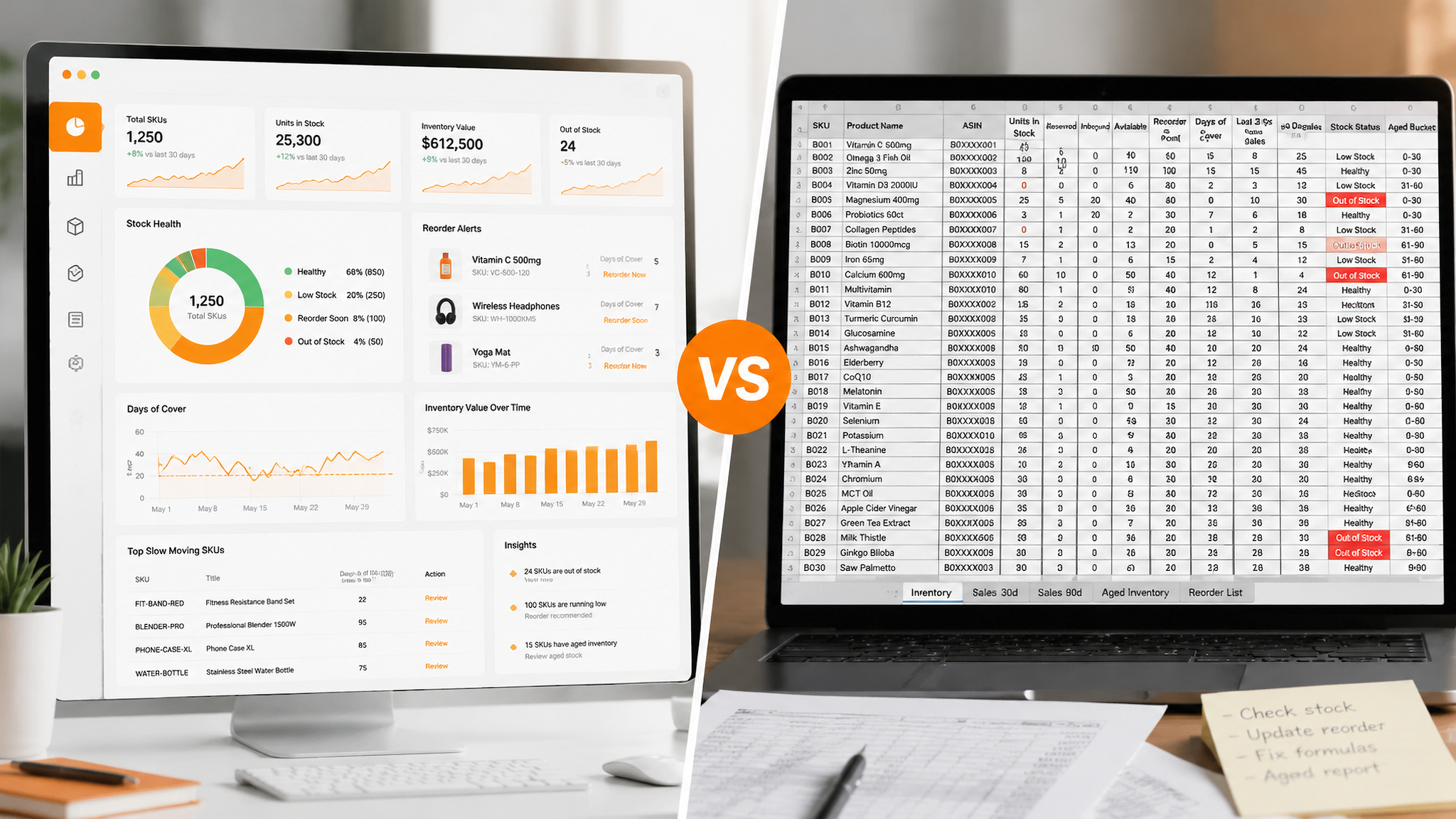
Yes, up to a point — and many successful sellers start there. Spreadsheets break down for three reasons: they do not sync across channels in real time, they do not update automatically when Amazon changes its fee structure, and a single formula error can produce a purchase order that ties up thousands of dollars for months. A practical hybrid is to keep your own master sheet for planning while adding one tool that covers your weakest link, whether that is forecasting, profit accuracy, or multi-channel sync. Reassess the stack every quarter as your SKU count and channel mix change.
Next Steps
- Score your operation against the feature checklist in this guide and write down the single biggest inventory problem you have right now — stockouts, overstock, or inaccurate margin.
- Shortlist two tools that solve that specific problem, then connect one test SKU to Amazon, one secondary channel, and your accounting system before you pay for a full plan.
- Fix the demand side first: create a free SellerSprite account to validate demand, monitor competitor stock and price movements, and ground your next purchase order in real marketplace data.
- Run the 30-day parallel test above, keep the tool that beats your spreadsheet, and revisit this comparison at the start of every quarter as your catalog grows.
For the wider picture of how inventory tooling fits alongside research, advertising, and listing software, start with our hub guide to the best Amazon seller tools.
References
- Amazon Seller Central: FBA Inventory Performance Index and storage limit documentation View
- Amazon Seller Central: FBA fulfillment fees and long-term storage fee policies (login required) View
- Amazon Selling Partner API developer documentation (integration standard referenced in this guide) View
- Sellerboard: vendor site and current pricing tiers View
- InventoryLab: vendor site and current pricing tiers View
- SoStocked: vendor site and current pricing tiers View
- Ordoro: vendor site, integrations, and current pricing tiers View
- SellerSprite: Amazon stock and price tracking guide View
- SellerSprite: Amazon inventory turnover rate explained View
By SellerSprite Content Expert
Amazon seller tools and marketplace SEO specialist.
Editorial process: AI-assisted draft prepared for human fact-checking, source verification, and brand review before publication. Pricing ranges and feature sets referenced in this comparison are directional and should be confirmed on each vendor's current pricing page before purchase.