TL;DR: The Reverse ASIN Strategy reveals your competitors' hidden keywords, traffic sources, and product performance, giving you a data-driven edge in Amazon product research and listing optimization.
Key Takeaways
- Reverse ASIN analysis uncovers the keywords competitors rank for, without needing their permission.
- It helps validate product ideas by analyzing real traffic, conversion, and keyword data from top-selling listings.
- Tools like SellerSprite's Reverse ASIN automate keyword extraction, search volume, and traffic estimation.
- Use cases include product research, listing optimization, and identifying untapped keyword opportunities.
- Combining multiple ASINs in one analysis reveals market trends and gaps across competitors.
Table of Contents
Note on marketplaces: This guide is specifically optimized for the US market.
What is Reverse ASIN and Why It Matters
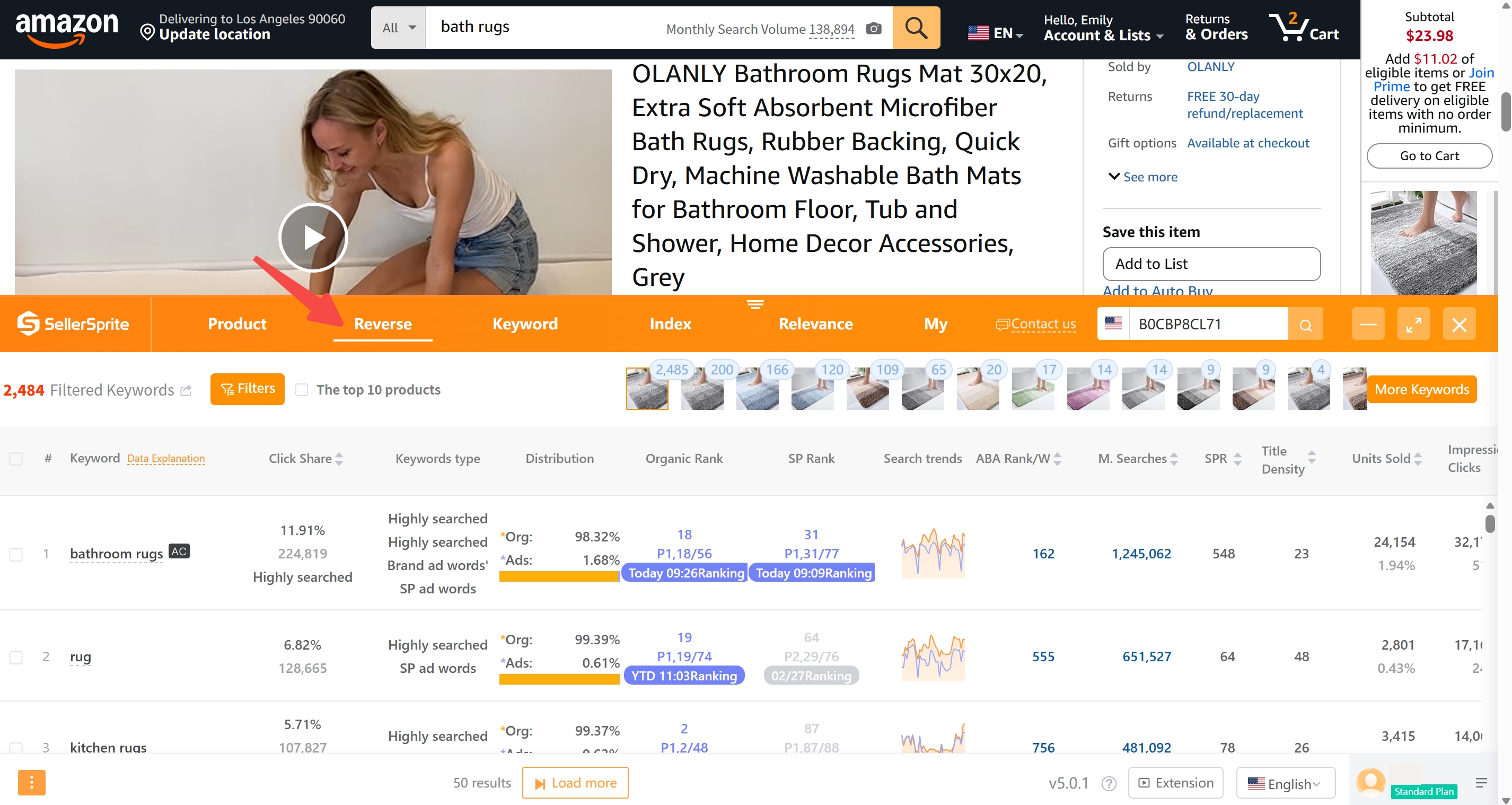
A Reverse ASIN Strategy allows Amazon sellers to reverse-engineer a competitor's product listing by entering their ASIN (Amazon Standard Identification Number) into a research tool. This reveals the keywords they rank for, estimated traffic, conversion rates, and even backend search terms they're targeting.
Why does this matter? Because instead of guessing which keywords to target, you can see exactly what's working for top sellers. This is especially powerful for new and growing sellers who want to enter competitive niches with confidence.
For brand owners and marketing managers, this strategy transforms competitor analysis from guesswork into a precise science. You're no longer just copying listings; you're reverse-engineering success.
How Reverse ASIN Works (Technical Explanation)
Reverse ASIN tools work by simulating real user searches and tracking which keywords lead to a specific product listing. These tools use large datasets of actual Amazon search behavior, combined with machine learning, to map out the keyword landscape for any given ASIN.
When you input an ASIN, the tool identifies:
- Frontend Keywords: Visible search terms in titles, bullet points, and descriptions.
- Backend Keywords: Hidden search terms in the backend of the listing (not visible to customers).
- Search Volume: Estimated monthly searches for each keyword.
- Traffic Share: The percentage of organic traffic and ads traffic generated by the keyword for the selected ASIN.
This data is gathered through a combination of user behavior tracking, Amazon API signals, and historical performance trends. The result? A comprehensive view of how a product ranks and converts, without needing access to the seller's backend.
Step-by-Step Guide to Performing Analysis
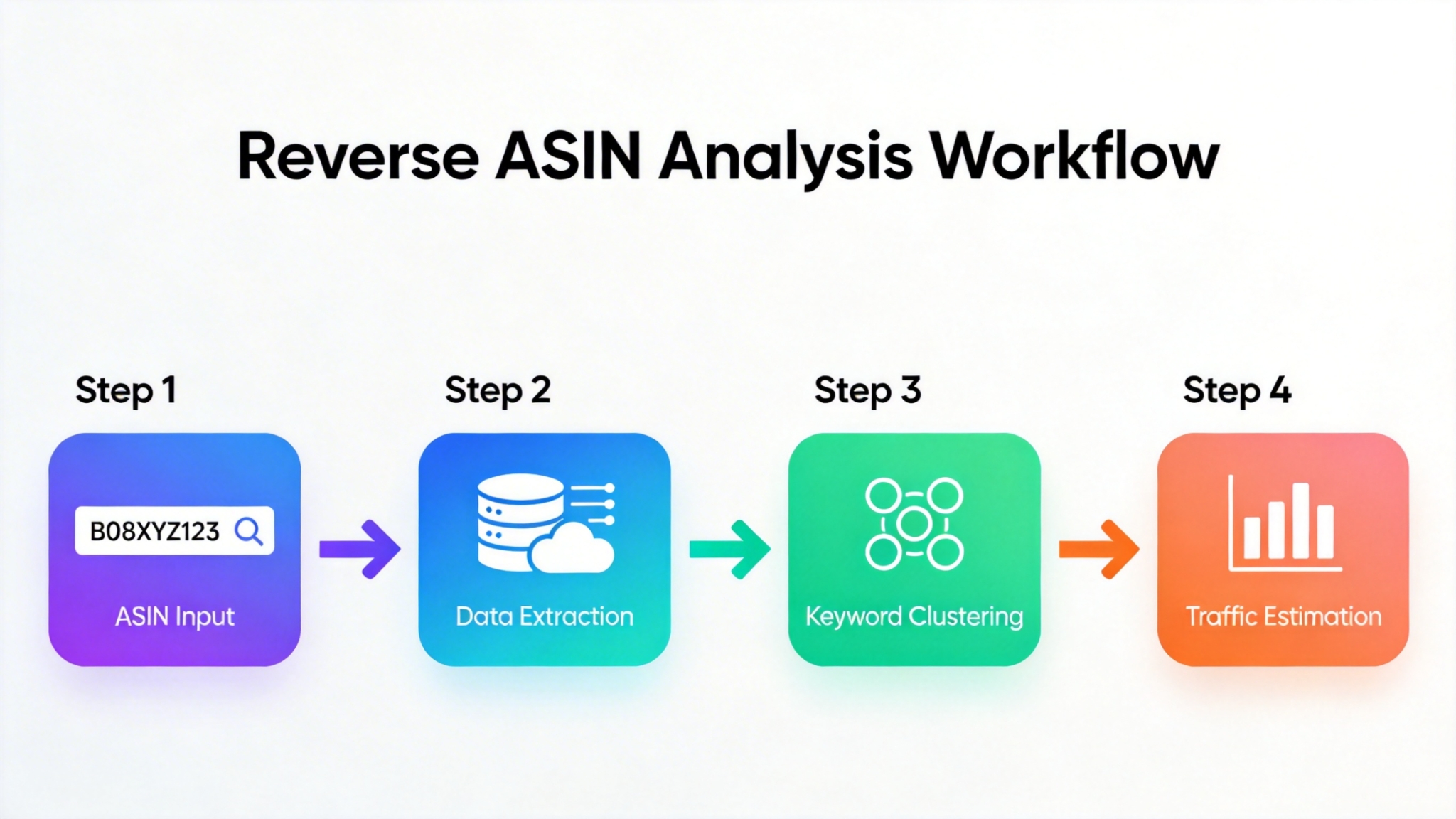
Follow this proven process to conduct a reverse ASIN analysis that drives real results:
Step 1: Identify Top Competitor ASINs
Search for your product category on Amazon and note the top 3-5 bestsellers. These are your primary targets. Use filters like "Best Sellers" or "Amazon's Choice" to find high-performing listings.
Step 2: Use a Reverse ASIN Tool
Enter each ASIN into a tool like SellerSprite's Reverse ASIN Tool. This will generate a full keyword report, including search volume, competition level, and traffic estimates.
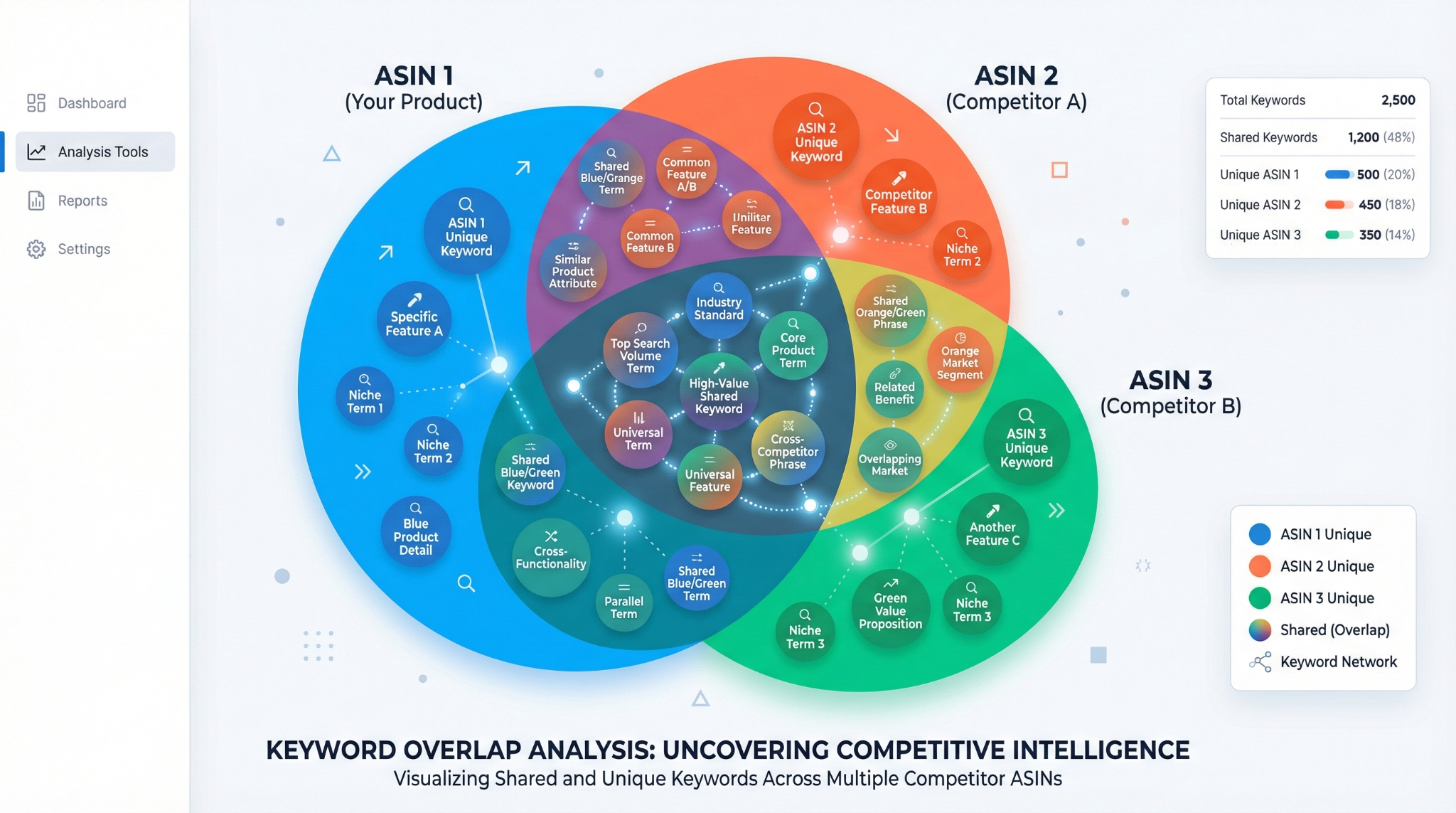
Step 3: Analyze Keyword Overlap and Gaps
Look for keywords that multiple top sellers rank for: these are high-opportunity terms. Then, identify keywords that only one or none of them are using. These are your untapped opportunities.
Step 4: Validate Product Ideas
If you're launching a new product, check if the top keywords have strong search volume and low competition. High-volume, low-competition keywords signal a profitable niche.
Step 5: Optimize Your Listing
Incorporate the best-performing keywords into your title, bullets, description, and backend fields. Prioritize keywords with high traffic share and conversion potential.
Real-World Use Cases
The Reverse ASIN Strategy isn't just theory; it's used daily by successful Amazon sellers. Here are three real-world scenarios:
Use Case 1: New Seller Entering a Competitive Niche
A new seller wants to sell resistance bands. Instead of guessing keywords, they reverse ASINs of the top 5 sellers. They discover "glute activation bands" and "physical therapy resistance bands" are high-traffic, low-competition terms. They optimize their listing around these and rank in 6 weeks.
Use Case 2: Brand Owner Scaling with Data
A brand selling protein powder uses reverse ASIN to analyze 10 competitors. They find that "low carb protein powder for women" is heavily searched but under-targeted. They launch a new variant and capture 18% of category traffic in 3 months.
Use Case 3: Marketing Manager Optimizing Ad Campaigns
An operations manager reverse-engineers ASINs of top sellers in the yoga mat niche. They extract 200+ backend keywords and use them in Sponsored Products campaigns. ROAS increases by 67% in 8 weeks.
Featured Articles
Dive deeper into Reverse ASIN research with these expert guides:
- Reverse ASIN for Beginners: Step-by-Step Setup
- How to Analyze Multiple ASINs at Once
- The Ultimate Reverse ASIN Guide: From Data to Action
These resources cover everything from basic setup to advanced multi-ASIN clustering and keyword gap analysis.
Next Steps
- Start your free trial with SellerSprite and run your first Reverse ASIN analysis.
- Join the SellerSprite community to share insights and get feedback from other sellers using this strategy.
FAQ
How does reverse ASIN strategy help in finding profitable products on Amazon?
Reverse ASIN analysis reveals the exact keywords driving traffic and sales to top-performing listings. By identifying high-volume, low-competition keywords, you can validate product ideas before launch and enter niches with proven demand but less saturation.
What tools can I use for reverse ASIN research on Amazon?
SellerSprite's Reverse ASIN Tool is one of the most powerful options, offering keyword extraction, search volume, traffic estimation, etc. Other tools include Helium 10 and Jungle Scout, but SellerSprite excels in backend keyword discovery and accuracy.
How to validate product ideas using reverse ASIN data?
Enter top competitor ASINs into a reverse ASIN tool. Analyze the keyword report for high search volume and low competition terms. If multiple top sellers rank for similar high-volume keywords, the niche is validated. If you find untapped keywords, you can differentiate your product and listing.
How to perform a reverse ASIN search?
Copy a competitor's ASIN from their Amazon listing. Paste it into a reverse ASIN tool like SellerSprite. Run the analysis to get a full report of keywords, search volume, traffic share, and click share estimates. Use this data to optimize your own product strategy.
How to Spy on Competitor Backend Keywords?
Backend keywords aren't visible on Amazon, but reverse ASIN tools can infer them by analyzing search patterns and traffic sources. Tools like SellerSprite use behavioral data to identify which hidden keywords drive impressions and clicks to a listing, giving you insight into your competitor's full keyword strategy.
References
- Reverse ASIN for Beginners View
- Analyze Multiple ASINs at Once View
- The Ultimate Reverse ASIN Guide View
By SellerSprite Success Team
The SellerSprite Success Team combines deep expertise in Amazon algorithm behavior, data science, and e-commerce growth strategies. With years of hands-on experience helping thousands of sellers, from beginners to enterprise brands, we deliver actionable, tested insights that drive real sales. Our content is rooted in real-world data, continuous testing, and direct feedback from the seller community.


