TL;DR: An Amazon break-even calculator instantly pinpoints the lowest price you can charge before losing money and the maximum ACoS your ads can sustain. This guide walks through every input, metric, and actionable strategy to build a rock-solid profit floor for your business.
Key Takeaways
- Break-even price is the exact point where total costs equal revenue, known as your financial safety net.
- Break-even ACoS defines the maximum advertising cost ratio before each sale turns unprofitable.
- Using a break-even calculator empowers smart decisions on minimum price, PPC bids, coupons, and repricing.
Table of Contents
Note on marketplaces: This guide is specifically optimized for the US market.
Quick Answer
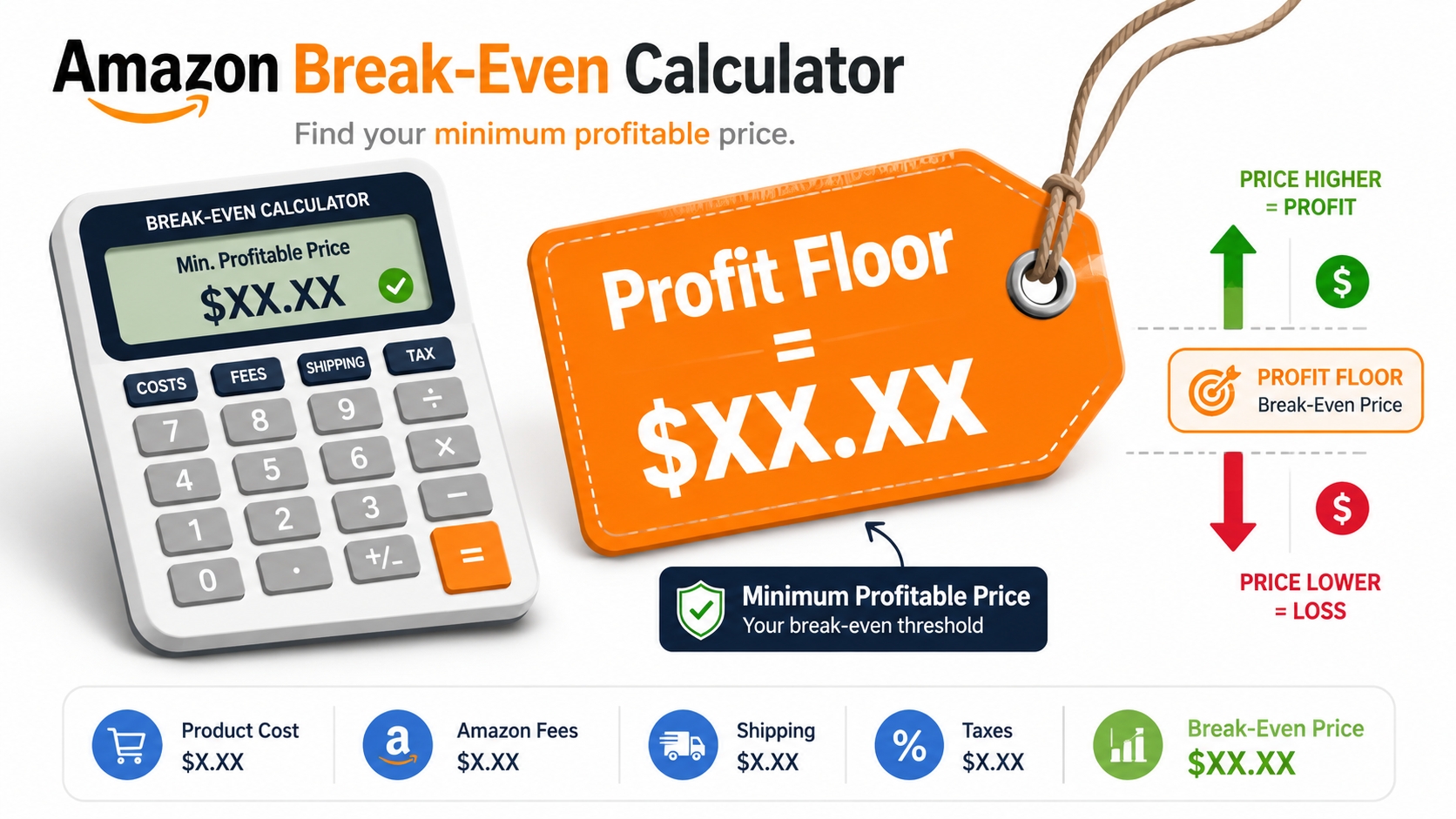
Break-even price is the lowest price you can charge for a product before your profit turns negative. It accounts for all costs, including COGS, Amazon fees, fulfillment, and advertising, so you know exactly where your "profit floor" sits.
Where SellerSprite fits: SellerSprite does not provide a dedicated tool that automatically outputs your break-even price or break-even ACoS. However, its Profitability Calculator can help you validate the underlying economics. Enter your selling price, product costs, Amazon fees, fulfillment expenses, PPC costs, promotions, and returns, then adjust your assumptions until the estimated net profit approaches zero.
Whether you're launching a new product or optimizing a mature listing, understanding break-even empowers you to price aggressively without accidentally bleeding cash. An Amazon break-even calculator automates this math, but knowing the mechanics gives you the confidence to interpret the results and pivot fast. In the next sections we'll unpack the core metrics, the essential data you'll need, and a proven step-by-step workflow to make break-even analysis a daily habit.
Break-Even Metrics Explained
Before diving into calculations, let's define the three pillars that an Amazon break-even calculator typically outputs. Master these and you'll always know the health of your unit economics, which is the foundation of every successful seller.
Break-even price
Break-even price is the selling price that covers every single cost, including manufacturing, shipping, Amazon referral fee, FBA fee (or merchant-fulfilled shipping), and PPC spend, leaving you with exactly $0 profit. It's not what you should sell for; it's what you must sell at or above to avoid a loss.
For example, if your total cost per unit is $15 and you sell at $15, you've broken even. Sell at $14 and you're subsidizing each sale out of your own pocket. For sellers running aggressive launch campaigns, knowing this number prevents the common "I'm losing money, but I don't know by how much" panic.
Break-even ACoS
ACoS (Advertising Cost of Sale) measures how much ad spend you need to generate a dollar of revenue. Break-even ACoS is the ACoS level where your profit before advertising equals your ad cost, making your net profit zero. In other words, it's the maximum ACoS your business can tolerate without losing money.
Imagine your profit margin before ads is 30%. If your ACoS hits 30%, you're breaking even on that ad-driven sale. If ACoS climbs to 35%, each sale loses 5% of the selling price. Savvy sellers use this metric as a ceiling when setting PPC bids. "Is my target ACoS below my break-even ACoS? If yes, I'm in the green; if not, I need to optimize or kill the campaign."
Minimum margin
Minimum margin is the profit percentage you must maintain to stay above break-even. It's the flip side of break-even price: if you set a target margin of 10% but your breakeven price demands a 12% margin just to cover costs, you're actually losing 2% per sale. This metric forces you to align pricing and cost structure with reality.
For brands, minimum margin also feeds into Minimum Advertised Price (MAP) policies. This means you can't enforce a minimum advertised price unless you know the floor below which partners would lose money. We'll later show how to use this number in repricing automation.
Formula table
| Metric | Formula | Example (COGS $5, Fees $4, PPC $2, Price $15) |
|---|---|---|
| Break-even price | (COGS + Amazon Fees + Fulfillment + PPC) / Units | $5 + $4 + $2 = $11.00 |
| Break-even ACoS | ((Price - COGS - Amazon Fees - Fulfillment) / Price) × 100 | (($15 - $5 - $4) / $15) × 100 = 40% |
| Minimum margin | (Price - Break-even price) / Price × 100 | ($15 - $11) / $15 × 100 = 26.67% |
Keep this table handy. As you adjust costs or pricing, the break-even numbers shift. An automated break-even calculator will do the heavy lifting, but knowing the underlying formulas helps you spot anomalies.
Inputs Needed
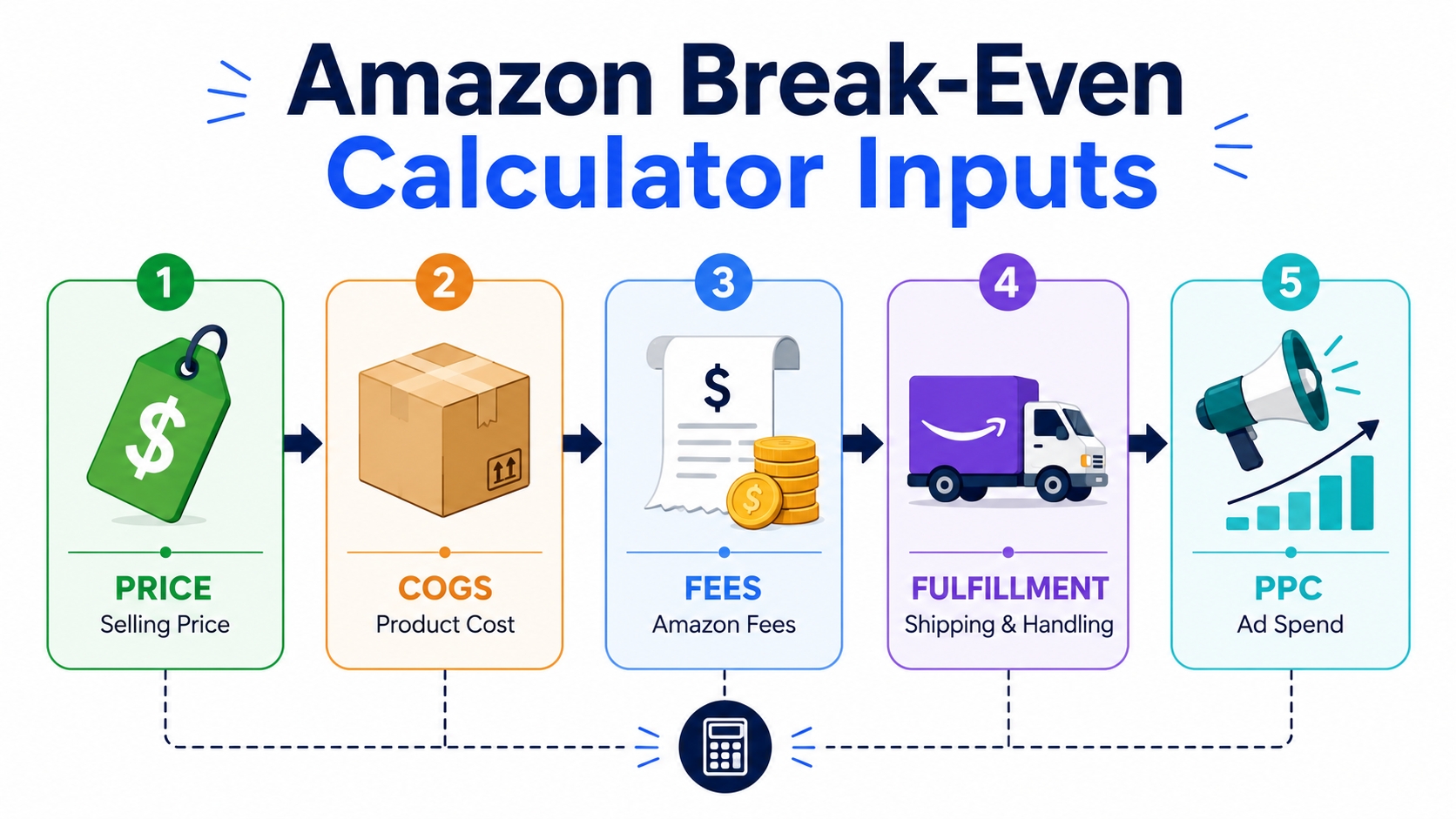
An accurate break-even analysis demands precise data. While this guide focuses specifically on minimum price and maximum ACoS, different Amazon calculators may require different combinations of fee, fulfillment, shipping, sales, and advertising data. For a broader overview of which tools to use and how their calculations work together, see our Amazon calculator guide. Below are the five core input categories needed for the break-even calculations covered in this article.
Price
Your proposed or current selling price. For new products, base this on competitor research and your target positioning. For established ASINs, use the Buy Box price you can realistically hold. Remember, Amazon's pricing engine fluctuates, which means your break-even price must work across the range you expect to sell at. A common mistake is using a "dream price" that doesn't reflect market realities.
COGS (Cost of Goods Sold)
This is the landed cost to get one unit ready for sale: manufacturing, freight, customs duties, and any third‑party prep. If you source from Alibaba, include the per‑unit share of shipping and tariffs. Many sellers underestimate COGS by forgetting about inspection fees or sample costs. Pro tip: amortize tooling and design fees over your expected first production run to avoid a nasty surprise.
Amazon fees
The referral fee (typically 15% for most categories) and any variable closing fees. Use Amazon's official fee schedule for your category. Don't forget subscription fees if you're on the Professional selling plan ($39.99/month) if you want to allocate that per unit. For low-volume sellers, per‑unit fees can swing break‑even significantly. Our Amazon FBA fees explained guide dives deeper.
Fulfillment costs
If you use FBA, include the per‑unit fulfillment fee (based on size and weight) plus any storage fees (monthly, long‑term, and aged inventory surcharges). For FBM, calculate your average shipping cost, packaging, and labor. Storage costs are often overlooked, where a slow‑moving product can rack up fees that eat your entire margin.
PPC budget
How much you expect to spend on advertising per unit sold. If your total monthly PPC spend is $1,000 and you sell 200 units, that's $5 per unit. For launch, this number might be high; for mature products, it could be near zero. Sellers often calculate break-even both with and without PPC to understand the pure product margin and the ad‑funded reality. We'll use this in the next section.
Checklist: Five inputs every break-even calculator must have
- ☑️ Selling price (realistic, based on current Buy Box or target)
- ☑️ Landed COGS (manufacturing + shipping + prep)
- ☑️ Amazon fees (referral + per‑item + subscription amortized)
- ☑️ Fulfillment cost (FBA fee + storage + inbound, or FBM total)
- ☑️ PPC cost per unit (monthly ad spend ÷ units sold)
Step-by-Step Break-Even Calculation
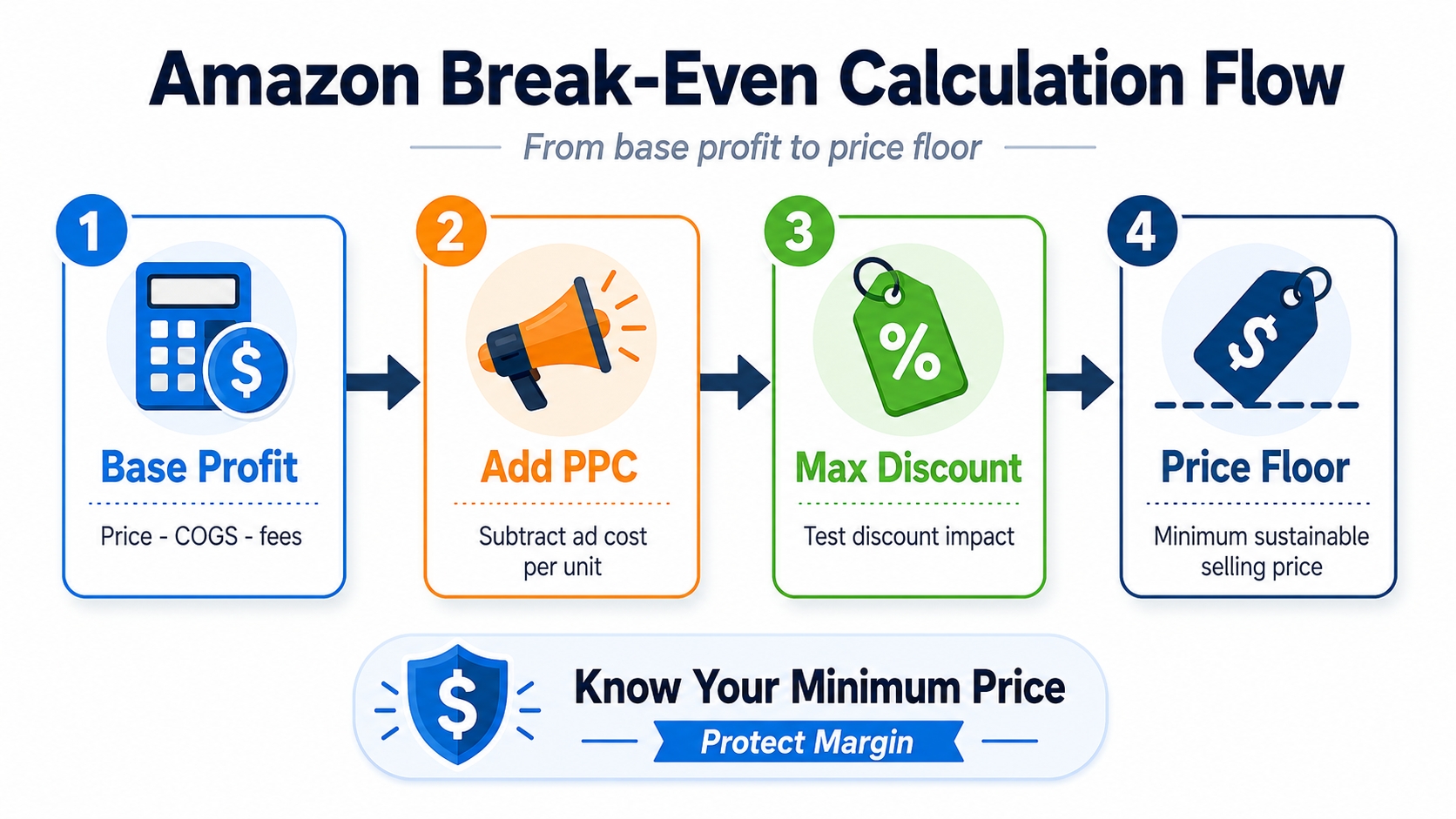
Now let's turn theory into action. Follow this four‑stage process to calculate your break‑even price and ACoS manually, or, even better, plug the numbers into a break-even calculator and watch them update in real time.
Calculate base profit (before PPC)
Start with your selling price and subtract COGS, Amazon fees, and fulfillment costs. The result is your margin before advertising, which is often called net margin or contribution margin. This is the pool you have to cover PPC and still leave profit. For example: Selling price $25, COGS $7, Amazon fees $4, FBA fee $3. Base profit = $25 - $7 - $4 - $3 = $11. That $11 represents 44% of the selling price. In other words, if you spent zero on ads, you'd have a 44% profit margin.
This number is critical because it's the numerator for your break‑even ACoS. If base profit is $11 on a $25 sale, your break‑even ACoS is 44%, which means you can spend up to $11 in ads before the sale becomes unprofitable. Many sellers mistakenly think they can't afford PPC at all, when in reality their organic margin gives them room to invest.
Add PPC cost
Now layer on your advertising cost per unit. If your monthly PPC budget is $1,500 and you sell 150 units, that's $10 per unit. Taking the previous example: base profit $11 minus PPC cost $10 = $1 net profit. You're still profitable, but razor thin. If your PPC cost were $12, you'd lose $1 per sale. The break‑even price under these conditions is not the original $25; it becomes $25 + (PPC beyond break‑even); more precisely, the price that makes net profit zero.
To find the exact break‑even price including PPC, set net profit to zero and solve for price: Price = COGS + Amazon fees + Fulfillment + PPC cost per unit. In the example, $7 + $4 + $3 + $10 = $24. But if you're selling at $25, you have $1 cushion. That cushion is your margin of safety.
Validate the scenario with SellerSprite
Once you have calculated an initial break-even estimate, use the SellerSprite Profitability Calculator to test whether the result still holds after more detailed costs are included. The calculator supports both FBA and FBM scenarios and allows you to account for product dimensions, weight, unit cost, inbound shipping, Amazon fees, PPC, promotions, returns, storage, tariffs, and other expenses.
Practical break-even validation workflow
- Select the FBA or FBM calculator and your Amazon marketplace.
- Enter the proposed listing price and complete product cost data.
- Add inbound shipping, Amazon fees, PPC, promotions, returns, and other relevant expenses.
- Review the estimated net profit, profit margin, ROI, and cost breakdown.
- Gradually lower the price or increase PPC cost until net profit approaches $0.
- Use that scenario to validate your estimated price floor or advertising ceiling.
This is a scenario-testing method rather than a dedicated break-even output. Your manually calculated break-even price and ACoS remain the primary benchmarks, while the Profitability Calculator helps reveal costs that may have been missed in a simplified formula.
Identify max discount
With your break‑even price in hand, you instantly know the maximum coupon or deal discount you can offer without losing money. If your break‑even is $24 and your regular price is $25, a $1 coupon is your limit. Launching with a 20% off coupon? Then your effective selling price must stay above $24. Sellers frequently use viral launches with deep discounts that dip below break‑even, thinking they'll recover later; but if you don't know the exact red line, you can bleed out fast.
Set price floor
The final step is locking in a minimum price, which is actually your operational price floor. This is the number you'd never go below, even during repricing wars, clearance sales, or aggressive promotions. Many repricing tools let you set a floor; now you know the precise value. For example, set your floor at $24.01 to always cover costs. Combine this with a target profit price (say $29.99 for a 25% ROI) and you have a complete pricing corridor.
Step-by-Step Checklist
- Compute base profit: Price − COGS − Amazon fees − Fulfillment
- Calculate break-even ACoS: (Base profit / Price) × 100
- Factor in PPC cost per unit
- Identify break-even price: COGS + Fees + Fulfillment + PPC per unit
- Set max discount = Price − break-even price
- Define absolute price floor (e.g., break-even price + $0.01)
How to Use Break-Even Data
Knowledge is power only when applied. Here are three high‑impact ways to turn break‑even metrics into daily decisions.
PPC bidding
Your break‑even ACoS is the bidding engine. If your break‑even ACoS is 40%, you can set target ACoS in campaigns to 30% for profitable ads and up to 40% for breaking even. For a launch campaign, you might tolerate 40% ACoS to gain traction, knowing each sale covers its own costs. But set a hard stop: no keyword bid should push actual ACoS above 40%. Use Amazon's bid optimization to auto‑adjust based on conversion rate, but always tie it back to this number.
Mini case study: A supplement seller had a break‑even ACoS of 25%. Their long‑tail keyword campaign consistently ran at 32% ACoS, bleeding cash. After raising the product price by 5% and negotiating a bulk shipping discount, break‑even ACoS rose to 30%. They then could keep the campaign alive while tweaking ads toward profitability.
Coupon planning
Coupons are a double‑edged sword: they boost conversion but directly reduce your price. Knowing your break‑even price tells you whether a 10% or 15% coupon is viable. Suppose your regular price is $30 and break‑even is $25. After a 15% coupon = $4.50 off, netting $25.50 is still above break‑even. However, a 20% coupon = $6 off, netting $24 is below break‑even, meaning you lose $1 per unit sold with that coupon. Use this math to decide maximum viable discounts for deal events like Prime Day or Black Friday.
Repricing guardrails
Automated repricing tools can be a race to the bottom if you let them. Set your price floor as the absolute minimum in your repricer to prevent selling below break‑even. Even if you want to win the Buy Box, never dip into negative territory. Smart sellers also set a target price range (floor to ceiling) based on break‑even plus desired margin. For instance, floor = $25 (break‑even), target = $35 (20% profit), ceiling = $40 (premium). The repricer then competes within that zone.
For private label sellers, consider integrating break‑even data into your MAP policy. If your wholesale price to retailers is $20 and you know their break‑even is $22 after fees, a MAP of $24.99 ensures they earn a small profit, keeping partners happy and your brand healthy.
Common Mistakes to Avoid
- ❌ Forgetting storage fees, especially long-term or Q4 spikes.
- ❌ Using a PPC budget that doesn't reflect actual spend per unit.
- ❌ Ignoring return costs and removal order fees.
- ❌ Setting a price floor higher than the market will bear.
- ❌ Never updating inputs after fee changes or supplier price hikes.
FAQ
How to calculate break-even price on Amazon?
Add your total costs per unit: COGS, Amazon fees (referral + per-item), fulfillment (FBA or FBM), and PPC spend per unit. The sum is your break-even price, meaning the lowest you can charge without losing money.
What is break-even ACoS?
Break-even ACoS is the advertising cost of sale percentage at which your net profit equals zero. It's calculated as (profit before advertising / selling price) × 100. If your ACoS stays below this number, you're profiting on ad-driven sales; if it exceeds, you're paying Amazon to lose money.
How to use break-even data for PPC bidding?
Set your target ACoS below your break-even ACoS. For example, if break-even ACoS is 30%, aim for 20–25% in profitable campaigns. Use Amazon's bid adjustments to keep actual ACoS within that range. During launch, you might bid up to break-even ACoS to gain momentum without bleeding cash.
How to set a minimum profitable price?
Your minimum profitable price is your break-even price plus a desired profit margin. First, find your break-even price; then add your target profit per unit (e.g., $3) or margin (e.g., 15%). This becomes your price floor for repricing tools and your baseline for evaluating promotions.
What is the difference between break-even price and target profit price?
Break-even price covers every cost and yields $0 profit. Target profit price is higher, as it includes your desired profit on top of the break-even amount. For instance, if break-even is $12 and you want $3 profit, target price is $15. Smart sellers manage both numbers: break-even as the hard floor, target profit as the goal.
Next Steps
- Calculate your initial break-even price and break-even ACoS using the formulas in this guide.
- Open the SellerSprite Profitability Calculator to test the result with detailed Amazon fees, fulfillment costs, PPC, promotions, returns, and other expenses.
- Use the validated price floor and advertising ceiling to update your PPC targets, coupon limits, and repricing rules.
References
- Amazon Official Fee Schedule View
- SellerSprite Amazon Calculator Guide View
- SellerSprite Amazon FBA Fees Explained View
By SellerSprite Success Team
The SellerSprite Success Team combines years of Amazon marketplace experience with data‑science expertise, helping sellers of all sizes dominate search results through proven operational strategies and cutting‑edge tooling.
Last updated: 2026-07-27