TL;DR: Amazon calculators turn raw cost and sales data into clear profit insights, helping sellers avoid money‑losing products and optimize pricing, shipping, and ads. This guide explains which calculator you need, what inputs they require, and how to use them at every stage of your Amazon business.
Key Takeaways
- A profit calculator is the starter tool every new Amazon seller should master before sourcing.
- Recalculate your numbers whenever Amazon adjusts fees, you change prices, or you scale PPC campaigns.
- Estimates are not guarantees – always build a 10–15% buffer for unexpected costs like returns and storage.
Table of Contents
Note on marketplaces: This guide is specifically optimized for the US market.
Which Amazon Calculator Do Sellers Need?
Amazon sellers face a jungle of numbers: fees, shipping costs, ad budgets, and inventory expenses. Different calculators are built to tackle specific parts of that puzzle. Understanding which tool to use when is the first step toward profitable decision‑making. Start simple, then layer on complexity as your business grows.
Profit calculator first, then demand and ad calculators
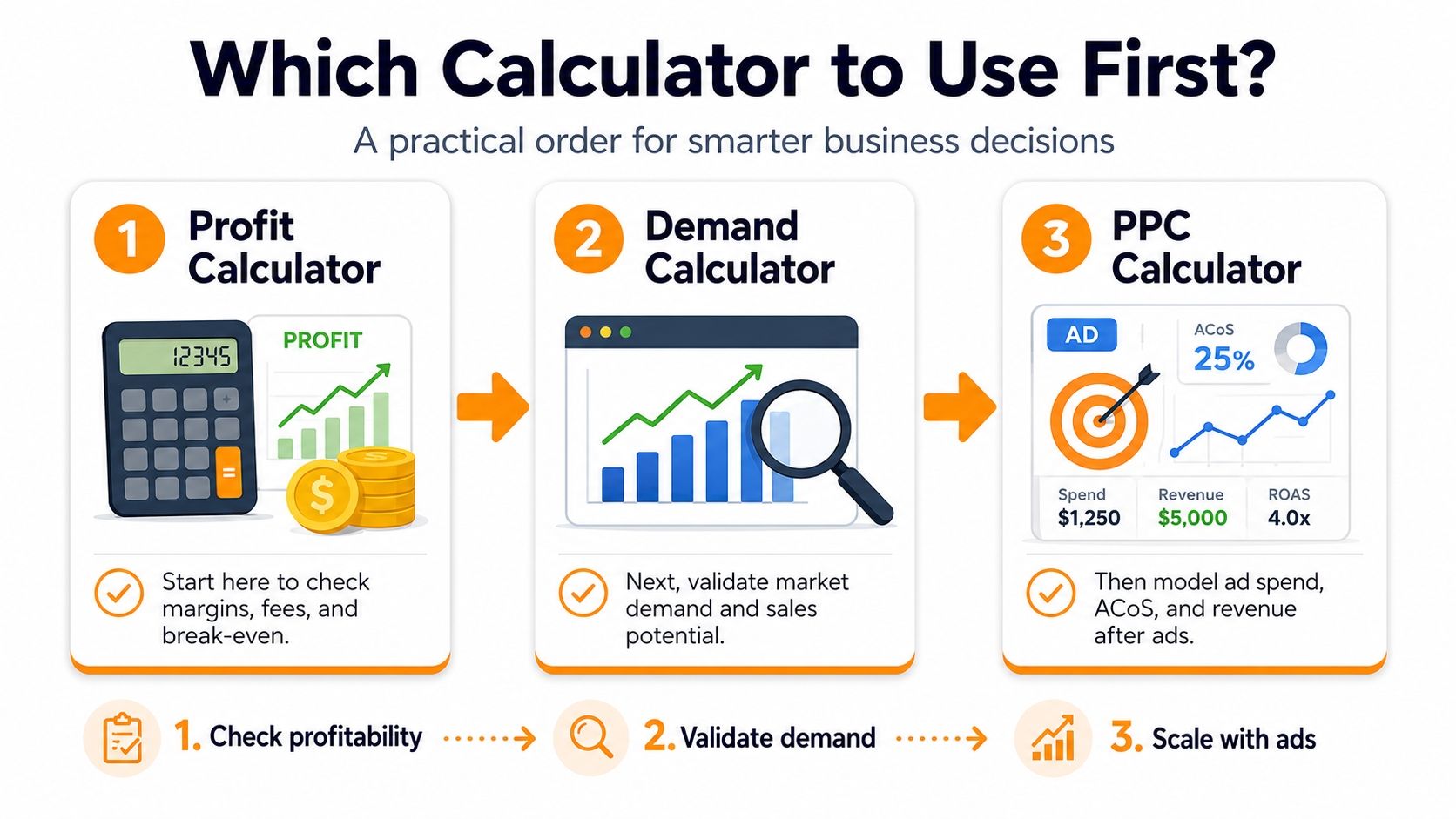
Every seller's first question is: "After Amazon takes its cut, do I actually make money?" That's why a profit calculator, whether FBA or FBM, is the absolute must-have before you ever buy inventory. Once you know a product is profitable, move to a demand estimator (like a sales estimator) to gauge volume potential. Finally, when you're ready to scale, an ad calculator helps you model PPC spend without eroding your margins. This sequence keeps you from falling in love with a high‑revenue product that bleeds cash on every sale.
Core Rules for Using Amazon Calculators
Amazon calculators are powerful, but only if you follow a few iron‑clad rules. These principles keep your estimates grounded in reality and protect you from surprise fees. Adopt them early to build a foundation of sound financial habits.
Use calculators before sourcing
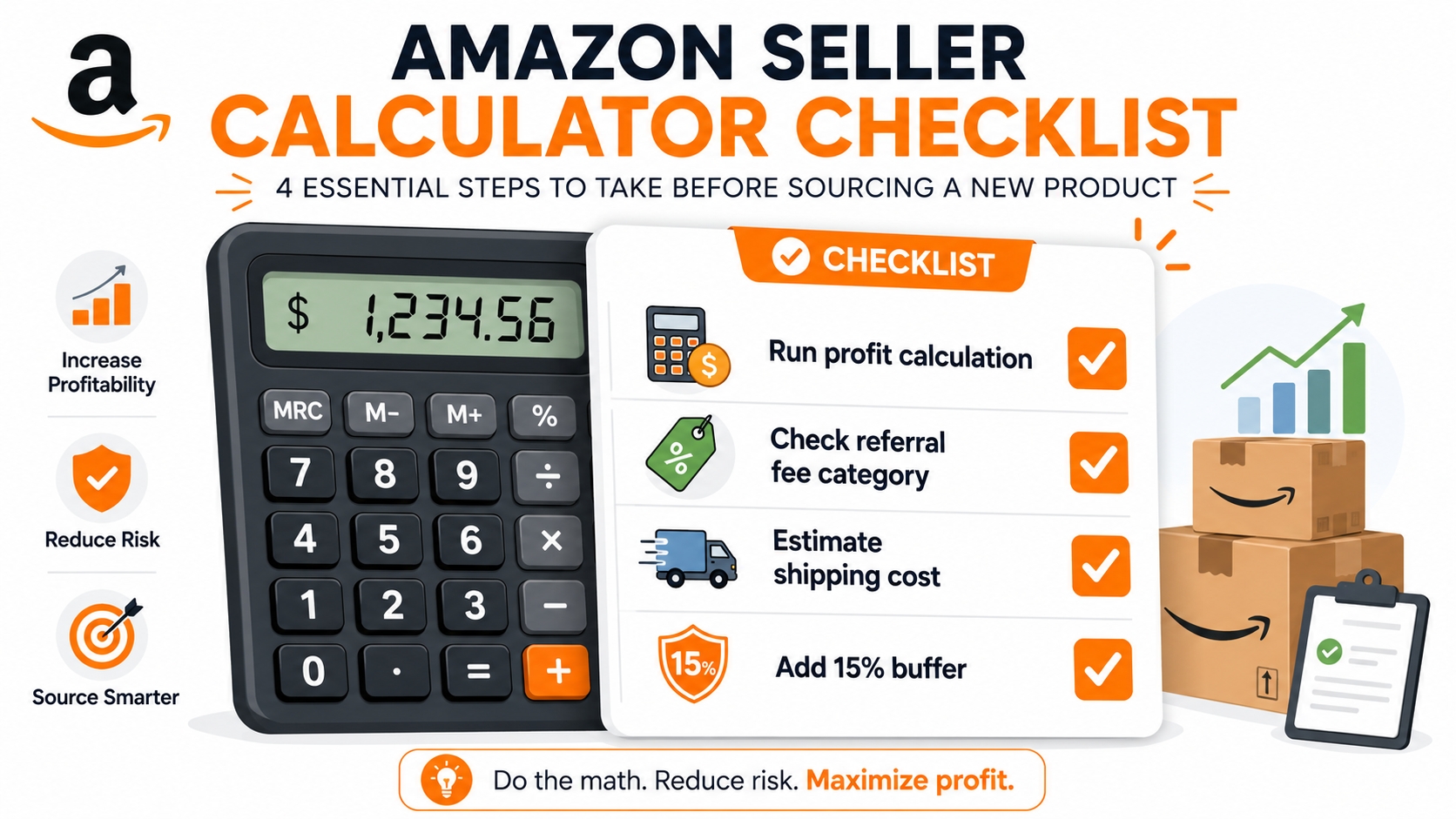
Plug your supplier quotes, shipping estimates, and a realistic target sale price into a profit calculator well before you place a purchase order. If the net margin falls below 20–25% for a private‑label item, reconsider the product or negotiate better costs. Many new sellers skip this step and end up stuck with inventory that loses money after Amazon fees. A five‑minute calculation can save thousands of dollars.
Recalculate after price, fee, or ad changes
Amazon's fee structure shifts regularly (storage fees rise in Q4, referral fees can change by category). Likewise, your cost of goods can fluctuate with currency exchange rates, and your PPC bids may climb during a competitive season. Make it a habit to re‑run your numbers quarterly, or immediately after any adjustment. Even a 5% fee increase can wipe out your entire profit on thin‑margin items.
⚠️ Two Golden Rules for Amazon Calculator Use
- Calculate before you source, not after. Don't buy inventory hoping the numbers will work out later.
- Recalculate after any cost change. Fees, shipping, and ad costs are moving targets.
Types of Amazon Calculators
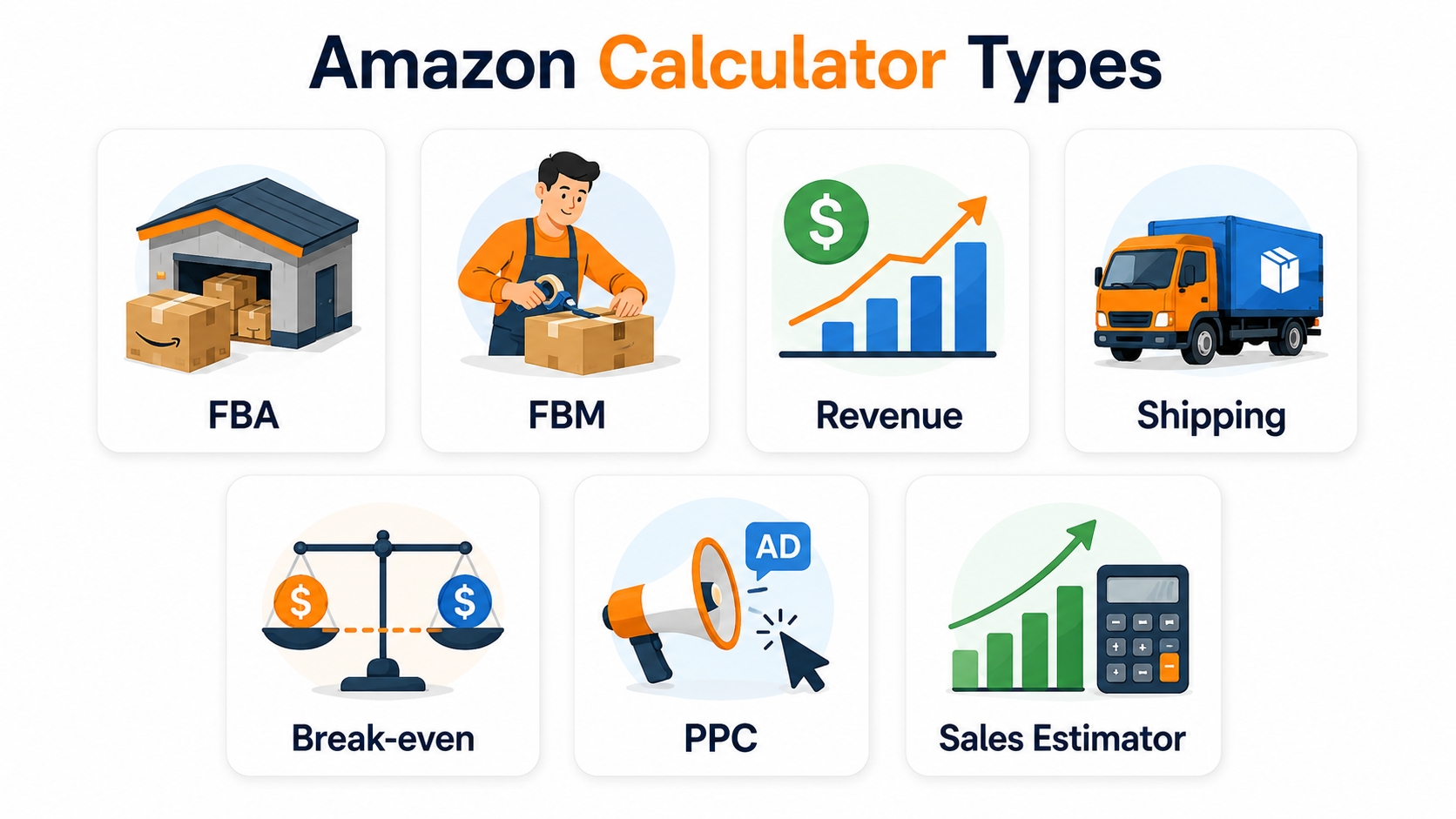
Not all Amazon calculators are built alike. Each one answers a distinct business question. The table below summarizes the main types you'll encounter, followed by a deeper look at each tool's inputs, outputs, and ideal use case.
| Calculator | Answers |
|---|---|
| FBA profit calculator | Will I make money after Amazon FBA fees? |
| FBM profit calculator | Is it more profitable to fulfill orders myself? |
| Revenue calculator | What's my total expected revenue from sales? |
| Shipping calculator | How much will inbound shipping cost per unit? |
| Break-even calculator | At what price or volume do I cover all costs? |
| PPC calculator | How much ad spend is needed to hit a target ACoS? |
| Sales estimator | What monthly sales can I expect based on BSR? |
FBA profit calculator
The FBA profit calculator is the most commonly used tool for sellers enrolled in Fulfillment by Amazon. It subtracts Amazon's referral fee, FBA fulfillment fee, and monthly storage costs from your selling price, then deducts your product cost and inbound shipping. The result is your net profit per unit. Most FBA calculators also show gross margin and ROI as a percentage, helping you compare products at a glance. Savvy sellers use it to test multiple price points and cost scenarios before committing to a product.
FBM profit calculator
If you fulfill orders yourself (Fulfillment by Merchant), you avoid Amazon's FBA fees but take on shipping, packing, and storage expenses. An FBM calculator lets you input your own fulfillment cost estimates (postage, packaging, labor) and compare against the FBA alternative. The same item might be more profitable via FBM if you can ship cheaply, but you lose the Prime badge and may see lower conversion rates. Always run both FBA and FBM scenarios to decide which channel makes sense.
Revenue calculator
A revenue calculator projects total top‑line sales by multiplying estimated monthly unit sales by your selling price. It's a quick way to size up an opportunity, but it doesn't factor in costs. Use it alongside a profit calculator to avoid falling for high‑revenue, low‑margin traps. For example, a product that brings in $10,000 per month might look attractive until fees and ad costs drop net profit to zero.
Shipping calculator
Inbound shipping from your factory to Amazon's fulfillment centers is often underestimated. A shipping calculator uses your product dimensions, weight, and carton details to estimate per‑unit shipping cost for ocean, air, or express modes. Carrier rates fluctuate, so always get a quote from your freight forwarder and compare it against averaged calculator estimates. Even a $0.50 per unit error can erase thousands in profit over a 1,000‑unit shipment.
Break-even calculator
The break‑even calculator tells you the minimum price you can charge without losing money, or the minimum volume you must sell to cover your fixed costs. It's especially useful during product launches when you might be willing to break even temporarily to gain traction. The formula is: (fixed costs + variable costs per unit × units) / units. A dedicated tool automates this and shows the exact threshold, so you can plan pricing strategies with clear boundaries.
PPC calculator
Amazon PPC campaigns can supercharge sales, but only if your ad spend stays within profitable limits. A PPC calculator asks for your average order value, conversion rate, and cost per click to compute ACoS (Advertising Cost of Sale) and ROAS (Return on Ad Spend). It lets you model different bid levels and daily budgets. Use it before launching a new campaign and weekly thereafter to make sure you're not overspending on low‑converting keywords.
Sales estimator
A sales estimator translates a product's Best Sellers Rank (BSR) in a given category into approximate monthly sales. While not exact, it helps you gauge demand and competitive intensity. Researchers often use it to shortlist products, then verify with keyword search volume tools and competitor monitoring. Note that BSR‑based estimates can lag during seasonal spikes or heavy promotions, so always cross‑check with other signals.
Which business question each calculator answers
Boiling it down even further, here's a crisp mapping of each calculator to the strategic decision it supports. Keep this mental model handy whenever you open a calculator.
- FBA profit calculator: "Should I sell this product via FBA?"
- FBM profit calculator: "Would fulfilling myself be more profitable?"
- Revenue calculator: "How large is the market opportunity?"
- Shipping calculator: "Can I afford to ship this from my factory?"
- Break-even calculator: "What's my floor price or minimum order?"
- PPC calculator: "How much should I bid for ads?"
- Sales estimator: "What volume can I realistically sell?"
What Inputs Every Amazon Calculator Needs
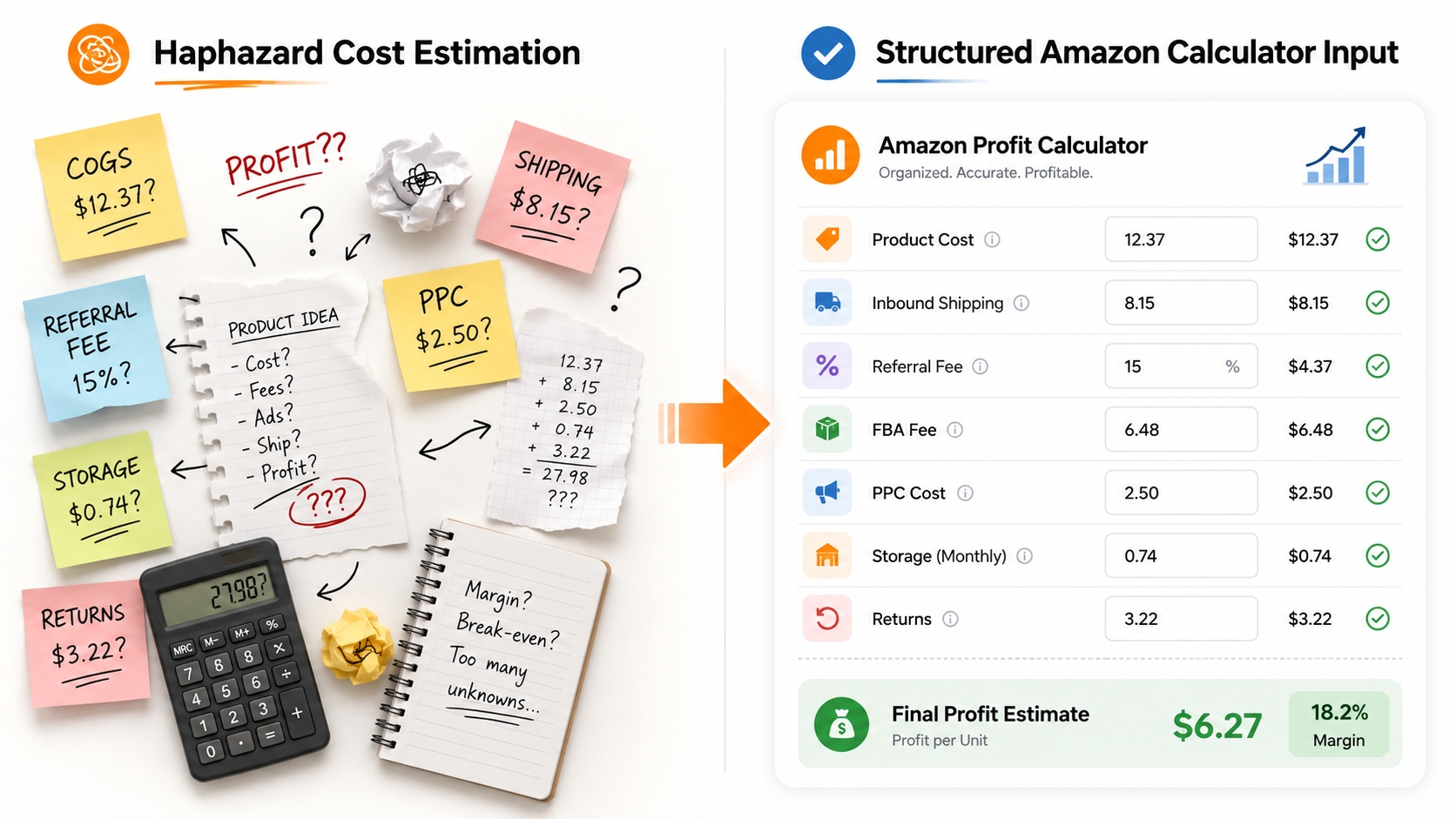
The quality of your outputs depends entirely on the accuracy of your inputs. Below are the core data points that almost every Amazon calculator will request. Gather these figures from reliable sources, not guesswork, before you press "Calculate."
Price
Your selling price is the number you plug into the top of the equation. Use a realistic market‑based price, not the highest listing you see (that seller may have 1,000 reviews and brand dominance). Research the average offer price on the first page of Amazon results, then test a conservative estimate 10% below that to account for future competition. Price directly shapes referral fees (a percentage of the sale) and influences conversion rate, so it's the single most important input.
Product cost
This is your landed cost per unit: the price you pay your supplier, plus any sample shipping, quality inspection, and packaging costs. Many new sellers mistakenly enter only the supplier's unit price and forget ancillary expenses like poly bags, barcodes, or custom inserts. If your product requires compliance testing (FCC, FDA), amortize that one‑time cost over your first batch. Use the "all‑in" figure; your calculator should not be an optimist.
Dimensions and weight
Amazon's FBA fees are largely driven by your product's dimensions and weight, especially after the shift to dimensional weight pricing. Measure your final packaged product (boxed and ready to ship) not the naked item. Use a digital scale to get exact weight. Even an inch of extra packaging can bump you into a higher fee tier, so optimizing packaging pays off. Always input imperial units (inches, pounds) for the US marketplace.
Category fees
Amazon charges a referral fee as a percentage of the total sale price, and it varies by category. For example, electronics typically carry 8%, while beauty can be 15%. Some categories also have a per‑item minimum referral fee (usually $0.30). You can find the official fee schedule on Seller Central. Always double‑check the category you're listing in before assuming a percentage; miscategorization can lead to fee disputes and account issues.
Shipping and storage
For FBA sellers, inbound shipping from your supplier to Amazon's warehouse can be the silent margin killer. Get a quote from a freight forwarder that includes ocean/air freight, insurance, customs duties, and last‑mile delivery. Then divide by the number of units in the shipment. Monthly storage fees are based on cubic footage; your calculator may ask for average inventory duration. For FBM, estimate your own shipping carrier rates using a tool like ShipStation or Pirate Ship.
Ads and promotion costs
If you plan to run Sponsored Products or lightning deals, budget for those out of your gross margin. For PPC, a conservative starting assumption is 15–20% ACoS (Ad Cost of Sale). That means 15–20% of your sale price will be re‑invested into ads. Include one‑time promotion costs like coupon redemptions or vine review fees. Many calculators let you plug in a fixed per‑unit ad cost to see net profit after advertising. If yours doesn't, subtract it manually after the fact.
SellerSprite Calculator Workflow
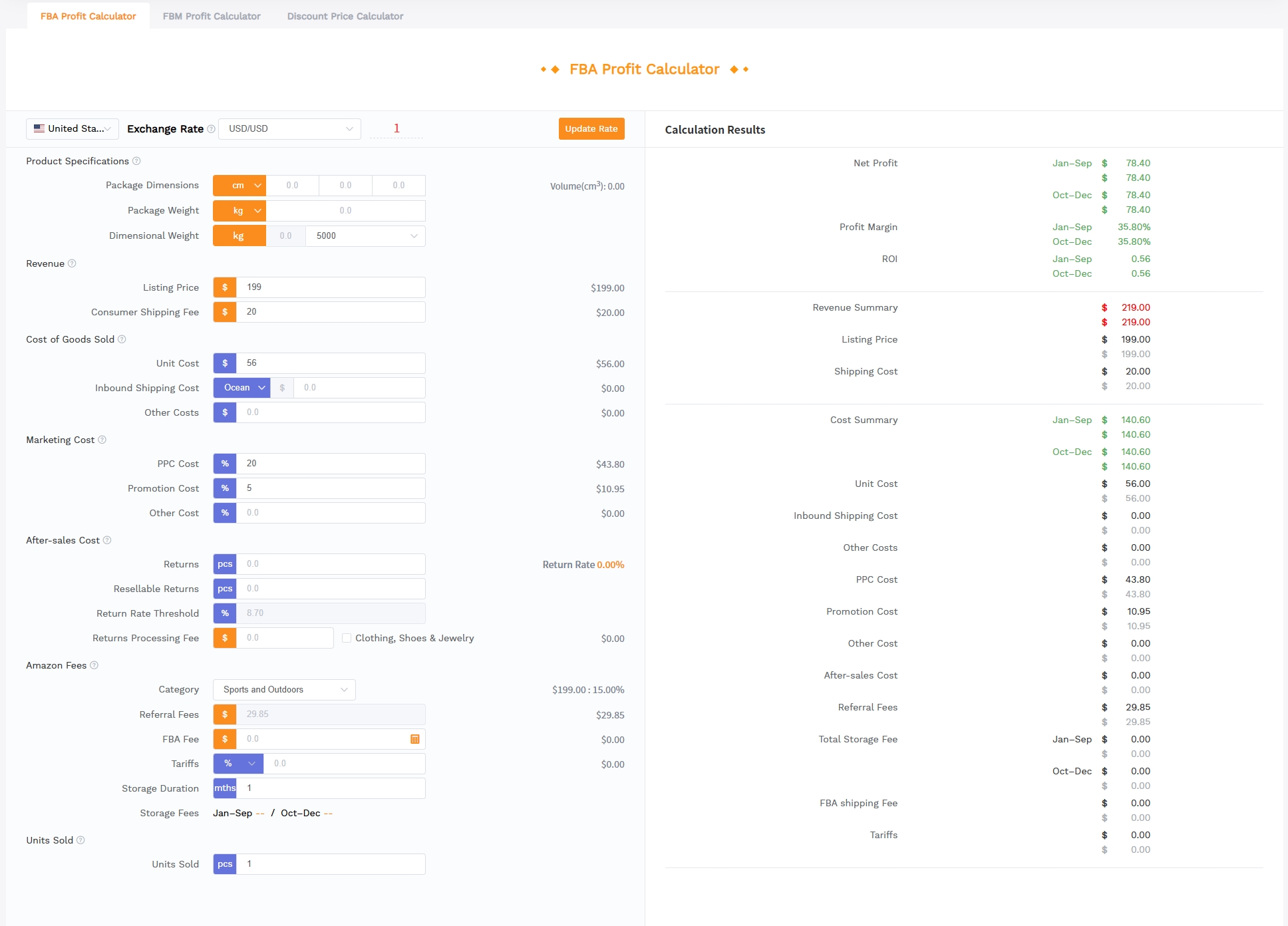
SellerSprite's free Amazon calculator bundles profit, fee, and break‑even analysis into a single intuitive workflow. Here's how to walk through it in under five minutes. By the end, you'll have a data‑backed answer to "Is this product worth selling?"
Choose calculator type
When you open the SellerSprite calculator, you'll first select whether you need a profit calculator (FBA or FBM), a revenue estimator, or a PPC planner. The interface adapts its fields accordingly, so you're never staring at irrelevant inputs. For most sourcing decisions, start with the FBA Profit Calculator.
Select marketplace
Amazon's fee structures differ by country. Toggle to the United States marketplace (or wherever you plan to sell). The calculator pulls the latest referral fee percentages and FBA rates for that region, so you don't have to manually look them up. If you're expanding into Europe or Japan, run a separate scenario for each marketplace because currency conversion and VAT can change your numbers dramatically.
Enter cost assumptions
Now fill in the blanks: selling price, product cost, shipping cost per unit, and optional ad spend per unit. The tool also asks for product dimensions and weight to compute FBA fulfillment fees. If you have a specific category referral fee in mind, you can override the default. Pro tip: use pessimistic numbers on your first pass; you can always create additional "best‑case" scenarios later.
Compare net profit, margin, and ROI
After entering all the neccessary cost numbers, and you'll instantly see net profit per unit, gross margin as a percentage, and ROI. If the net profit is positive and the margin meets your minimum threshold (typically 25%+), the product passes the first test.
Save scenarios and revisit decisions
Don't stop at one scenario. Remember to save your each test result to store different product ideas, price points, or fulfillment methods side by side. When you revisit your dashboard weeks later, you'll have a quick comparison ready with no need to re‑enter data. This is particularly handy when you're evaluating a dozen potential products at once; the saved scenarios become your sourcing shortlist.
💡 Pro Tip: Scenario Comparison
Create at least three scenarios for every product: conservative price / high cost, realistic, and optimistic. Then decide based on the worst‑case, not the best‑case.
Calculator Use Cases by Seller Stage
Your relationship with Amazon calculators evolves as your business matures. What you calculate at month one is very different from what you'll optimize at month twelve. Here's how to deploy calculators at each stage of your selling journey.
Before sourcing
At this stage, you're comparing a list of potential products. Run quick profit calculations on each candidate using a tool like SellerSprite's FBA/FBM profit calculator. Eliminate any product with a net margin below 20% or a break‑even price that sits above the market average. This phase is about narrowing a large list to a handful of viable contenders. Invest time in accurate landed‑cost estimates: ask your freight forwarder for a pro‑forma invoice and plug those real numbers in. A few hours here can prevent months of grief.
Before launch
Once you've chosen a product, shift to the break‑even calculator to model launch pricing. Many sellers start with a discount of 20–30% off their long‑term price to drive early sales and reviews. Your break‑even calculator tells you the absolute lowest price you can stomach without losing money during this promotional period. Pair it with a PPC calculator to set a launch ad budget: estimate how many clicks you'll need to reach your desired daily sales, then multiply by the average CPC in your category.
During PPC scaling
As you ramp up ads, the PPC calculator becomes your cockpit instrument. Weekly, plug in your current conversion rate, average CPC, and order value to see your live ACoS. If ACoS drifts above 25–30%, you may need to lower bids or pause underperforming keywords. Use the calculator to simulate "what‑if" scenarios: "If I double my daily budget but my conversion rate stays flat, what happens to my net profit?" This prevents emotional scaling decisions.
During price changes
Whether you're raising prices to test elasticity or dropping them to match a competitor, re‑run your profit calculator with the new number. A $1 price increase might seem small, but after referral fees take their slice, your net profit could jump by 15%. Similarly, a $2 price cut might bring you below break‑even without you realizing it. Keep a saved scenario for each price tier so you can quickly see the profit implications.
Common Mistakes With Amazon Calculators
Even experienced sellers sometimes misuse calculators in ways that distort their financial picture. These three mistakes are the most frequent and the most costly. Sidestep them and your projections will be far more reliable.
Treating estimates as guarantees
A calculator's output is only as good as its assumptions. Amazon's fees can change mid‑year; your supplier might raise prices by 10%; a freight container could get delayed and incur storage overage. Always view the calculator's result as a directional guide, not a contract. Build a 10–15% safety buffer into your minimum acceptable margin to absorb surprises. If the numbers only work when every star aligns, the product is too risky.
Ignoring fee updates
Amazon typically announces fee changes in January and sometimes mid‑year. Storage fees escalate dramatically during Q4. If you don't update your calculator with the latest rates, your profit estimates become stale. It is recommended to subscribe to Amazon's fee update emails and set a reminder to re‑run your numbers within a week of any announcement.
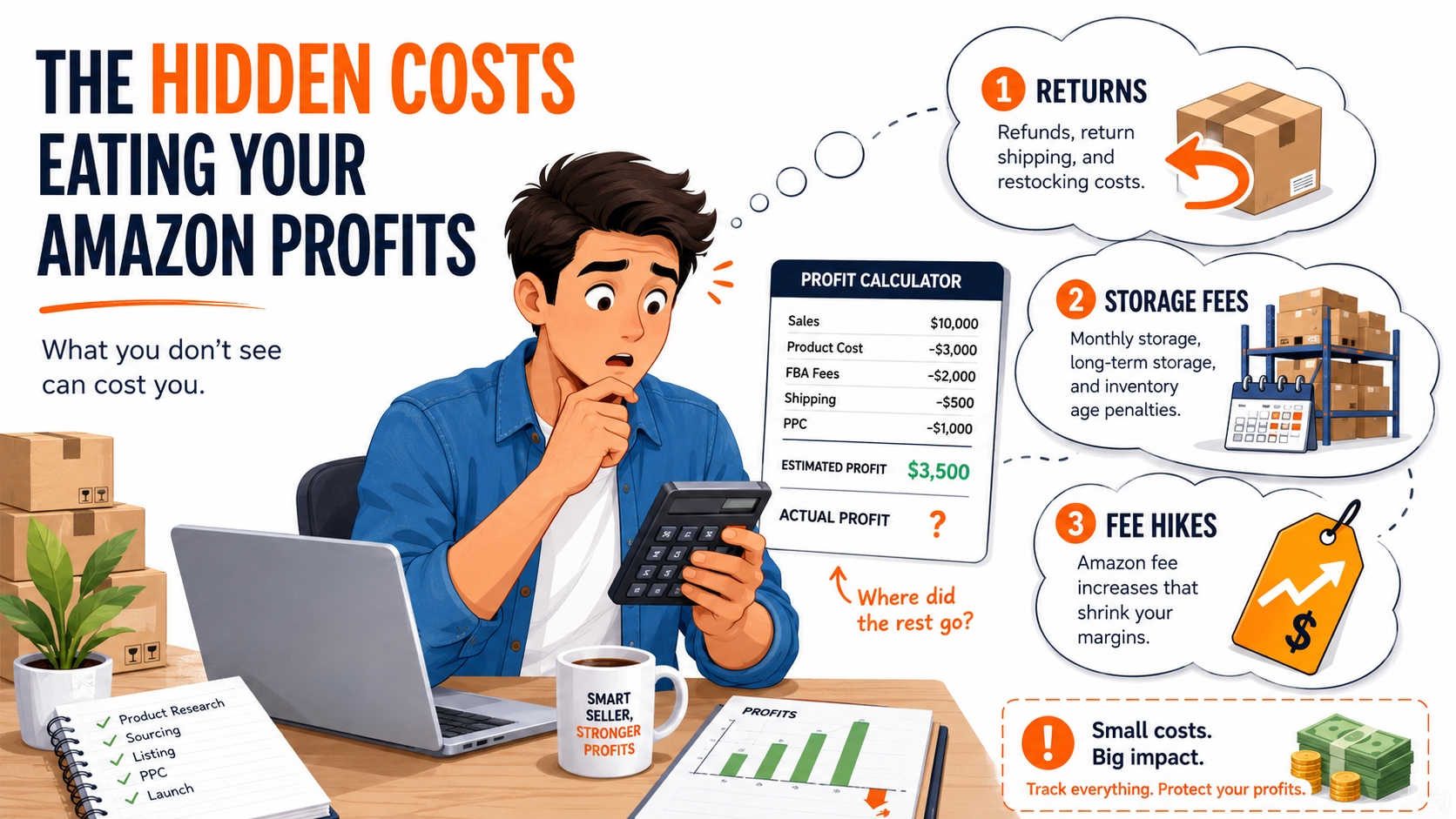
Forgetting returns and storage
Customer returns in certain categories (apparel, electronics) can range from 5% to 20%. Each returned unit incurs a return processing fee and may be unfulfillable, meaning you eat the entire product cost. Similarly, if your inventory sits in Amazon's warehouse for over 181 days, long‑term storage fees kick in. Many basic calculators don't prompt you for these, but you can manually create a "returns + storage" contingency line. Deduct 3–5% of your selling price as a conservative buffer, and increase it for high‑return categories.
🚩 Top 3 Mistakes That Kill Profit Projections
- Believing the calculator's "best‑case" scenario as a certainty.
- Running calculations with outdated fee rates from 12 months ago.
- Omitting return processing and long‑term storage costs completely.
FAQ
What is an Amazon calculator for sellers?
An Amazon calculator is a web‑based tool that estimates your costs, fees, and potential profit for selling on Amazon. It uses your inputs (price, product cost, shipping, dimensions, etc.) and applies Amazon's latest fee structures to show you net profit, margin, and ROI. Advanced calculators can also model ad spend, break‑even points, and revenue forecasts.
What inputs do most Amazon calculators need?
The core inputs are: selling price, product cost (landed), shipping cost to Amazon, product dimensions and weight, and the product category. Many calculators also accept optional fields like monthly storage fee estimates, advertising cost per unit, and return rate assumptions to give a more accurate net profit figure.
Can an Amazon calculator estimate exact profit?
No tool can guarantee exact profit because variables like return rates, PPC performance, and fee changes are unpredictable. A calculator provides an educated estimate. Always add a 10–15% cost contingency to your figures and recalculate regularly as real‑world data comes in.
Should PPC cost be included in Amazon seller calculations?
Yes, absolutely. PPC is often a significant part of the cost structure. Include a per‑unit ad cost estimate (or use a dedicated PPC calculator) to see your net profit after advertising. Ignoring ads is one of the fastest ways to underestimate expenses and lose money on what appears to be a profitable product.
Which calculator is most useful for new Amazon sellers?
A simple FBA profit calculator is the best starting point. It tells you whether you'll make money after Amazon's core fees. Once you're comfortable, add a break‑even calculator for pricing experiments and a PPC calculator when you start advertising. SellerSprite's free tool combines all these functions, making it idea for beginners.
Next Steps
- Run your first profit scenario with our free Amazon calculator. Input realistic numbers and save the report.
- Sign up for a free SellerSprite account to unlock advanced scenario saving, marketplace‑specific calculators, and batch product evaluation.
References
- Amazon Seller Central Fee Schedule (US) View
- SellerSprite Amazon FBA Fee Breakdown Guide View
- SellerSprite Free Amazon Profit Calculator View
- SellerSprite Free Amazon Sales Estimator View
By SellerSprite Success Team
The SellerSprite Success Team combines years of Amazon marketplace experience with data‑science expertise, helping sellers of all sizes dominate search results through proven operational strategies and cutting‑edge tooling.
Last updated: 2026-07-22