If managing Pay-Per-Click (PPC) advertising on Amazon feels complex, you do not need more ad campaigns. You need the right types of campaigns, set up in the proper order, and managed with the right controls.
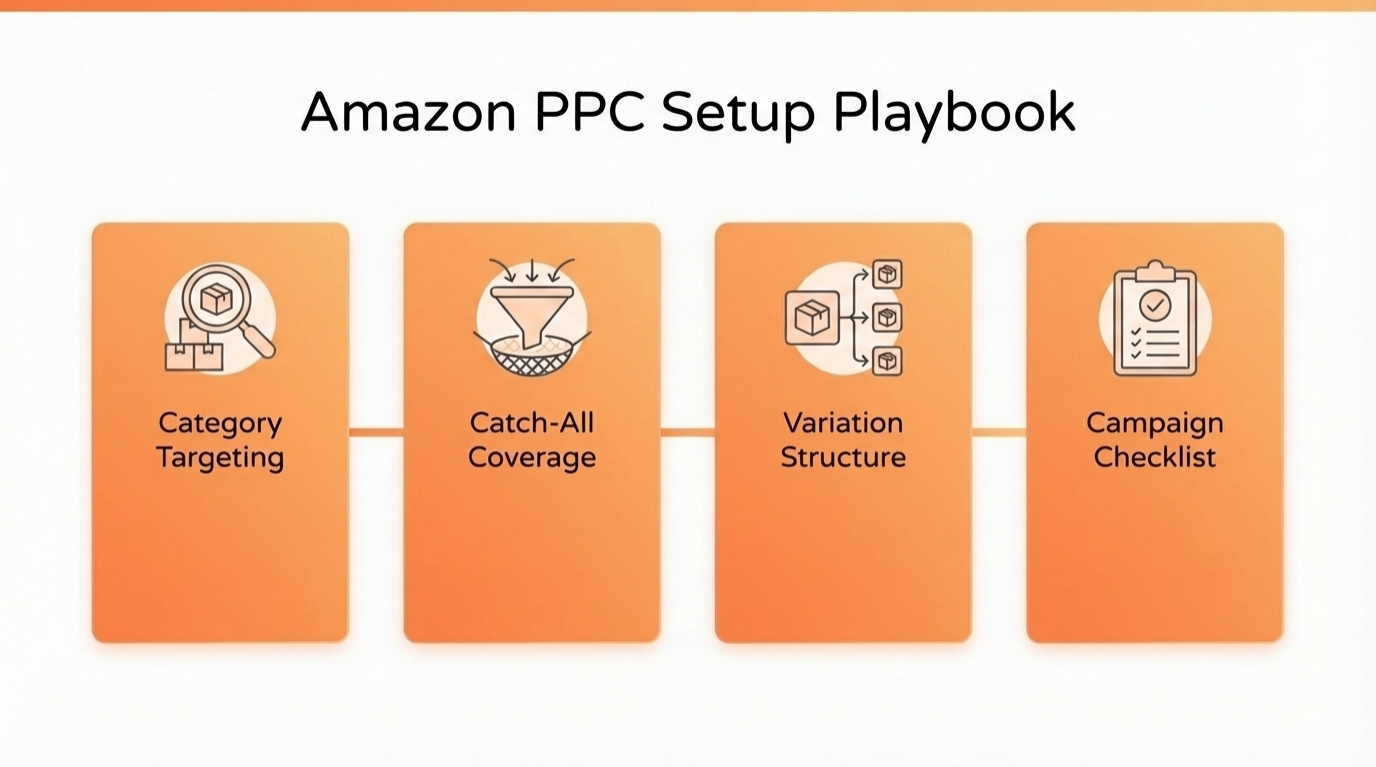
In this chapter, follow the steps to launch category targeting campaigns, set up low bid catch-all coverage for mature accounts, advertise variations effectively, and use a complete Sponsored Products campaign checklist.
Keep it simple, stay consistent, and let clean structure compound results over time.
Key Takeaways
- Category targeting works best when you only add categories that match real shopper intent for your product.
- Start category bids low, then increase only if the category proves it can convert.
- Catch-all coverage works best for accounts with multiple products and a stable performance history.
- For variations, focus most effort on the best-selling child ASINs, then scale the long-tail with lighter campaign sets.
- A complete PPC checklist prevents random testing and keeps your optimization weekly, not emotional.
- Use SellerSprite Seller Tools to build smarter keyword and competitor lists before you spend more.
Table of Contents
Category Targeting Campaign Tutorial
Category targeting lets you place Sponsored Products ads inside broad shopping paths. It can work well when you find categories that are truly aligned with your product, and it can waste budget when categories are too generic.
When to use it
Use category targeting only when the category is specific enough so that shoppers browsing it are likely to buy your exact product type. If you cannot find relevant categories, skip category targeting and focus on keyword and product targeting first.
Setup steps inside Campaign Manager
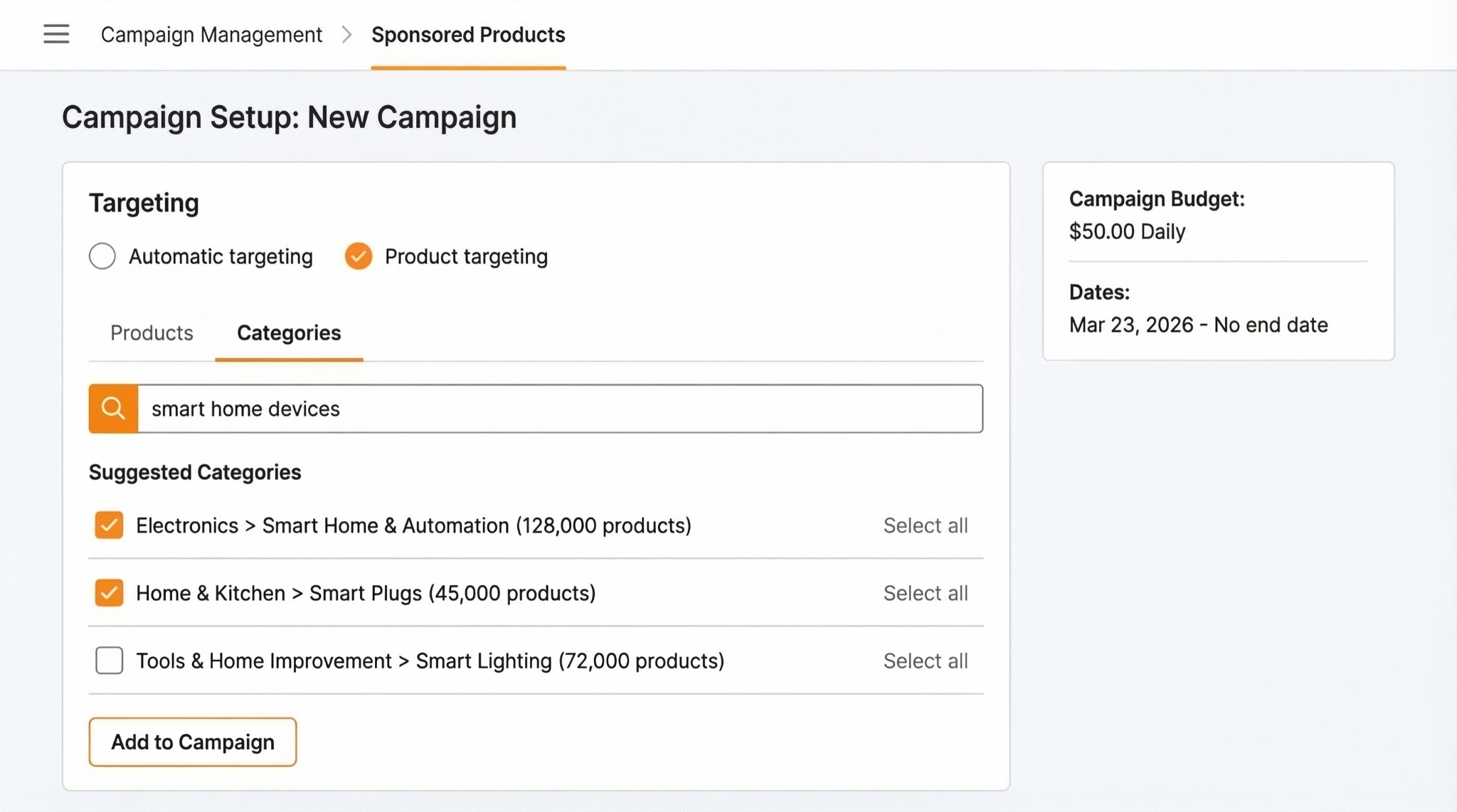
- Create a new Sponsored Products campaign in Amazon Ads. Select the Manual targeting option to control which keywords or products your ads target.
- Select Product targeting to focus your ads on entire product categories or specific competitor products. Choose Categories instead of targeting individual products.
- Search categories using product keywords. Use terms that shoppers would search for your product type.
- Add only categories that are truly relevant. When unsure, leave the category out and revisit later.
- Set a low custom bid. Increase the bid only if conversion data confirms the category value.
- Use fixed bids. Keep testing under control while you gather data.
Starting bid guideline
A practical starting bid for category targeting is often $0.15 to $0.20. If impressions are too low, increase gradually. If spend rises with weak conversion, decrease or pause the category.
Common mistake
Do not treat category targeting like keyword targeting. Because categories are broader, be stricter with selections. Ensure alignment with shopper intent to avoid expensive, unproductive traffic.
Catch-All Coverage for Mature Accounts
Set up catch-all coverage as a low-bid portfolio of campaigns designed to pick up extra conversions only after your account has steady data. Use this as a scale tactic for accounts with multiple products and enough history for the system to understand your listings, not as a launch tactic.
Best fit checklist
- You have at least two products.
- Your account has a stable PPC history, often 60 days or more.
- You want incremental profit and coverage without complicating your core structure.
How the setup works
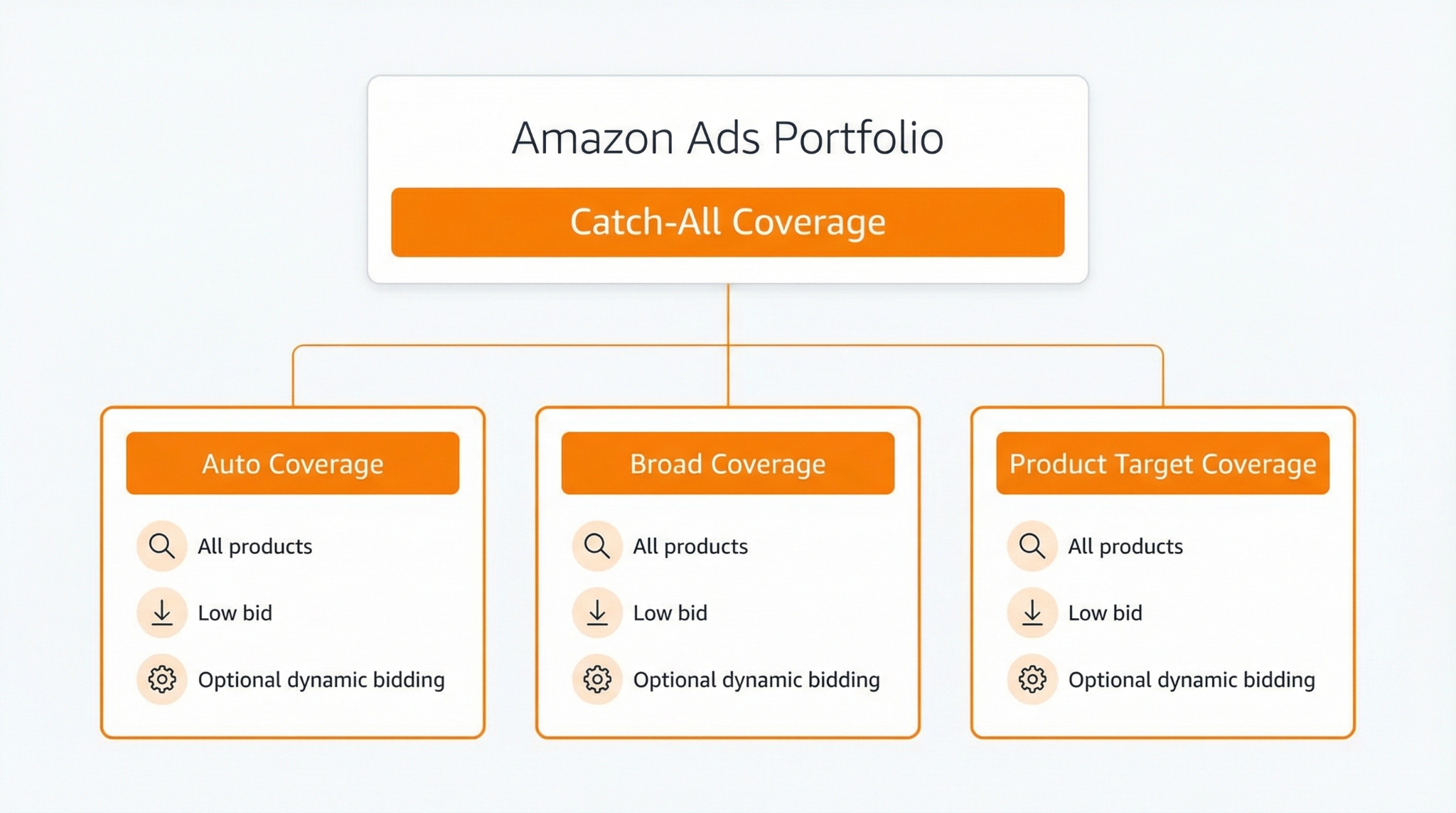
- Create a new portfolio. Name it Catch All Coverage.
- Create three campaigns inside the portfolio. One auto-targeting campaign, one Broad match keyword campaign, and one Product targeting campaign.
- Add all advertised products. Include all products you actively advertise in your account.
- Set a low default bid. The common baseline is $0.15 per click across the three campaigns.
- Use one combined keyword list for the broad campaign. Pull from your proven keyword list and combine it into a single list.
- Use one combined ASIN list for product targeting. Combine the ASIN targets used across campaigns into a single list.
- Test dynamic bidding with caution. Experiment with Dynamic bids up and down for these coverage campaigns while keeping the bid low. Monitor results and make adjustments as needed.
Reminder
Maintain catch-all campaigns with low effort and low risk. If performance becomes volatile, reduce bids or pause campaigns. Ensure your core campaign structure remains clean and intentional.
Advertising Variations Without Mess
Keep ad accounts for variations manageable by focusing on structure. Begin by identifying the most important products, then determine the most important variations within those products.
The 80/20 focus model
- Across products: focus most energy on the few products that drive most revenue.
- Inside variations: focus most energy on the few child ASINs that drive most sales for that parent listing.
- Time is a cost: if a variation is low volume, you can still advertise it, but it should live in a low-effort structure.
Two campaign sets that stay organized
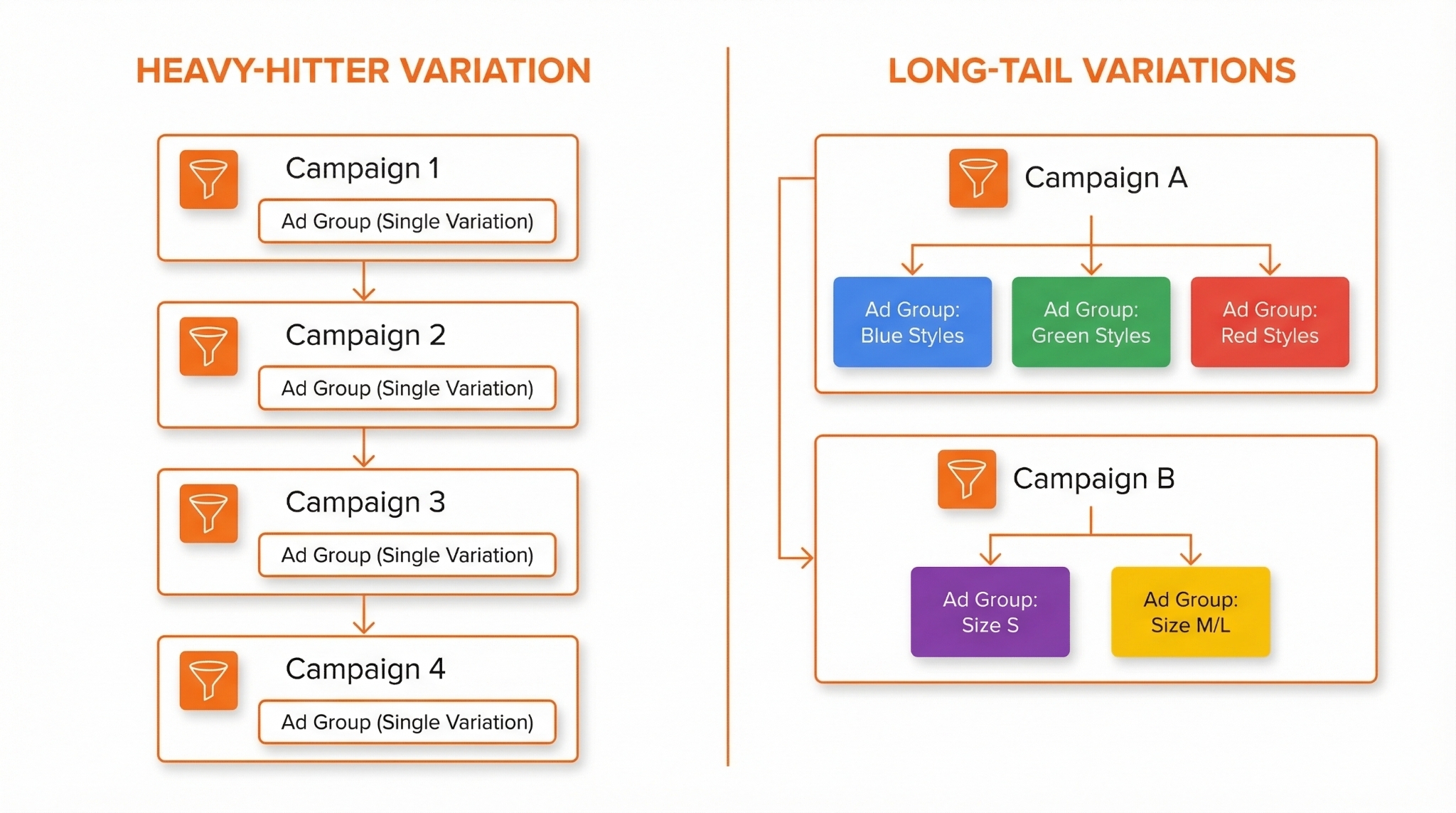
Set 1: Heavy hitters
Build full campaign coverage for your best-selling variation. Use one campaign per theme and one ad group per campaign to keep reporting clear and scaling controlled.
Set 2: Long-tail variations
For lower-selling variations, use fewer campaigns and consolidate. You can use one campaign per match type, with multiple ad groups; one ad group per variation; and more specific long-tail keywords for each variation.
How SellerSprite helps
Use SellerSprite Keyword Research and Reverse ASIN to build lists for the heavy-hitter variation first, then build long-tail variation keywords by adding clear modifiers like color, size, or use case. Strong input lists reduce wasted clicks and speed up learning.
Complete Sponsored Products Campaign Checklist
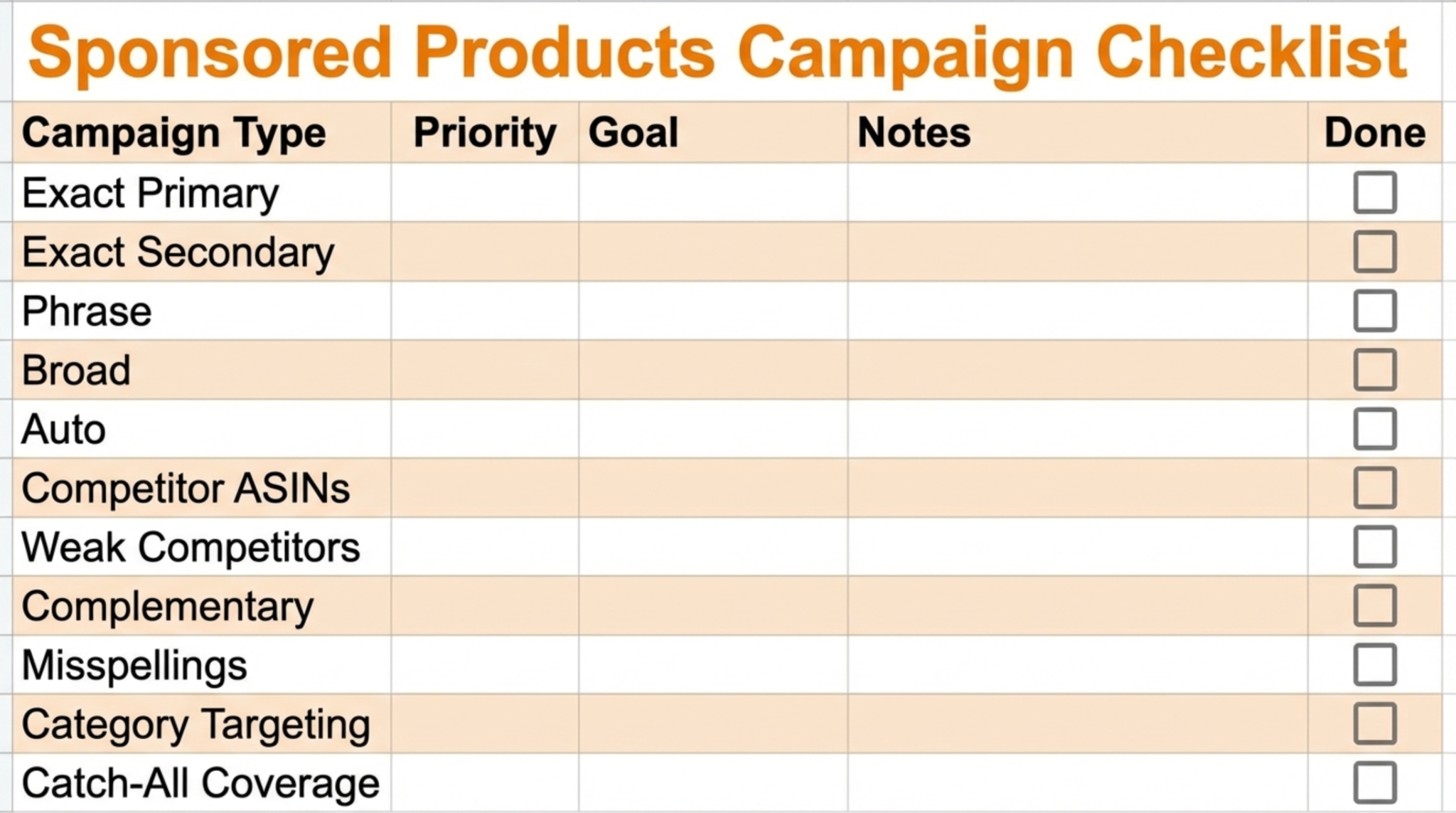
This checklist provides a comprehensive roadmap for building Sponsored Products campaigns for each product. Start with the recommended foundation, then add optional campaigns only when your data and time budget support it.
Recommended foundation
- Exact Primary: top 5-20 highest intent keywords.
- Exact Secondary: long-tail exact keywords that are still relevant.
- Phrase Primary and Phrase Secondary: mirror your exact sets to expand discovery.
- Broad Primary and Broad Secondary: mirror your sets for discovery at controlled bids.
- Direct competitor product targeting: the top competitors you see for your main keywords.
- Weak competitor product targeting: lower-rated or weaker listings that match your product.
- Complementary product targeting: products that pair naturally with yours.
- Misspellings: a low-bid campaign targeting common misspellings of your top keywords.
- Auto campaign: controlled discovery to generate new search terms over time.
Optional boosters
- Category targeting: only when you find highly relevant categories.
- Catch-all coverage portfolio: best for multi-product, mature accounts.
- Cross selling: promote complementary products to shoppers who are already considering your brand.
- Brand defense: protect brand keywords and your own ASIN placements where it matters.
- Competitor keyword targeting: optional, higher risk, use only with clear budgets and expectations.
Comparison and Selection
Use this table to choose the next campaigns to build based on your current stage.
| Stage | Best campaigns to prioritize | Bid posture | Why it works |
|---|---|---|---|
| Launch or relaunch | Exact Primary, Exact Secondary, Auto, and Direct competitor targeting | Medium | Builds relevance and learns fast without spreading too thin |
| Steady state optimization | Phrase and Broad mirrors, Weak competitors, Complementary targeting | Low to medium | Expands profitable coverage with controlled discovery |
| Multi-product scale | Portfolios, Catch-all coverage, Variation two-set structure | Low for coverage, medium for core | Adds structure and incremental conversions without chaos |
Examples and Templates
Example 1: Campaign naming convention
Copy and paste the naming template
[Product] | [Campaign Type] | [Match or Target] | [Goal]
Hat | Sponsored Products | Exact Primary | Profit
Hat | Sponsored Products | Category Targeting | Test
Example 2: Keyword segmentation rule
- Put the highest-intent and highest-volume terms into Exact Primary.
- Put long-tail exact terms into Exact Secondary for steadier efficiency.
- Mirror your sets into Phrase and Broad only after Exact is stable.
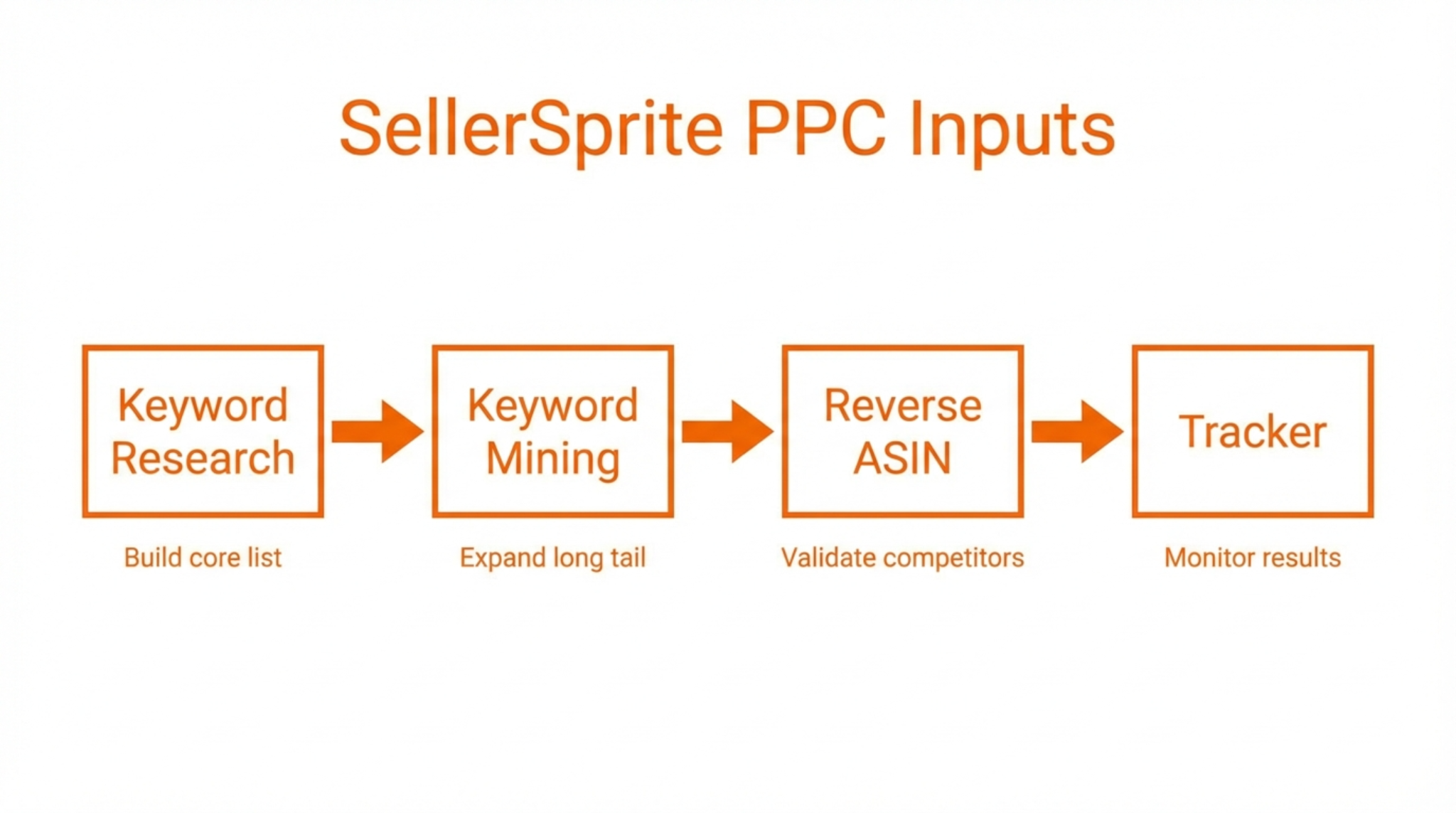
Example 3: SellerSprite workflow for building better inputs
- Start with Keyword Research. Build the core list for Exact Primary.
- Expand with Keyword Mining. Collect long-tail terms for Exact Secondary.
- Use Reverse ASIN. Pull competitor keyword ideas to validate gaps and find stronger intent terms.
- Track movement. Use Product Tracker and Keyword Tracker to keep your plan grounded in reality.
FAQs
Q1: Should I always run category targeting?
A: No. Run it only when you find categories that strongly match shopper intent for your exact product type.
Q2: Why start category bids so low?
A: Category traffic is broader. Low bids reduce risk while you learn whether the category can convert for your product.
Q3: Are catch-all coverage campaigns good for new launches?
A: Usually no. They work better after your account has a stable history and multiple products.
Q4: How do I avoid variation campaigns becoming a mess?
A: Use two campaign sets. Full structure for the best seller, consolidated structure for long-tail variations.
Q5: Where do my keyword and ASIN lists come from?
A: Start with your listing relevance, then expand using SellerSprite Seller Tools like Keyword Research, Keyword Mining, and Reverse ASIN. Test and refine based on search term and conversion data.
Summary and Next Steps
Great PPC outcomes come from repeatable structure. Category targeting adds placement coverage when categories truly match intent. Catch-all coverage adds incremental wins for mature accounts. Variation structure keeps your time focused where it matters. The checklist keeps your system consistent.
Start with the foundation, keep bids disciplined, and optimize weekly. Small improvements compound fast when your structure is clean.
Next step action checklist
- Build one category targeting campaign and test only the most relevant categories.
- If you have multiple mature products, create a catch-all coverage portfolio with three low-bid campaigns.
- For variations, identify the best-selling child ASINs and build your heavy-hitter set first.
- Use SellerSprite Seller Tools to refine keyword and competitor lists before expanding spend.
- Ask for feedback from the community if you feel stuck.
Share Your Sourcing Journey With SellerSprite Community
Join the SellerSprite community on the Facebook Group to share your sourcing journey, ask questions, and get support from fellow Amazon sellers.
View The SellerSprite Course Directory
Ready for the next step? Open the SellerSprite Academy course directory to continue building your Amazon FBA skills chapter by chapter.
About the author
SellerSprite Team publishes practical, execution-focused playbooks for Amazon sellers, combining platform workflows, SellerSprite Seller Tools, and reusable templates so you can scale with fewer mistakes.


