SellerSprite Logo Amazon Seller Toolbox, Keyword Research, Reverse ASIN, Product Research
 English
Function Manual

SellerSprite Extension FAQ: Setup, Data, Troubleshooting

2025/10/16 Read Count (19,949) Comment Count (6)


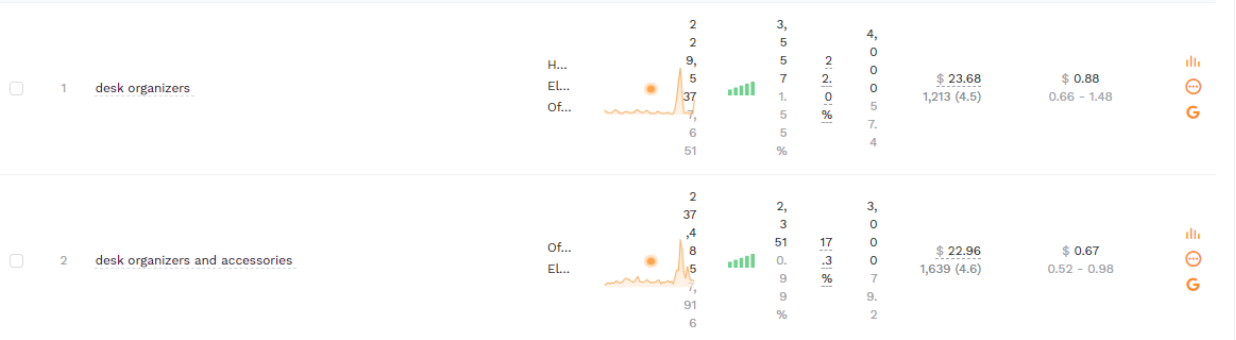
1. Price display abnormally


When the price display misplaced, try the following 3 ways:


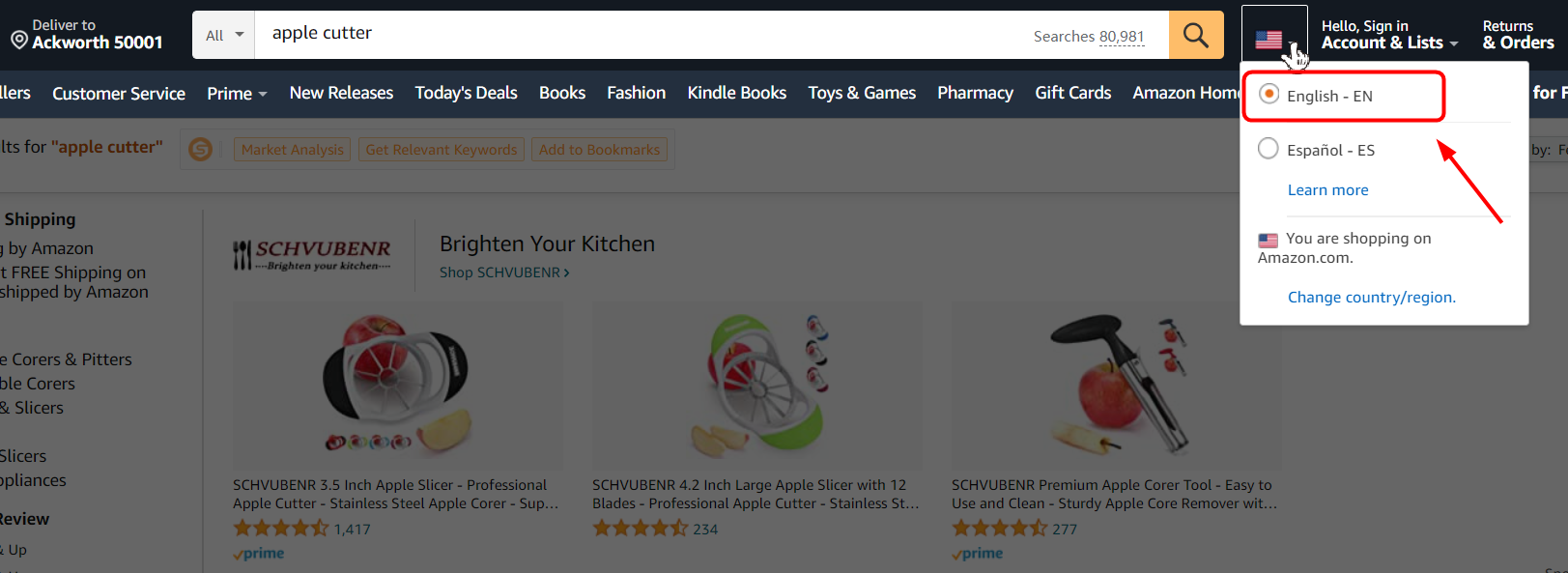
1) Set the language as the language the marketplace use.


For example, select English in Amazon.com, select Japanese in Amazon.co.jp.


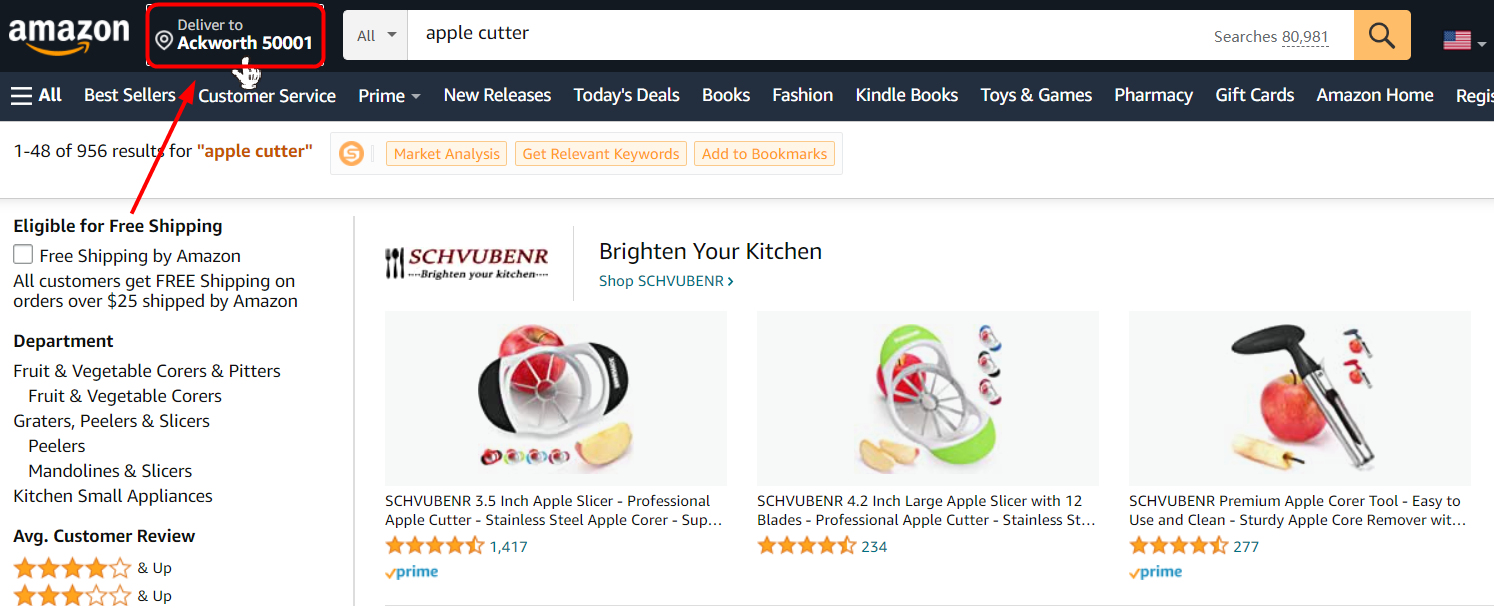
2) Set the email/address to the email/address of the marketplace.


For example, select the American email/address in Amazon.com, select the Japanese email/address in Amazon.co.jp.


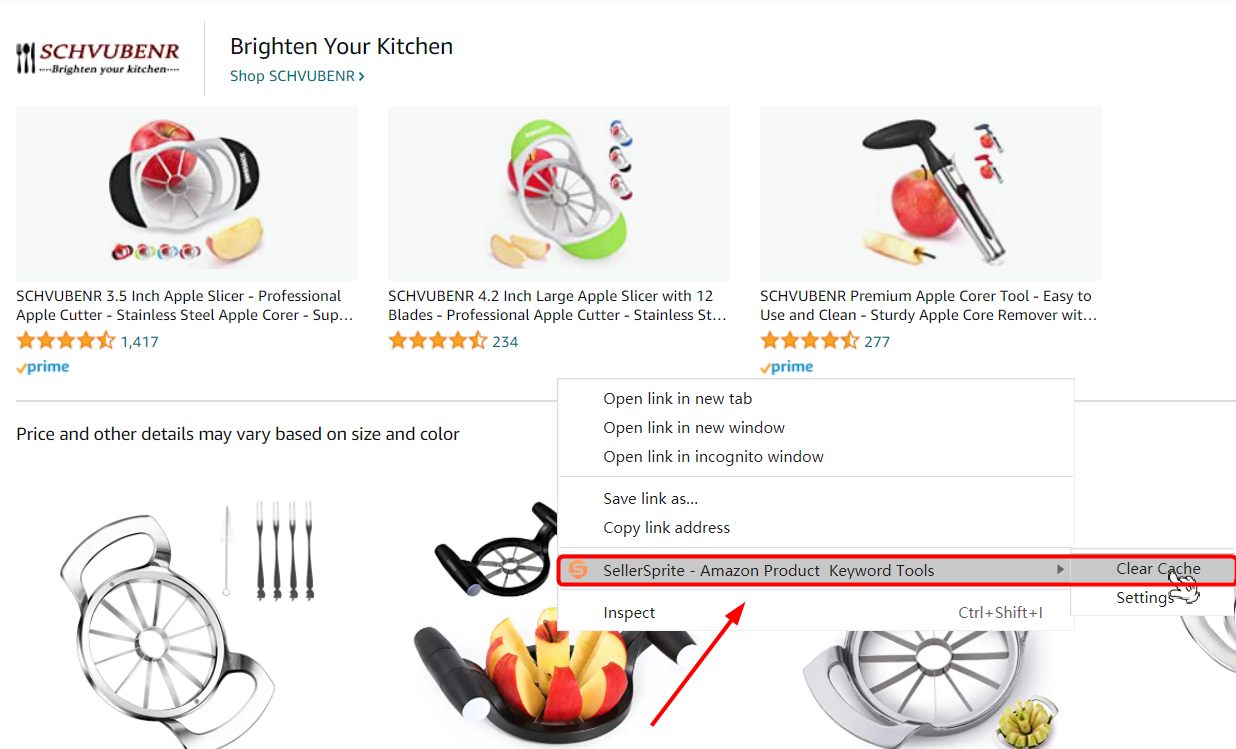
3) If the two ways do not work, please clear the cache, and right-click the blank area in the page, choose 【SellerSprite】-【clear cache】, and refresh the page.


2. Data doesn’t display


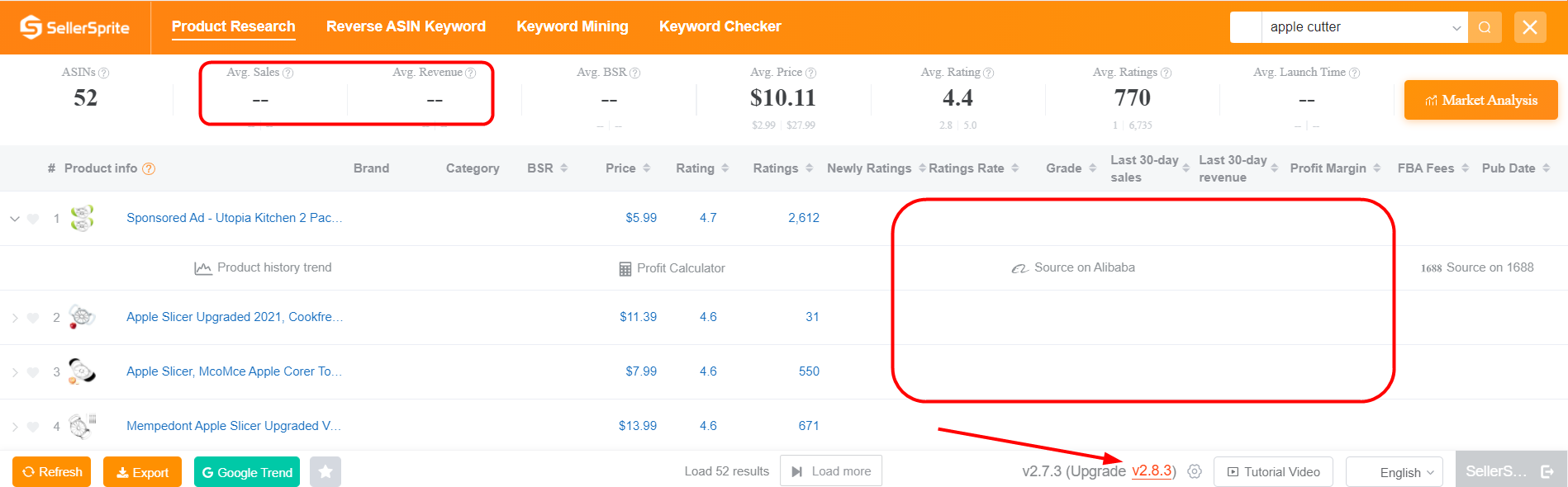
Your version of the extension is old, click upgrade in the bottom right corner to download the late version.


If it doesn’t work, upgrade the browser as well.


3. The Web APP display abnormally


1) Your version of the browser is old, please download the late version.


2) More than one similar extension is working. Please stop other extensions or use the SellerSprite in another browser.


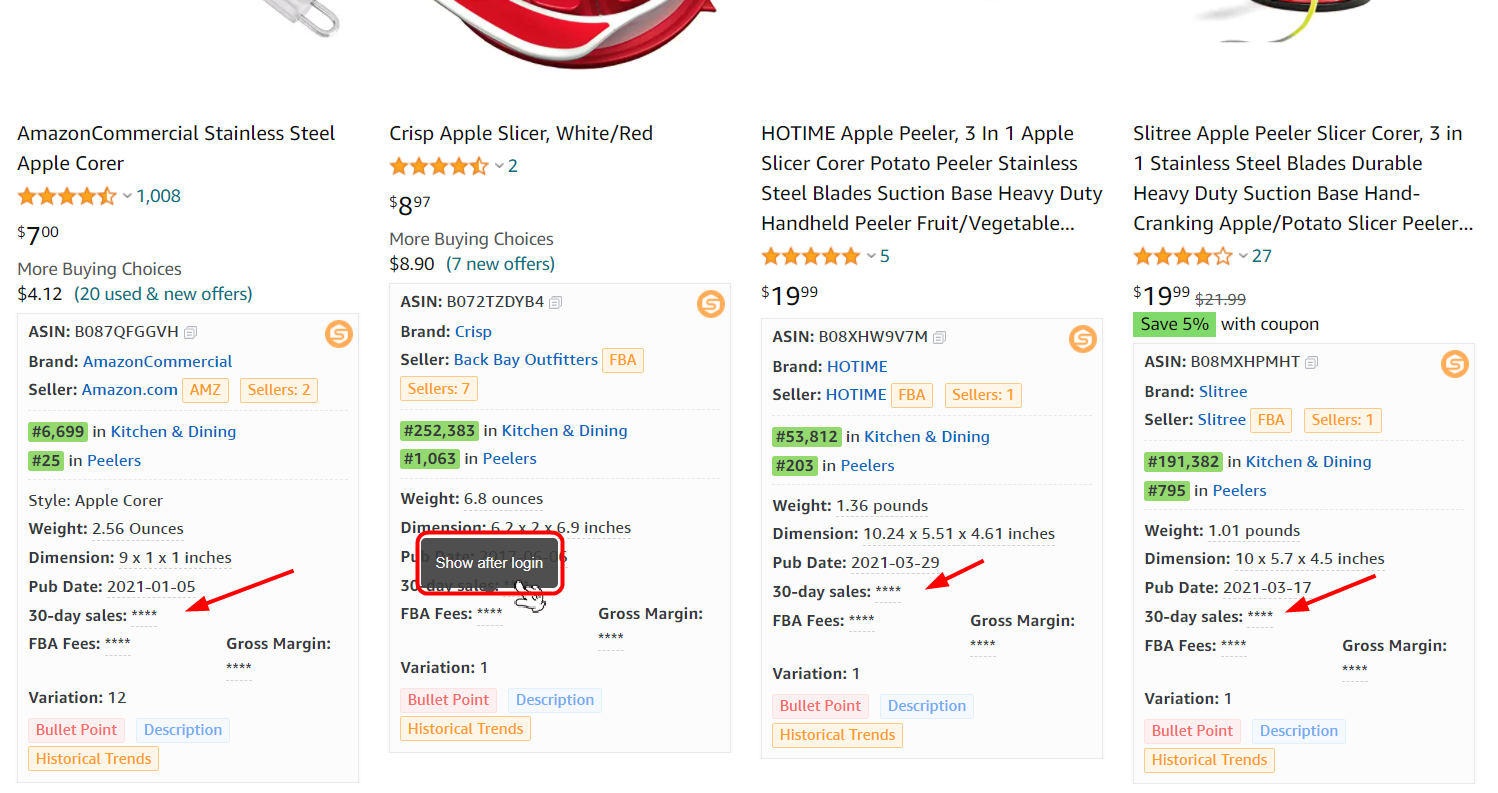
4. Product Quick View shows ****


If the Product Quick View shows up ****
 

Please check if you log in to your extension account.


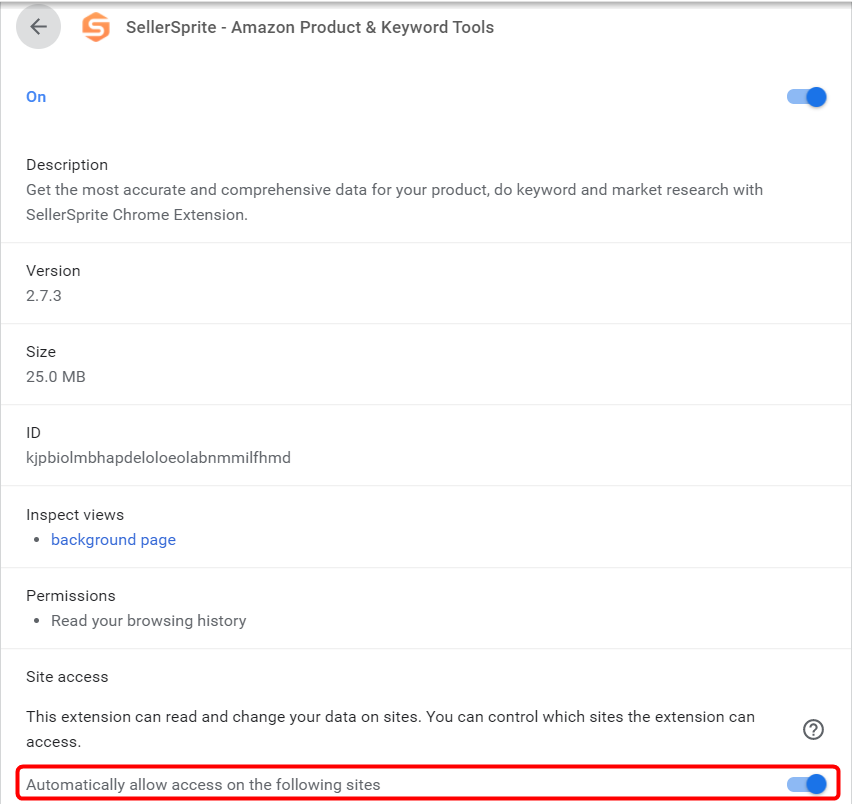
5. Extension shows nothing


Please check if you authorized the SellerSprite extension.


Like if you think it helps you!
User Comments
All Comments (6) / My Comments (6)
Newest (6) / Hottest (6)
Reply 6 Like 0
Reply Like 0
Reply Like 0
Reply Like 0
Reply Like 0
Reply Like 0
Reply Like 0
Reply 0 Like 0
Reply 1 Like 0
Reply Like 0
Reply 1 Like 0
Reply Like 0
FAILED
Reply 1 Like 0
Reply Like 0
FAILED
Reply Like 0
Reply 2 Like 0
Reply Like 0
Reply Like 0