The fastest way to lift a weak listing is often not a new keyword or a new ad.
It is a stronger image set that earns more clicks and removes buyer doubt.
In this chapter, you will define what great images look like in your niche, produce them efficiently, and validate improvements with performance tracking.
You do not need perfection. You need clarity, consistency, and continuous improvement.
Conclusion
Great photos win clicks and trust. Paired with SellerSprite, you can confidently improve listings, not just guess.
Applicable scenarios
- Launching a new ASIN, and you need an image set that competes immediately.
- Your listing has impressions but a low click-through rate.
- Your listing gets clicks, but conversion is weak due to unanswered buyer questions.
- You want to refresh images and track the impact on keywords and sales signals.
Limitations
- If your product quality is not competitive, better images can lift clicks but may not sustain reviews.
- If you change images, title, and price at the same time, you will not know which change caused the results.
- If you ignore category image rules, you risk suppressed images and lost momentum.
If you only remember one thing
Your main image is your click engine. Treat it like a growth lever, not a finishing touch.
Key Takeaways
- High-quality photography protects the rest of your budget, including your ad budget.
- Use SellerSprite to benchmark competitor image stacks and understand what your category expects.
- Make images feel faster by exporting web-optimized versions without sacrificing clarity.
- A small improvement to the main image can lift clicks and compound into more sales over time.
- Audit good versus weak listings to build a repeatable image checklist for every launch.
Table of Contents
- Background and definition
- Step 1: Pick the right photography partner
- Step 2: Make images load faster
- Step 3: Improve main image clicks with contrast
- Step 4: Validate improvements with tracking
- Step 5: Good versus weak listing audit
- Comparison and selection
- Examples and copyable templates
- FAQs
- Summary and next steps
- About the author
- References
Background and definition
What this concept is
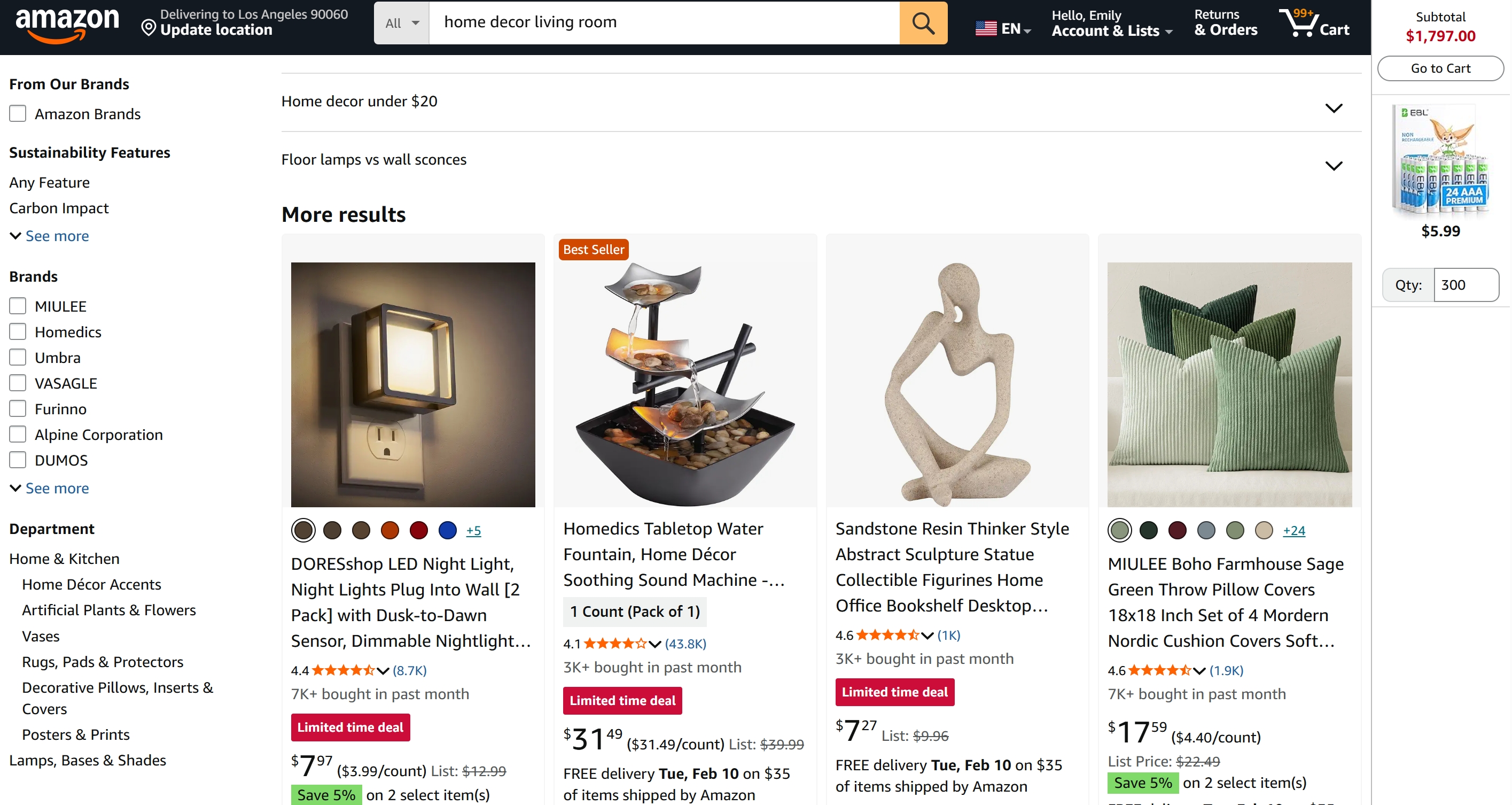
Amazon product photography is your visual storefront. It includes your main image for search result clicks, as well as supporting images that answer questions, reduce doubt, and justify the purchase.
Why it matters
Buyers scan fast. A better main image can lift clicks, and a better image stack can lift conversions. When clicks and conversions rise, your listing can become stronger across more keywords over time.
Common mistakes
- Using only one or two images and hoping bullet points do all the selling.
- Making infographics too text-heavy so mobile shoppers skip them.
- Choosing a main image based on personal taste instead of market behavior.
- Not benchmarking competitors, which leads to an image set that feels incomplete.
Step 1: Pick the right photography partner
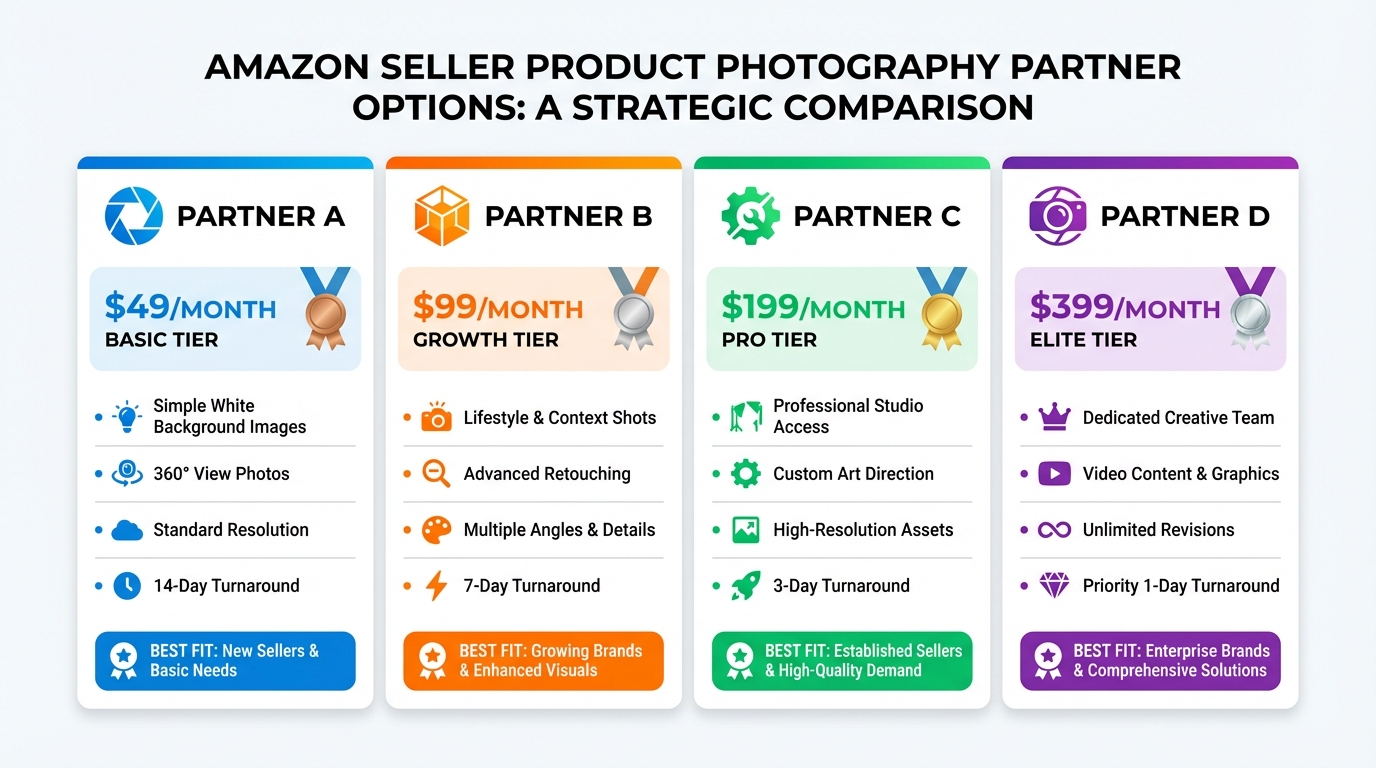
The best partner is the one who can reliably deliver Amazon-ready images in your category and accept clear direction without endless revisions.
Steps
- Benchmark your niche with SellerSprite: use SellerSprite's Competitor Research to review the top-ranking ASINs for your core keyword, then use SellerSprite's Images Downloader to save their image sets for study and note what each image communicates.
- Create a simple image stack plan: define your required image types, such as main image, lifestyle, infographic, size or material proof, and an application shot.
- Shortlist partners using category proof: prioritize portfolios that show Amazon category experience and a clear revision process.
Notes
- If you want fewer revisions, choose a partner that provides creative direction, not only execution.
- If you choose a budget option, plan to give clearer feedback and expect more iterations.
- Use SellerSprite Competitor Research to specify what your images must include to match market expectations.
Step 2: Make images load faster
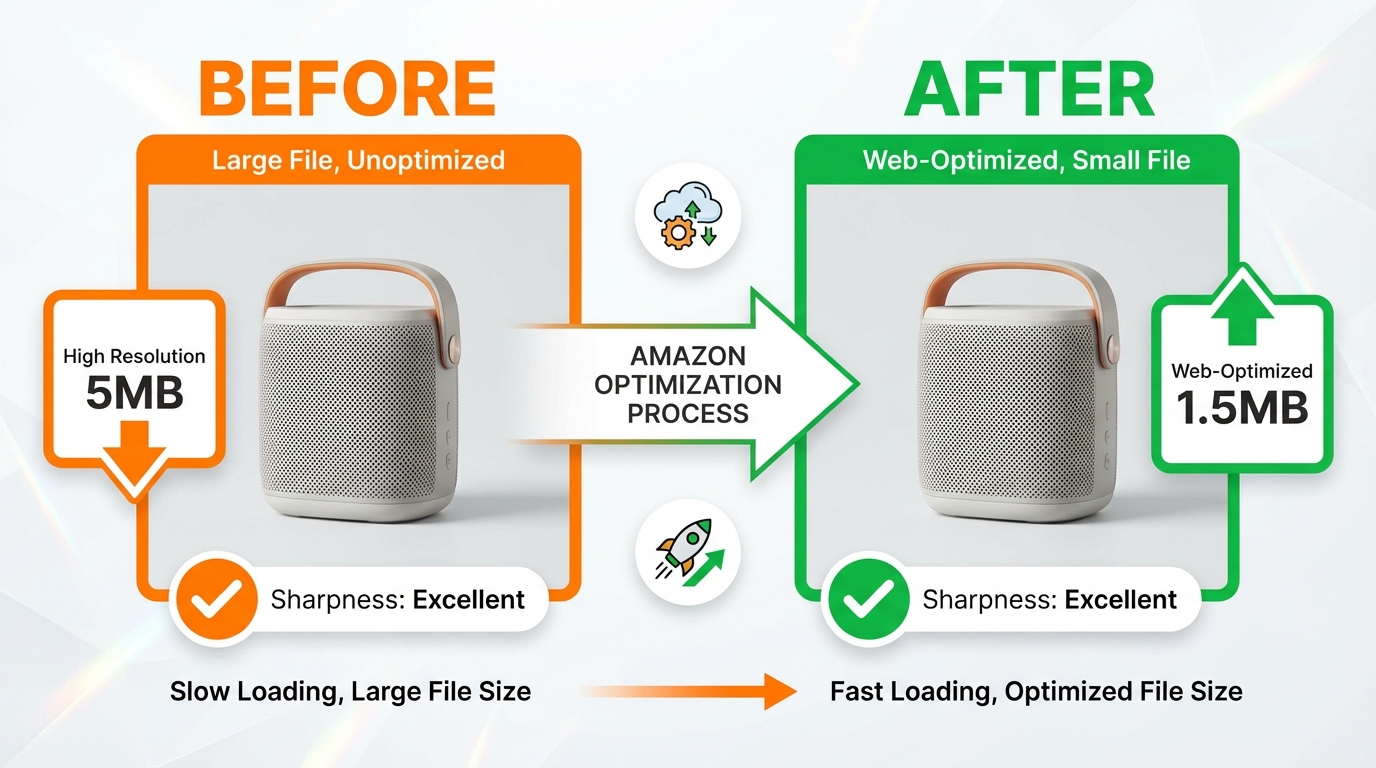
Faster feeling listings reduce friction. You can often reduce file size without visible quality loss, especially for lifestyle images and infographics.
Steps
- Keep a master set: store full-resolution originals so you can reuse and redesign assets later.
- Export web-optimized versions: compress images carefully and confirm that edges, text, and fine textures remain clean and clear.
- Check mobile readability: review your images at small sizes and ensure your infographic text remains scannable.
Notes
- Do not sacrifice clarity for smaller files. Your product must still feel premium.
- If your images rely on fine text, rewrite the infographic to use fewer, bolder words.
- After updates, track keyword movement in SellerSprite to see whether stronger engagement follows.
Step 3: Improve main image clicks with contrast
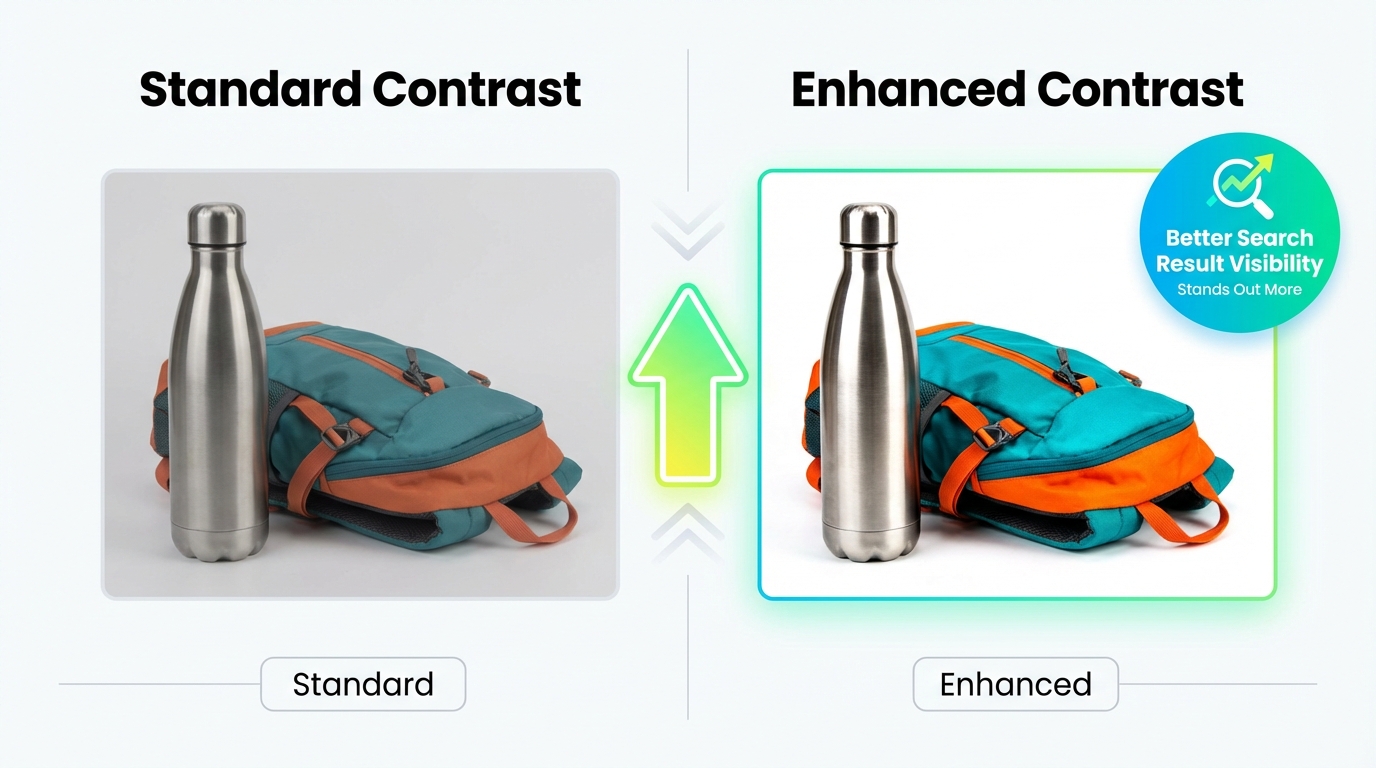
A simple way to help your main image stand out is to increase contrast slightly, then confirm it still looks natural and true to color.
Steps
- Start with your best hero shot: clean background, sharp edges, and correct lighting.
- Adjust contrast in small increments: aim for a subtle lift that increases definition, not a harsh edited look.
- Compare to competitors using SellerSprite: open the search results view for your main keyword and check whether your image looks clearer at thumbnail size.
Notes
- Not every product benefits from higher contrast. If it looks worse, revert.
- Preserve accurate product color. Trust is more valuable than a short-term click lift.
- Keep changes controlled so you can measure impact clearly in SellerSprite.
Step 4: Validate improvements with tracking
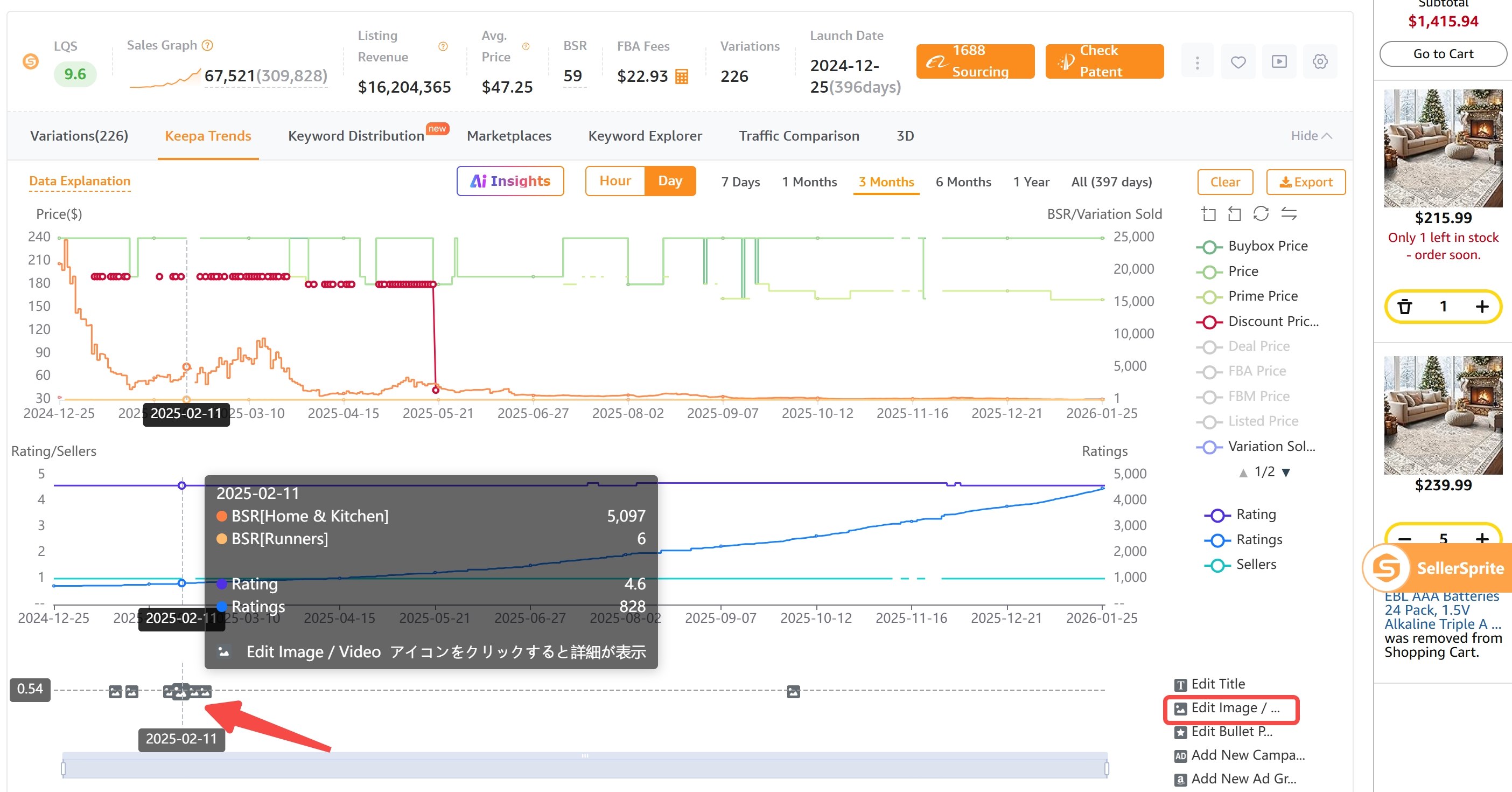
You do not need perfect data to improve. You need a clean before-and-after change, then consistent tracking of your core keywords and listing signals.
Steps
- Choose a baseline window: record your current BSR and your competitors' positions using SellerSprite.
- Make one image change: update either your main image or one infographic, so the impact is measurable.
- Track results in SellerSprite: monitor rank changes, competitor movement, and any improvements that align with your update timing.
Notes
- Small lifts compound when they happen across multiple ASINs.
- If you change too many variables, you will not learn what actually worked.
- Use the SellerSprite community to sanity check your main image options before you publish.
Step 5: Good versus weak listing audit
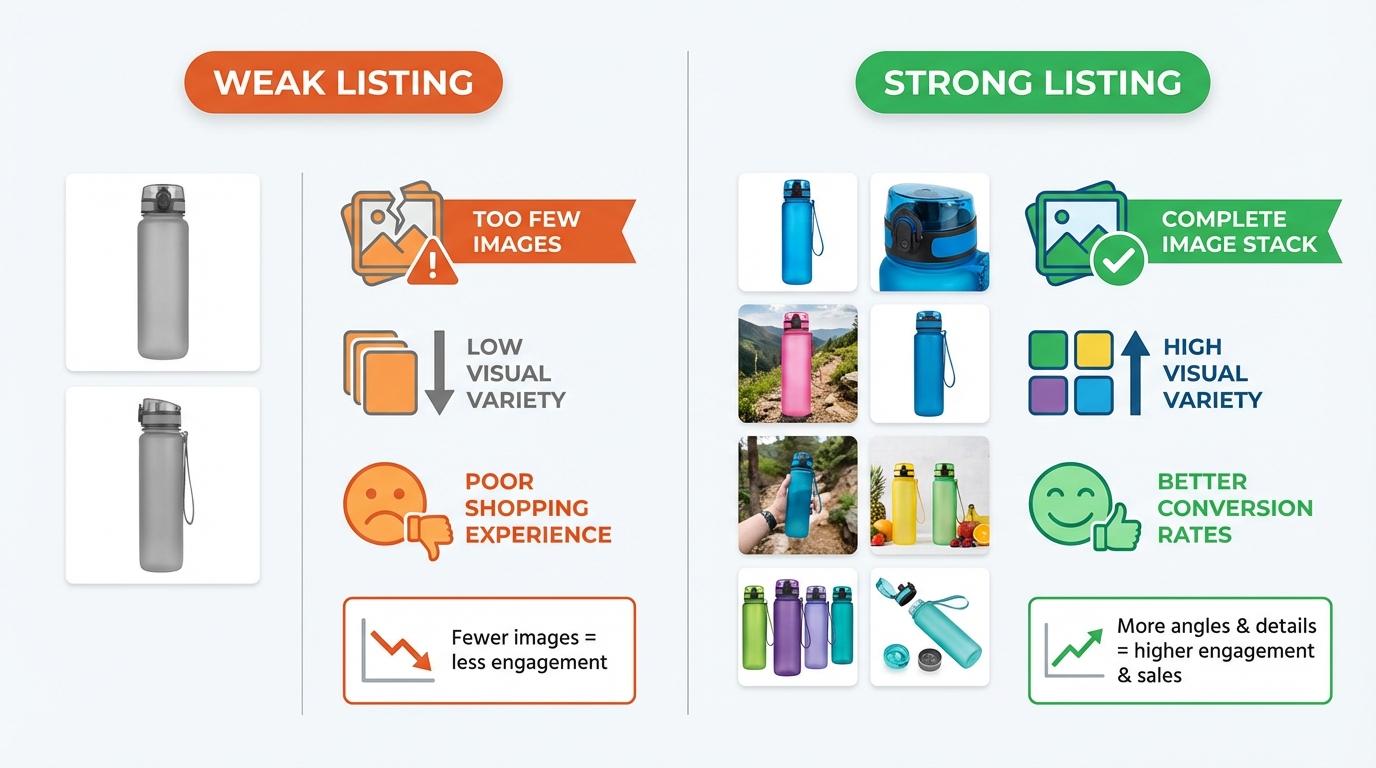
Auditing real listings trains your eye faster than theory. Use SellerSprite to compare what strong listings include and what weak listings skip.
Steps
- Pick two listings in the same niche: one top performer and one average performer.
- List what the strong listing does well: image variety, clarity, lifestyle context, and proof images.
- Turn insights into actions: choose your top three image upgrades for the next two weeks.
Notes
- Strong listings usually show the product in use and visually answer questions.
- Weak listings often rely on brand recognition or price and leave doubt unresolved.
- If you need feedback, post your image set in the SellerSprite Facebook Group or Discord.
Comparison and selection
Choose the level of photography support that matches your stage and your creative confidence.
Comparison dimensions
- Cost: Premium teams cost more but reduce revision cycles. Budget teams can work if your brief is strong.
- Time: Premium partners may deliver faster end-to-end. Budget options can take longer due to iteration.
- Risk: Unclear direction increases risk. Category benchmarks from SellerSprite reduce risk.
- Best fit: New launches benefit from stronger creative support. Mature listings benefit from targeted main-image upgrades.
Recommendation: Start with a comprehensive, competitive image stack that aligns with your niche. Then iterate one improvement at a time and track results in SellerSprite.
Examples and copyable templates
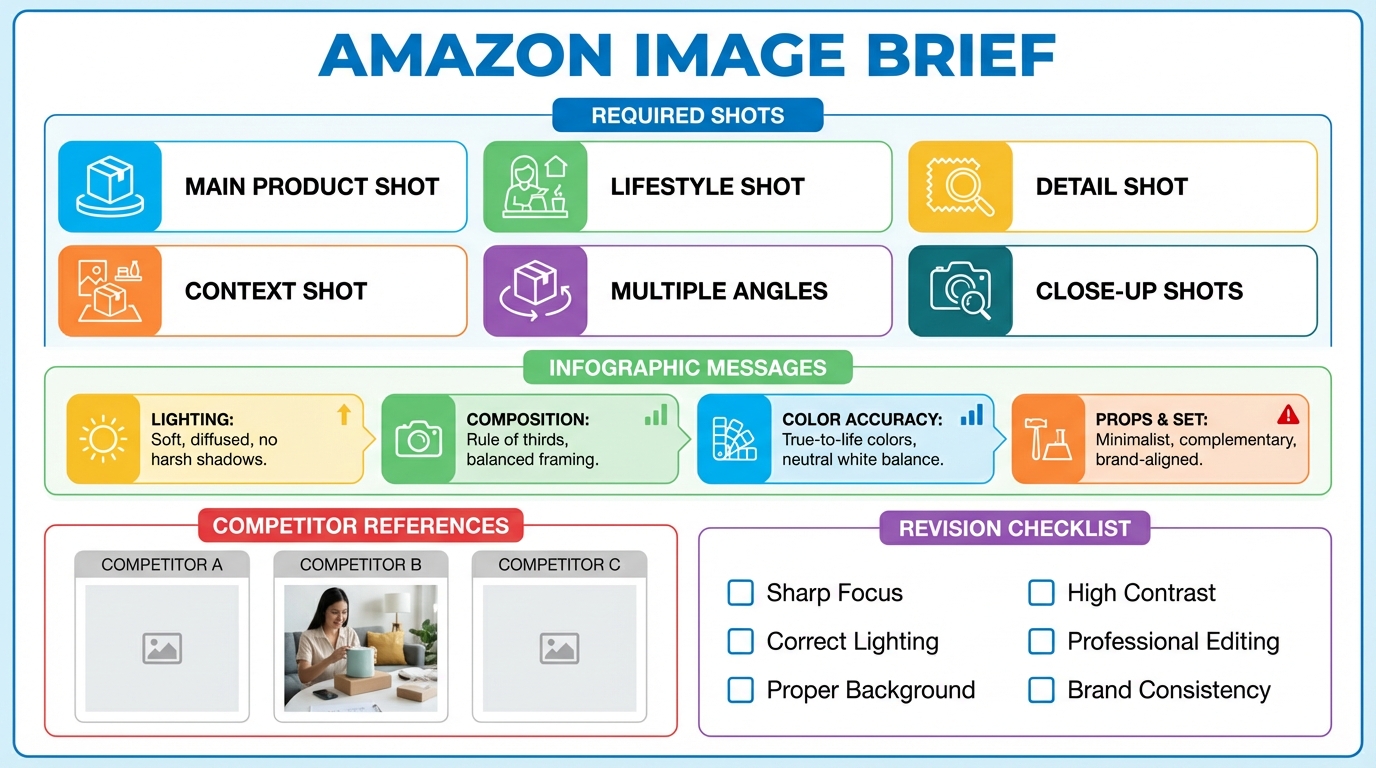
Example 1: Studio brief you can send today
- Main image: clean white background, strong crop, crisp edges, correct color.
- Lifestyle image: show the primary use case with one clear scenario and one clear benefit.
- Infographic 1: top three buyer outcomes, minimal text, bold icons.
- Infographic 2: size, material, compatibility, or how it works.
- Detail proof: close-up of craftsmanship, texture, or a performance feature.
Example 2: Main image improvement hypothesis
Hypothesis: A tighter crop that makes the product larger in the frame will increase clicks because it is easier to recognize at thumbnail size.
Measurement plan: Record current keyword rank and competitor position in SellerSprite, publish the updated main image, then track movement for your top keywords over the next tracking window.
Copyable template: Image audit checklist
- The main image stands out at thumbnail size and looks natural.
- At least one lifestyle image clearly shows the main use case.
- At least one infographic answers the top buyer questions fast.
- A proof image supports size, material, or compatibility.
- Images are consistent in lighting, color, and brand style.
- Every image adds new information instead of repeating the same angle.
FAQs
Q1: How many images should an Amazon listing have?
A: Build a complete image stack that answers questions visually. A strong baseline is a main image, a lifestyle image, one to two infographics, and one proof image. Then add more only if each image adds new value.
Q2: How do I know if my main image is the problem?
A: If you have impressions but low clicks, your main image is a prime suspect. Use SellerSprite to compare your search result presence against top competitors for the same keyword and identify what stands out.
Q3: What is the simplest image improvement I can do this week?
A: Upgrade one infographic to answer the top three buyer questions clearly, and test a subtle main image clarity improvement. Then track your core keyword movement in SellerSprite to confirm progress.
Summary and next steps
Your images are not decoration. They are your sales system.
Benchmark what the market expects, build a clean image stack, then improve one lever at a time.
Tracking results in SellerSprite turns creativity into measurable growth.
Next step action checklist
- Use SellerSprite to collect the top competitor image patterns for your main keyword.
- Write a one-page brief and request a complete image stack from your partner.
- Publish one controlled image improvement and track keyword movement in SellerSprite.
- Share your main image options in the SellerSprite community for feedback.
Share Your Sourcing Journey With SellerSprite Community
Join the SellerSprite community on the Facebook Group to share your sourcing journey, ask questions, and get support from fellow Amazon sellers.
View The SellerSprite Course Directory
Ready for the next step? Open the SellerSprite Academy course directory to continue building your Amazon FBA skills chapter by chapter.
About the author
SellerSprite Team helps Amazon sellers build repeatable workflows using SellerSprite data, so every optimization is grounded in market reality and backed by measurable results.


