By SellerSprite Team
SellerSprite helps Amazon sellers build repeatable PPC workflows across keyword research, campaign analysis, bid control, and competitor monitoring. This weekly optimization framework is based on the same practical logic we use to turn Campaign Manager data into clear actions, with SellerSprite tools helping you validate keyword quality, budget allocation, and competitor pressure before you make changes.
Summary: Weekly PPC optimization works best when you follow a fixed checklist instead of random daily edits. A clean weekly routine helps you review stable data, make better bid adjustments, add negative keywords only when the signal is clear, and reallocate budget with more confidence. This guide turns weekly PPC optimization into a repeatable SOP and shows how to use SellerSprite for keyword validation, competitor checks, and performance review.
Key Takeaways
- The best weekly PPC routine is a fixed SOP: review, judge, act, then wait for the next clean data window.
- Think in a closed loop: metric → judgment → action. This is what keeps optimization disciplined.
- Weekly review is often better than daily micromanagement because newer ad data can be incomplete or noisy.
- SellerSprite strengthens weekly decisions by helping you validate keyword intent, compare competitor pressure, and decide where budget should move next.
Table of Contents
- Why should you optimize Amazon PPC weekly instead of daily?
- What is the weekly PPC optimization SOP?
- How does the metric to judgment to action model work?
- What thresholds should trigger bid changes or negative keywords?
- Which SellerSprite tools support each weekly action?
- Case study: how weekly optimization improved efficiency
- Weekly PPC checklist you can use today
- FAQ
- References
Why should you optimize Amazon PPC weekly instead of daily?
Direct answer: Weekly PPC optimization is usually more reliable than daily micromanagement because conversions and attributed sales can lag, which means the newest data may not yet tell the full story. A fixed weekly review window gives you more stable inputs and cleaner decisions.
A weekly rhythm also makes it easier to compare one period against another. Instead of reacting emotionally to one bad day, you create a routine that steadily cuts waste, protects strong targets, and reallocates budget where it matters most.
Takeaway: Weekly optimization is not slower. It is often smarter because the signal is cleaner.
What is the weekly PPC optimization SOP?
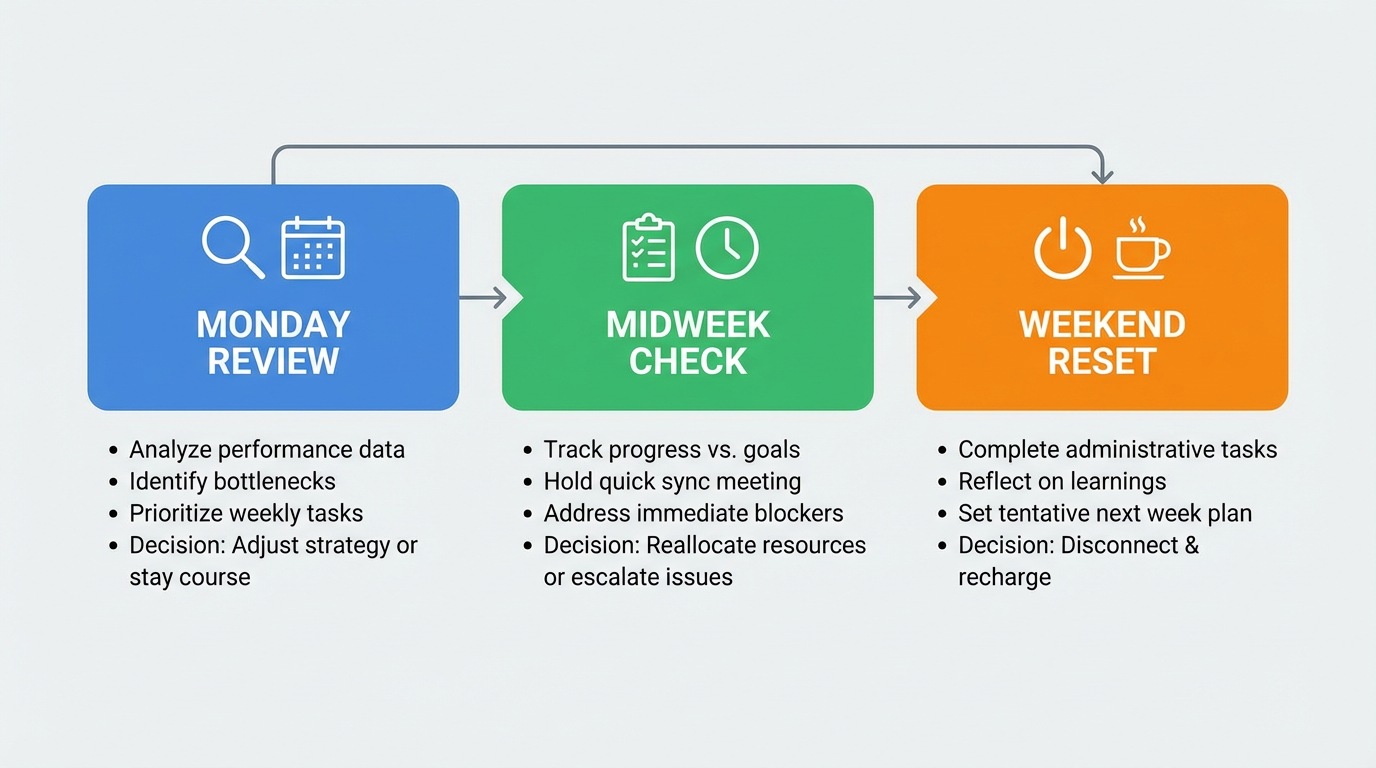
Direct answer: A practical weekly SOP has three checkpoints: Monday for analysis and major edits, midweek for budget and anomaly checks, and weekend for cleanup, notes, and next-week preparation.
Monday: review and decision day
- Review a stable lookback window: use a consistent period and avoid the newest 48 hours if your data is still settling.
- Sort by clicks: identify spend without sales and decide which targets need bid cuts.
- Sort by CTR and impressions: find low relevance targets and possible keyword mismatch.
- Sort by ACoS: reduce expensive targets above your goal and scale efficient targets that still have room.
Midweek: check for drift, not full re-optimization
- Check budget exhaustion: campaigns that cap too early can distort your weekly read.
- Check inventory and buy box risk: do not keep scaling ads into unstable stock or offer conditions.
- Check anomalies only: sudden CPC spikes or unusual drops deserve attention, but avoid rewriting the entire account midweek.
Weekend: reset and prepare
- Document what changed: note bid cuts, bid raises, negatives, and budget shifts.
- Prepare next actions: shortlist scale targets, possible new exact terms, and listing issues that hurt CTR or conversion.
- Leave campaigns alone: let the system gather a fresh week of performance after your edits.
Set up your Monday review
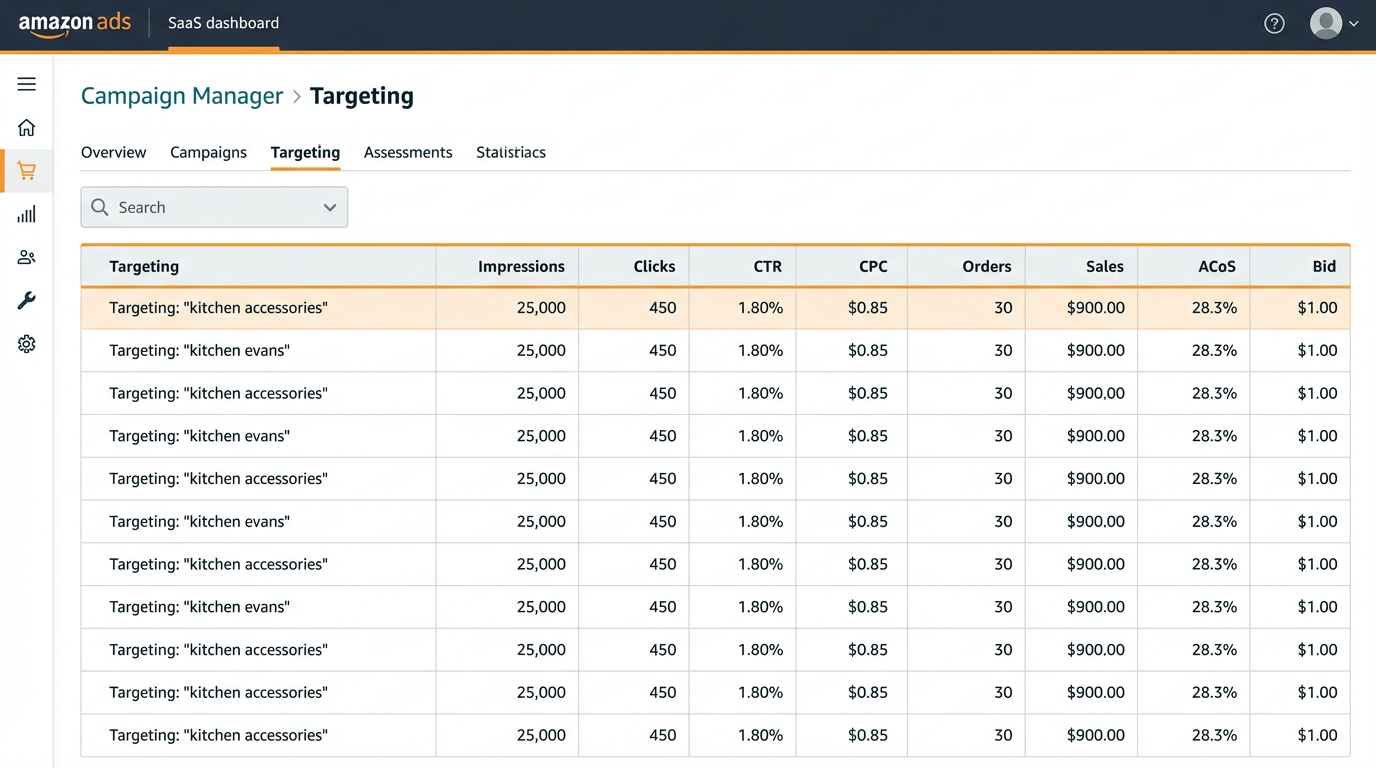
- Open Campaign Manager and use the same columns every week.
- Open SellerSprite keyword and competitor tools in a second tab.
- Work through the same SOP until it becomes automatic.
How does the metric to judgment to action model work?
Direct answer: Weekly PPC optimization becomes easier when every decision follows one loop: first identify the metric, then make a judgment about what it means, then apply the smallest useful action. This prevents random changes.
The loop in plain English
- Metric: what the number says, such as clicks, CTR, ACoS, or orders.
- Judgment: what the pattern means, such as weak relevance, wasted spend, or hidden scale opportunity.
- Action: the next move, such as lowering a bid, adding a negative, or increasing a profitable bid carefully.
Example: Metric = 11+ clicks and zero orders. Judgment = this target is spending without proving value. Action = lower to a maintenance bid instead of letting full-price waste continue.
What thresholds should trigger bid changes or negative keywords?
Direct answer: You need a rules table that turns numbers into action. The exact threshold will vary by account, but the point is consistency. Once you choose your rules, apply them every week the same way.
Which SellerSprite tools support each weekly action?
Direct answer: Campaign Manager tells you what happened. SellerSprite helps you decide why it happened and what to do next. The strongest weekly workflow uses both together.
Use SellerSprite before you touch bids
- Check if the keyword problem is really a keyword problem.
- Compare competitor pressure before raising bids.
- Move budget only after the signal makes sense.
Case study: how did weekly optimization improve efficiency?
Direct answer: Weekly optimization works because it applies the same logic repeatedly. In the example below, the seller did not need a total account rebuild. The biggest gains came from regular waste trimming and steady scaling of what was already working.
Anonymous example: 4 week weekly optimization cycle
A mid-size account was reviewing PPC only when something went wrong, so bids were inconsistent and waste terms stayed alive too long. The team switched to one weekly SOP and used SellerSprite to validate scale targets before raising bids.
- Week 1: cut waste from high click no-sale terms and lowered several high ACoS bids.
- Week 2: identified a small group of profitable exact terms and raised bids gradually.
- Week 3: budget shifted away from weak campaigns into stronger performers.
- Outcome pattern: ACOS trended down, budget efficiency improved, and important ranks became more stable because spend stopped leaking into weak traffic.
This is a representative pattern based on recurring account behavior, not a guaranteed outcome. Category, conversion strength, and inventory stability will change the pace.
What is the weekly PPC optimization checklist you can use today?
Direct answer: If you want a simple start, use this exact checklist every week. Repetition is what makes the process effective.
Weekly optimization checklist
- Monday: review clicks, CTR, CPC, orders, sales, ACoS, and bids in the same view.
- Monday: lower bids on waste targets and raise bids carefully on proven profitable targets.
- Midweek: check for budget exhaustion, inventory issues, and obvious anomalies only.
- Weekend: log your changes and prepare next week’s scale or cleanup targets.
- Every week: use SellerSprite to validate keywords, competitor pressure, and budget reallocation decisions.
FAQ
How often should I optimize Amazon PPC?
For many accounts, once per week is a strong default because it gives time for cleaner data to accumulate. Very high-volume accounts may review twice weekly, but the same process should still be used.
How many clicks should I wait for before changing a bid?
Use a threshold that fits your data volume and lookback window. The key is consistency. A target needs enough clicks to be meaningful before you conclude it is wasting spend.
When should I add negative keywords?
Add negative keywords when a search term has shown clear mismatch or repeated waste. Do not add negatives too early based on one weak day or a tiny sample.
Should I optimize by ACoS only?
No. ACoS matters, but it works best after you first assess relevance and traffic quality through clicks, impressions, and CTR. A target with sales deserves different treatment than one with pure waste.
What if weekly optimization lowers spend but sales also fall?
That usually means the account may have cut too deep or removed high-value traffic along with waste. Recheck scale candidates, profitable exact terms, and inventory conditions before assuming the account simply needs more budget.
Get Help From the SellerSprite Community
Share your negotiation situation, get feedback, and learn from other sellers in the SellerSprite Discord and Facebook Group.
View The SellerSprite Course Directory
Ready for the next step? Open the SellerSprite Academy course directory to continue building your Amazon FBA skills chapter by chapter.


