TL;DR: Amazon PPC dayparting allows sellers to schedule ads based on time of day to maximize conversions and reduce wasted spend. By analyzing customer behavior and adjusting bids during peak hours, you can significantly improve ROAS and lower ACoS.
Key Takeaways
- Amazon PPC dayparting involves adjusting bids or pausing ads based on the time of day to align with customer shopping behavior.
- Peak conversion times often occur between 6 PM and 10 PM local time, especially on weekdays and weekends.
- Seller Central does not natively support dayparting, so third-party tools like SellerSprite are essential for automated time-based bidding.
- Dayparting helps reduce wasted ad spend during low-conversion hours and improves overall campaign efficiency.
- Effective dayparting requires analyzing historical performance data, segmenting time periods, and continuously optimizing bid adjustments.
Table of Contents
- What Is Amazon PPC Dayparting?
- Why Dayparting Matters for Amazon Sellers
- How Amazon PPC Scheduling Works (And What’s Missing)
- Step-by-Step Guide to Implementing Dayparting
- Analyzing Time Segments for Optimal Performance
- Cost Optimization Through Time-Based Bidding
- Using Automation Tools for Amazon Ad Automation
- Common Mistakes to Avoid in Dayparting
- FAQ
- References
Note on marketplaces: This guide is specifically optimized for the US market.
What Is Amazon PPC Dayparting?
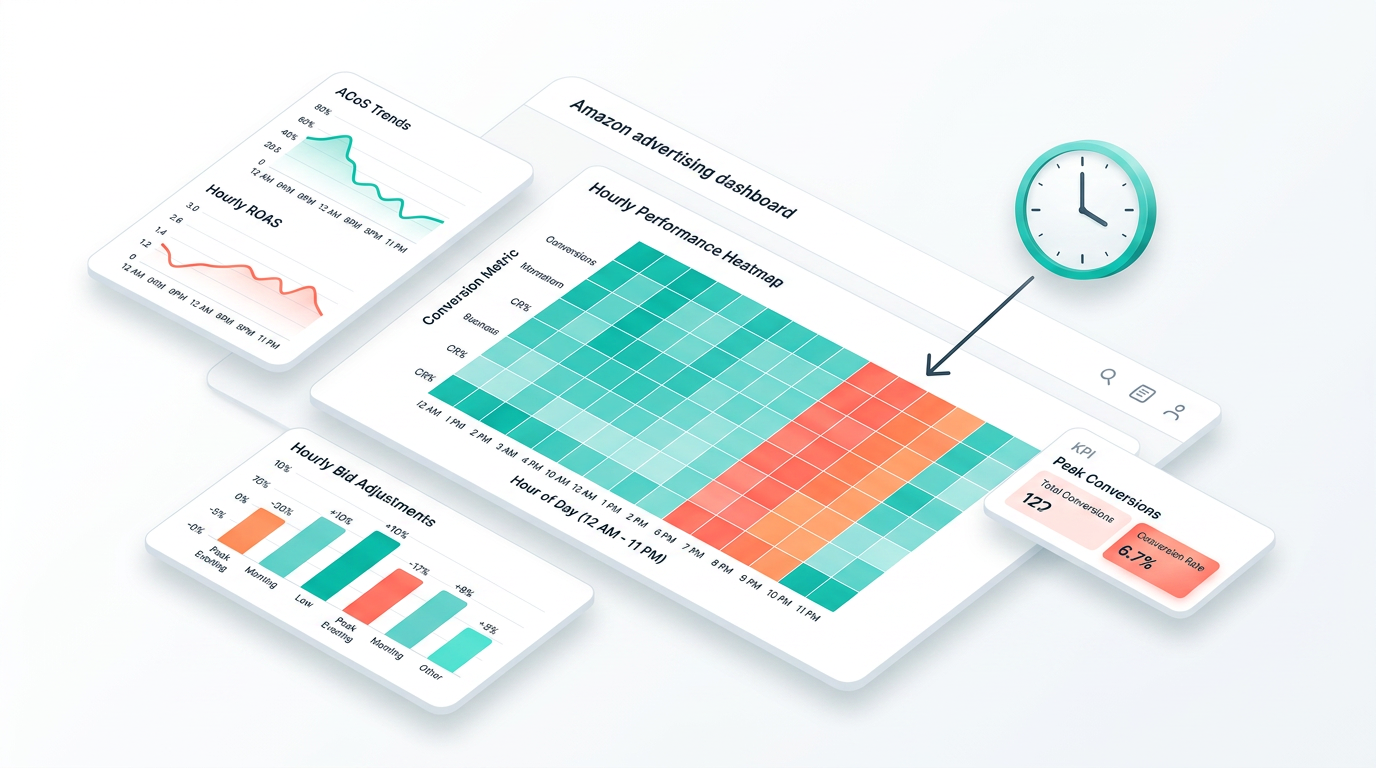
Amazon PPC dayparting refers to the strategic scheduling of pay-per-click (PPC) advertising campaigns based on specific times of the day. Instead of running ads uniformly 24/7, sellers use dayparting to increase bids during high-conversion periods and reduce or pause them during low-performing hours. This time-based bidding approach allows Amazon sellers to align their ad spend with actual customer behavior, improving return on ad spend (ROAS) and lowering advertising cost of sales (ACoS).
Think of it like prime-time TV advertising—brands pay more to air commercials when viewership is highest. Similarly, Amazon shoppers exhibit predictable patterns: many browse and buy after work, during evening hours, or on weekends. Dayparting leverages these behavioral trends to ensure your products appear prominently when demand spikes.
For example, if your data shows that conversions peak between 7 PM and 9 PM EST, you can set higher bids during that window. Conversely, if clicks between 2 AM and 5 AM rarely convert, you might lower bids or pause ads entirely to avoid wasting budget.
Why Dayparting Matters for Amazon Sellers
In the competitive US Amazon marketplace, every dollar spent on advertising must deliver measurable value. Running ads around the clock without optimization leads to inefficient spending—especially when targeting audiences who aren’t actively shopping.
Dayparting addresses this inefficiency by enabling precise control over when your ads are shown. According to industry insights and internal testing across thousands of SellerSprite-managed accounts, campaigns using time-based bidding adjustments see an average ACoS reduction of 18–25% within the first month of implementation.
Moreover, dayparting supports better inventory management and pricing strategies. For instance, if you're launching a limited-time promotion, you can boost bids only during peak traffic hours to maximize visibility and urgency. This level of control is especially valuable for growth-stage sellers aiming to scale profitably.
Additionally, dayparting enhances long-term campaign learning. Amazon’s algorithm uses performance data to optimize ad delivery. By concentrating spend during high-intent periods, you feed the system stronger signals about what works—leading to faster learning curves and improved organic rankings over time.
How Amazon PPC Scheduling Works (And What’s Missing)
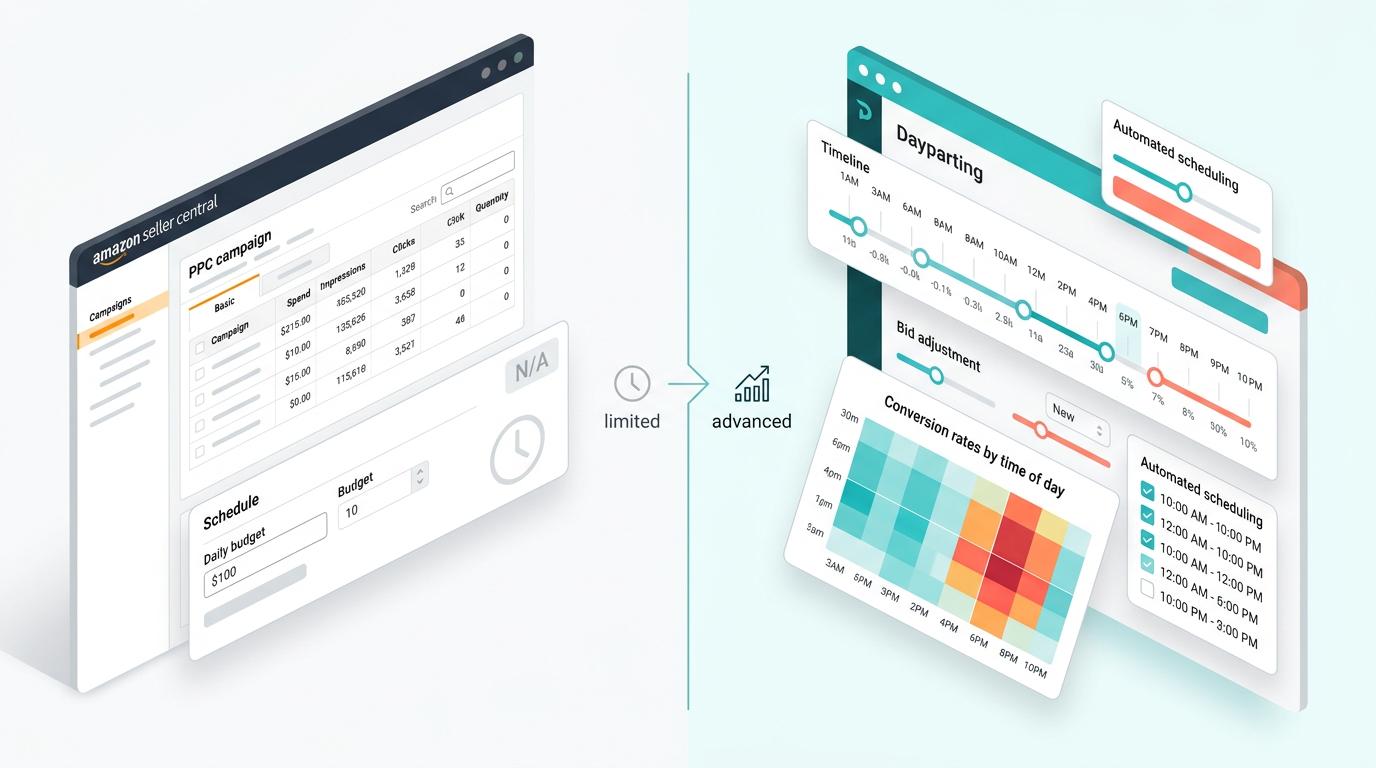
As of now, Amazon Seller Central does not offer native dayparting functionality. While you can create campaigns and set budgets, there is no built-in option to schedule ads by time of day or adjust bids automatically based on hourly performance.
This limitation forces sellers to either run ads continuously (risking wasted spend) or manually adjust bids—a tedious and error-prone process. For example, to simulate dayparting manually, a seller would need to:
- Download hourly performance reports from Amazon
- Analyze conversion rates by time block
- Log into Seller Central multiple times per day to adjust bids
- Repeat this process weekly to stay current
Needless to say, this approach doesn’t scale—especially for brands managing dozens of SKUs or operating across multiple categories.
The absence of native scheduling tools is one of the biggest pain points for Amazon advertisers. That’s why third-party Amazon ad automation tools have become indispensable. Platforms like SellerSprite fill this gap by offering advanced dayparting features, including automated bid adjustments, time-zone-based scheduling, and real-time performance alerts.
Step-by-Step Guide to Implementing Dayparting
Implementing effective dayparting requires a structured approach. Follow these steps to optimize your Amazon PPC campaigns by time of day:
Step 1: Gather Historical Performance Data
Start by exporting your campaign data from Amazon Advertising Reports. Focus on metrics like:
- Clicks by hour
- Conversions (sales) by hour
- Cost per click (CPC)
- Advertising Cost of Sales (ACoS)
- Return on Ad Spend (ROAS)
If you don’t have enough historical data, run a baseline campaign for at least two weeks with consistent bids to collect meaningful insights.
Step 2: Segment Time Periods
Divide the day into logical time blocks. Common segments include:
- Early Morning (12 AM – 6 AM)
- Morning (6 AM – 12 PM)
- Afternoon (12 PM – 6 PM)
- Evening (6 PM – 12 AM)
You can go further and break it down by individual hours if your data supports granular analysis.
Step 3: Analyze Conversion Trends
Map out when your highest conversion rates occur. Most US-based sellers find that:
- Weekday evenings (6 PM – 10 PM) see the highest engagement
- Weekend afternoons (12 PM – 4 PM) are strong for discretionary purchases
- Overnight hours (12 AM – 6 AM) typically have high click-through rates but low conversion rates
Step 4: Set Bid Adjustments
Based on your analysis, apply bid adjustments:
- Increase bids by 20–50% during peak hours
- Maintain baseline bids during moderate-performance periods
- Reduce bids by 30–70% or pause ads during low-conversion windows
For example, if your average bid is $0.80, you might raise it to $1.20 between 7 PM and 9 PM and drop it to $0.30 between 2 AM and 5 AM.
Step 5: Monitor and Iterate
Dayparting isn’t a one-time setup. Consumer behavior changes with seasons, holidays, and promotions. Re-evaluate your time-based strategy every 2–4 weeks. Use tools like SellerSprite’s Weekly PPC Optimization feature to automate performance reviews and adjust bids dynamically.
Analyzing Time Segments for Optimal Performance
To truly master dayparting, you need to move beyond broad assumptions and dive into your own data. Not all products perform the same way at the same time.
For example:
- A fitness tracker may perform best in the morning (6 AM – 9 AM) when people plan workouts
- A luxury home decor item might sell more during evening hours (7 PM – 11 PM) when users browse for inspiration
- Emergency car accessories could see spikes late at night or during rush hour
Use Amazon’s Search Term Report and Campaign Manager tools to segment performance by hour and day. Look for patterns such as:
- High impression share but low conversion = poor targeting or timing
- High CPC but low ACoS = strong performance, consider increasing bids
- Low impressions during peak hours = budget constraints or rank issues
Pro Tip: Always compare performance across weekdays vs. weekends. Some categories (e.g., party supplies, outdoor gear) perform dramatically better on Saturdays and Sundays.
Cost Optimization Through Time-Based Bidding
One of the most powerful benefits of dayparting is cost optimization. By aligning ad spend with high-intent shopping windows, you reduce wasted clicks and improve profitability.
Consider this real-world scenario:
- Campaign A: Runs 24/7 with flat $0.80 bids → $400 weekly spend, 25 sales, 28% ACoS
- Campaign B: Uses dayparting with +40% bids (6 PM – 10 PM), -60% bids (12 AM – 6 AM) → $320 weekly spend, 27 sales, 20% ACoS
Even though Campaign B spends 20% less, it generates more sales and a significantly better ACoS. That’s the power of strategic time-based bidding.
To replicate this success:
- Identify your break-even ACoS
- Calculate how much you can afford to spend per conversion
- Allocate more budget to high-ROAS time slots
- Reinvest savings from low-performing hours into top-performing ones
This creates a compounding effect: better performance leads to higher ad rankings, which leads to lower CPCs and even better ROAS.
Using Automation Tools for Amazon Ad Automation
Given that Amazon lacks native dayparting, automation tools are essential for efficient time-based bidding. Platforms like SellerSprite offer robust solutions that integrate directly with your Amazon account.
Key features to look for in an Amazon ad automation tool:
- Hourly bid adjustment rules
- Time-zone detection for accurate scheduling
- Automated pause/resume of campaigns
- Performance alerts and anomaly detection
- Integration with budget pacing and ROAS goals
With SellerSprite, you can set up custom dayparting rules in minutes. For example:
“Increase bids by 30% on weekdays from 6 PM to 10 PM EST. Reduce bids by 50% from 12 AM to 6 AM. Pause all ads on Sundays.”
These rules run automatically, ensuring your campaigns adapt in real time without manual intervention. This is especially valuable for brand or large sellers managing hundreds of campaigns.
Common Mistakes to Avoid in Dayparting
Even experienced sellers make errors when implementing dayparting. Avoid these common pitfalls:
Mistake 1: Relying on Assumptions Instead of Data
Never assume you know when your customers shop. Always validate with actual performance data. What works for one product may not work for another.
Mistake 2: Over-Pausing Ads
Completely pausing ads during off-hours can disrupt Amazon’s learning algorithm. Instead, consider reducing bids rather than eliminating exposure.
Mistake 3: Ignoring Seasonal Shifts
Shopping behavior changes during holidays, back-to-school season, and summer months. Update your dayparting rules quarterly to reflect new trends.
Mistake 4: Not Testing Bid Increments
Aggressive bid increases (e.g., +100%) can inflate costs without proportional gains. Start with moderate adjustments (20–40%) and scale based on results.
Mistake 5: Forgetting Mobile vs. Desktop Behavior
Many users browse on mobile during commutes or lunch breaks. Consider device-specific trends when setting time blocks.
FAQ
What is the best time of day to run Amazon PPC ads for maximum conversions?
The best time to run Amazon PPC ads for maximum conversions is typically between 6 PM and 10 PM local time, especially on weekdays. This period aligns with when most US consumers return home from work and engage in online shopping. Weekends, particularly Saturday afternoons (12 PM – 4 PM), also see high conversion rates for discretionary and lifestyle products. However, optimal times vary by product category—always validate with your own performance data.
How can I use dayparting to reduce my Amazon PPC advertising costs?
You can reduce Amazon PPC advertising costs through dayparting by lowering bids or pausing ads during low-conversion hours (e.g., 12 AM – 6 AM) and reallocating that budget to high-performing periods (e.g., 6 PM – 10 PM). This ensures your spend targets high-intent shoppers, improving ROAS and reducing wasted clicks. Using automation tools like SellerSprite allows you to implement these changes efficiently without manual intervention.
Does Amazon Seller Central offer built-in dayparting features for campaign scheduling?
No, Amazon Seller Central does not currently offer built-in dayparting features for campaign scheduling. You cannot natively adjust bids or pause campaigns based on time of day within the platform. To implement effective time-based bidding strategies, sellers must use third-party Amazon ad automation tools like SellerSprite, which provide advanced scheduling, bid adjustment rules, and performance analytics.
Next Steps
- Review your Amazon PPC performance data by hour using SellerSprite’s reporting tools.
- Set up your first dayparting rule using SellerSprite’s Campaign Manager to adjust bids by time of day.
- Explore our Amazon PPC Optimization Hub for advanced strategies and templates.
References
- Amazon Advertising Help – Campaign Scheduling View
- SellerSprite: Weekly PPC Optimization Guide View
- Amazon PPC Optimization Strategies & Tools View
By SellerSprite Success Team
The SellerSprite Success Team comprises Amazon advertising experts, data analysts, and e-commerce strategists with over 50 combined years of experience helping sellers scale profitably. We specialize in PPC optimization, automation, and data-driven decision-making, empowering new and established brands to dominate their categories through precision advertising.


